


N5 Net Software Repository
Your one-stop for all your software needs.
Search N5 Net Software Repository:
Search Files
Sponsor:
Browse:
- Audio & Multimedia (1527)
- Business (1697)
- Communications (462)
- Desktop (135)
- Development (555)
- Education (163)
- Games & Entertainment (700)
- Graphic Apps (657)
- Home & Hobby (102)
- Network & Internet (524)
- Security & Privacy (499)
- Servers (65)
- System Utilities (8668)
- Web Development (279)
Areas Of Interest
Authors Area
Are you a software author? Take a look at our Author Resource Center where you will find marketing tools, software specifically created for promoting your software and a ton of other helpful resources.
QuickEditor 4.0.4437.16398
System Utilities :: Text/Document Editors
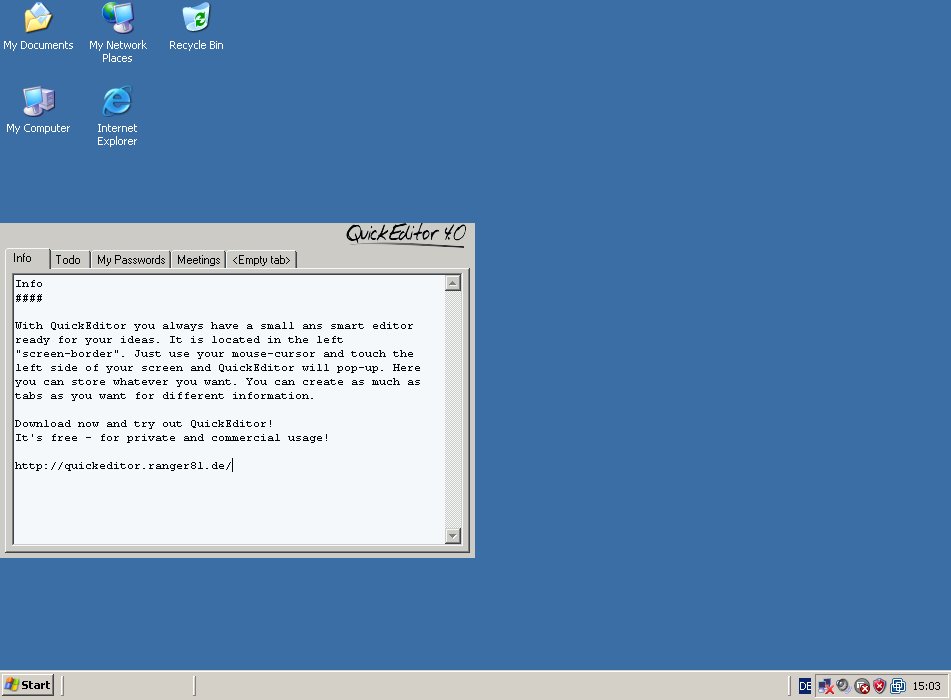
(Click to Enlarge)
What is QuickEditor? QuickEditor is a free, small and light-weight notepad which is always ready for your input. If you do not need QuickEditor, it will hide itself in the left or right "screen-frame" and will stay there until you move your mouse-cursor to the left/right side of your screen. Then QuickEditor will instantly pop-up and is ready for your input. QuickEditor is designed to run always in the background and if you instantly need a place to put information in, you can use QuickEditor. Is QuickEditor free? Yes! QuickEditor is absolutely free. Also for commercial use. Why use QuickEditor instead of Notepad or something else? Notepad is nice, but you always have to start it, if you need it. It is always there and visible in the windows taskbar. Most of the time you don't need it and inn most cases (if you need it), it is not started and not ready for your input. QuickEditor is different. QuickEditor started once on system-startup is always ready for your information. It is always on-standby "inside" the left "screen-border". You just have to move your mouse-cursor to the left side of the screen and QuickEditor is instantly visible and has the focus to grab your information. Much more than just a simple editor... For a full feature list have a look at feature list, but just to tell you a few here. QuickEditor is taking care of your stored information. Are you afraid of losing data or overwriting data? No problem with QuickEditor. There are a few backup-strategies implemented to ensure highly security for your information. In some cases it is really good to have something printed out... Thats not a problem for QuickEditor. A "standard" editor like Microsoft Notepad offers one textfield to enter some information - for some people this might be enough. QuickEditor offers a tabbed system like you know it from Firefox, Internet Explorer or something. In this tabbed system you can open as much tabs (including textfields for your information) as you want.
Specifications:
Version: 4.0.4437.16398 |
Download
|

Similar Products:
RECOVERYROBOT MEMORY CARD RECOVERY 1.3.3
System Utilities :: Backup & Restore
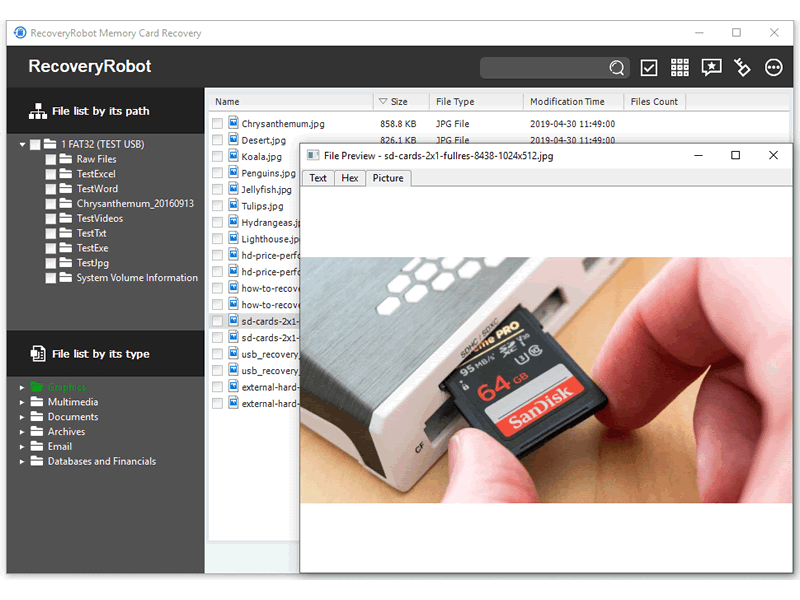 Designed for SD card and memory card used in digital camera or mobile phone, RecoveryRobot Memory Card Recovery software effectively recovers lost, deleted, corrupted or formatted data, photos, video, files from various memory card types including SD Card, MicroSD, SDHC, CF (Compact Flash) Card, xD Picture Card, Memory Stick and more. Enjoy its high card recovery success rate, comprehensive card data recovery functions, and ease of use.
Windows | Shareware
Read More
System Utilities :: Launchers & Task Managers
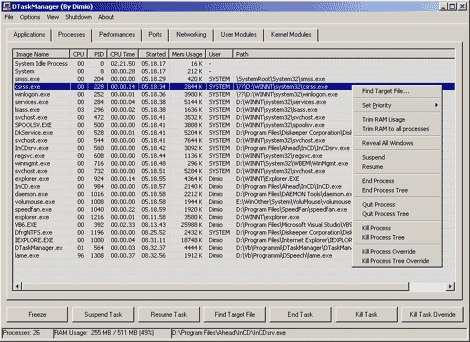 DTaskManager is a stand-alone Task-Manager specifically engineered to give additional functionalities that the Windows bundled TaskManager does not has: forced termination of any type of process bypassing all permissions (it can terminate also system processes), suspend and reactivate a process capability, monitor actually opened ports and much more.
Windows | Freeware
Read More
Security & Privacy :: Encryption Tools
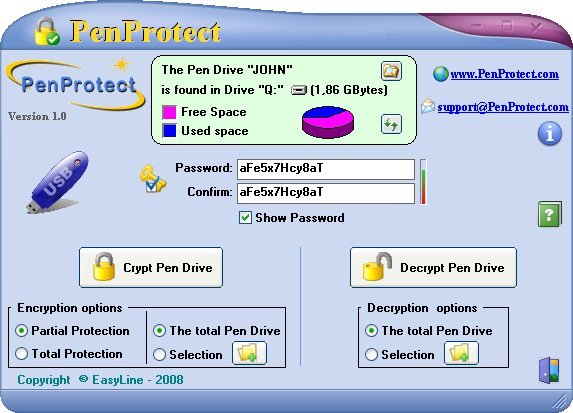 PenProtect is the most comprehensive and secure solution to protect the files within your USB Flash Drive, Flash Memory or Pen Drive. Files are encrypted and protected using your Password and a special technique (AES algorithm 256 bit key). PenProtect requires no installation. It is a single file located in the home folder of your Flash Drive. Ability to encrypt or decrypt only required files. No size limit of encrypted files.
Windows | Demo
Read More
::
 010 Memorizer is a powerful program for memorizing numbers. The system works by associating a number with a word or phrase that creates a vivid image in your mind. Numbers are converted to words with an easy phonetic system. Features a large customizable phonetic dictionary, customizable algorithms, random phrases, lists, plus more! Use 010 Memorizer to memorize phone numbers, passwords, PINs, dates, addresses, bible verse references, etc.
Windows | Shareware
Read More