


N5 Net Software Repository
Your one-stop for all your software needs.
Search N5 Net Software Repository:
Search Files
Sponsor:
Browse:
- Audio & Multimedia (1527)
- Business (1697)
- Communications (462)
- Desktop (135)
- Development (555)
- Education (163)
- Games & Entertainment (700)
- Graphic Apps (657)
- Home & Hobby (102)
- Network & Internet (524)
- Security & Privacy (499)
- Servers (65)
- System Utilities (8668)
- Web Development (279)
Areas Of Interest
Authors Area
Are you a software author? Take a look at our Author Resource Center where you will find marketing tools, software specifically created for promoting your software and a ton of other helpful resources.
IEHistoryView 1.70
Network & Internet :: Browser Tools
(Click to Enlarge)
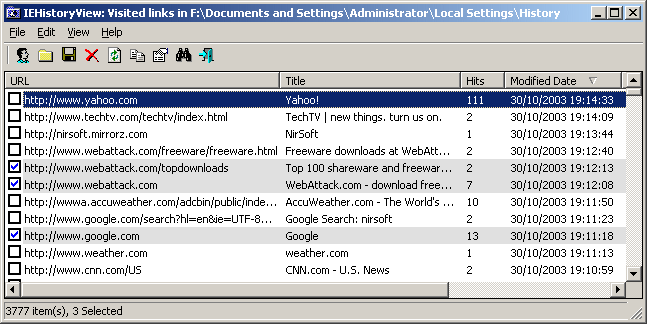
Each time that you type a URL in the address bar or click on a link in Internet Explorer browser, the URL address is automatically added to the history index file. When you type a sequence of characters in the address bar, Internet Explorer automatically suggests you all URLs that begins with characters sequence that you typed (unless AutoComplete feature for Web addresses is turned off). However, Internet Explorer doesn't allow you to view and edit the entire URL list that it stores inside the history file. This utility reads all information from the history file on your computer, and displays the list of all URLs that you have visited in the last few days. It also allows you to select one or more URL addresses, and then remove them from the history file or save them into text, HTML or XML file. In addition, you are allowed to view the visited URL list of other user profiles on your computer, and even access the visited URL list on a remote computer, as long as you have permission to access the history folder.
Specifications:
Version: 1.70 |
Download
|

Similar Products:
Security & Privacy :: Other
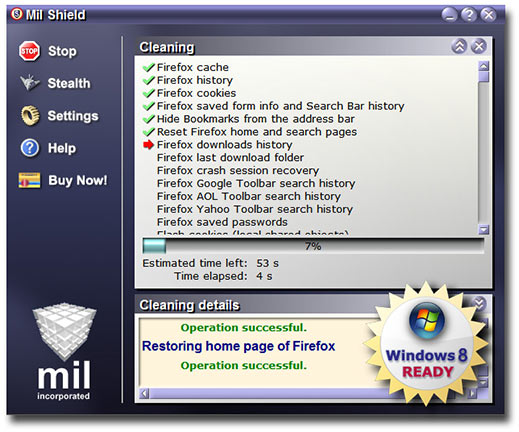 Mil Shield protects your privacy by deleting all tracks from your online or offline PC activities: Cookies, Cache, History, WebCacheV01.dat and INDEX.DAT files, Registry, Free Disk Space, and many others. Some unique options in this program: Selective cleaning (selectively preserves cache, history and cookies for chosen by you safe Internet sites), Panic key combination,Automatic cleaning. Supports Win 8.1/7/Vista/XP 32&64-bit, IE 11, Chrome.
Windows | Shareware
Read More
BACKREX INTERNET EXPLORER BACKUP 2.8.176
Network & Internet :: Browser Tools
 BackRex Internet Explorer Backup allows you to save Internet Explorer custom settings, including favorites, history, dialup accounts, autocomplete passwords and cookies. BackRex can help you to migrate settings from one computer to another, even with different versions of Windows and/or Internet Explorer.
Windows | Freeware
Read More
IE OPEN LAST CLOSED TAB 4.1.0.0
Network & Internet :: Browser Tools
 Accidentally closing webpages in Internet Explorer you really didn't want to close can be a pain. With Open Last Closed Tab, you can re-open those closed tabs by hitting Alt-X or by selecting the page in the toolbar list of previously closed tabs. The newly added Quick Tab Style View, displayed when you hit Alt-Q, shows you thumbnails of the previous tabs you've closed with filtering support to visually identify pages you want to re-open.
Windows | Freeware
Read More
Security & Privacy :: Anti-Spam & Anti-Spy Tools
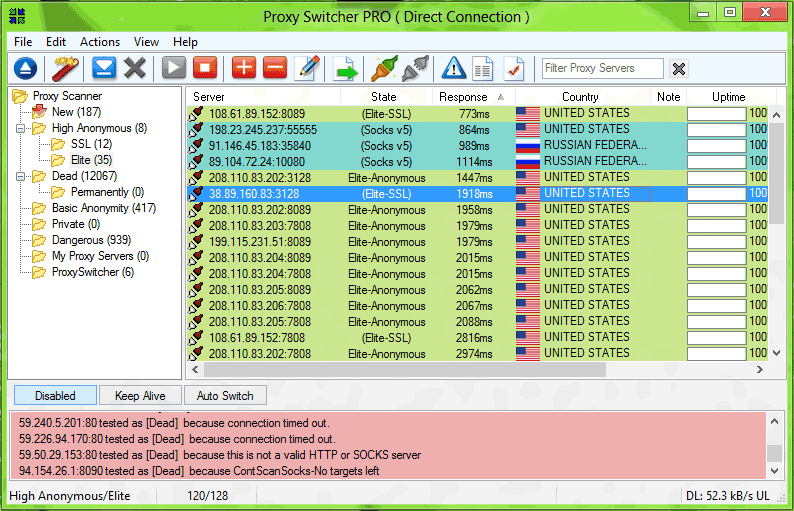 Different internet connections do often require completely different proxy server settings and it's a real pain to change them manually. Proxy Switcher provides proxy settings management solution and anonymous surfing capabilities. This includes flexible proxy server list management, proxy server tester and anonymous proxy server list downloader.
Windows | Shareware
Read More