


N5 Net Software Repository
Your one-stop for all your software needs.
Search N5 Net Software Repository:
Search Files
Sponsor:
Browse:
- Audio & Multimedia (1527)
- Business (1697)
- Communications (462)
- Desktop (135)
- Development (555)
- Education (163)
- Games & Entertainment (700)
- Graphic Apps (657)
- Home & Hobby (102)
- Network & Internet (524)
- Security & Privacy (499)
- Servers (65)
- System Utilities (8668)
- Web Development (279)
Areas Of Interest
Authors Area
Are you a software author? Take a look at our Author Resource Center where you will find marketing tools, software specifically created for promoting your software and a ton of other helpful resources.
BackRex Internet Explorer Backup 2.8.176
Network & Internet :: Browser Tools

(Click to Enlarge)
BackRex Internet Explorer Backup is a backup and restore tool for Internet Explorer. It allows you to save your current configuration of Internet Explorer including favorites, history, proxy settings, fonts, dialup accounts, autocomplete passwords and cookies BackRex Internet Explorer Backup can help you to migrate or transfer Internet Explorer settings from one computer to another, even with different version of Windows and/or Internet Explorer (for example from Internet Explorer 7.0 to Internet Explorer 8.0 or vice versa). How does it work? Install and run BackRex Internet Explorer Backup on a computer, which Internet Explorer settings you want to save, then choose Backup option in program, and finally choose a folder to save all data in. When BackRex finishes, keep results in a safe place - you'll need them to restore your Internet Explorer settings. To restore, run BackRex Internet Explorer Backup from the folder, you have saved Internet Explorer settings in, and in a few minutes all your personal information will be restored.
Specifications:
Version: 2.8.176 |
Download
|

Similar Products:
System Utilities :: System Maintenance
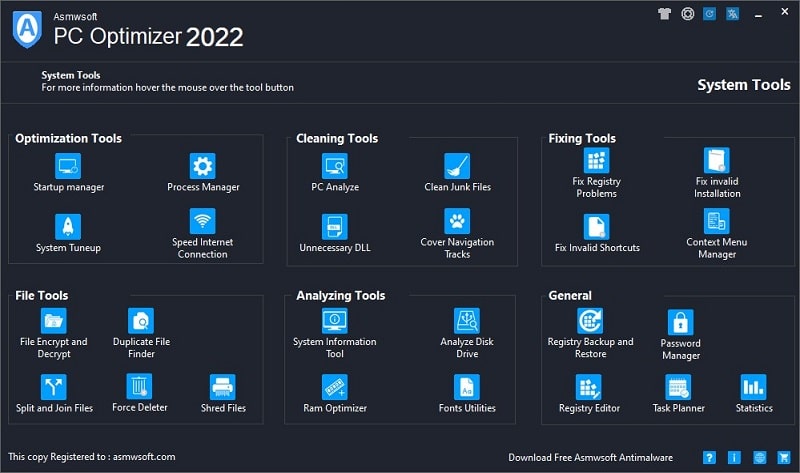 Asmwsoft PC optimizer Is a collection of over 20 system-maintenance and optimization utility to tune up windows performance. Remove junk files and zero size files to save valuable disk space; Registry Cleaner, to prevent application crashes; backup and restore backup; Startup Manager, to prevent spy applications from running behind your back; erase your navigation tracks to ensure your privacy, available more than 30 ready plug-ins for erasing t
Windows | Shareware
Read More
System Utilities :: Shell Tools
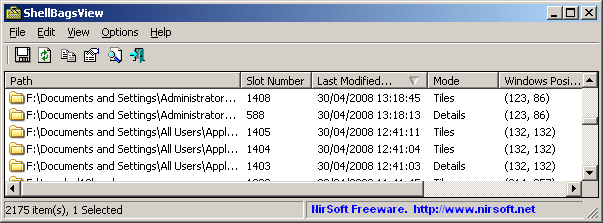 Each time that you open a folder in Explorer, Windows automatically save the settings of this folder into the Registry. This utility displays the list of all folder settings saved by Windows. For each folder, the following information is displayed: The date/time that you opened it, the entry number, display mode (Details, Icons, Tiles, and so on...), the last position of the window, and the last size of the window.
Windows | Freeware
Read More
System Utilities :: Other
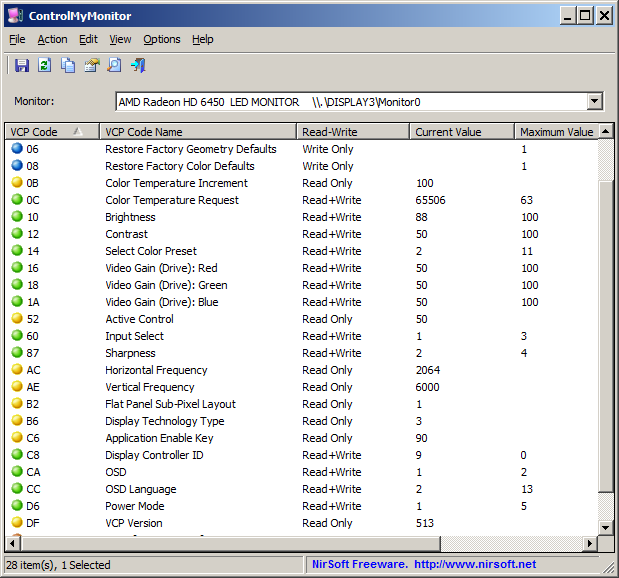 ControlMyMonitor allows you view and modify the settings of your monitor (Also known as 'VCP Features'), like brightness, contrast, sharpness, red/green/blue color balance, and more... You can modify the monitor settings from the GUI and from command-line. You can also export all settings of your monitor into a configuration file and then later load the same configuration back into your monitor.
Windows | Freeware
Read More