


N5 Net Software Repository
Your one-stop for all your software needs.
Search N5 Net Software Repository:
Search Files
Sponsor:
Browse:
- Audio & Multimedia (1565)
- Business (1732)
- Communications (466)
- Desktop (182)
- Development (569)
- Education (166)
- Games & Entertainment (707)
- Graphic Apps (683)
- Home & Hobby (105)
- Network & Internet (543)
- Security & Privacy (500)
- Servers (65)
- System Utilities (9315)
- Web Development (281)
Areas Of Interest
Authors Area
Are you a software author? Take a look at our Author Resource Center where you will find marketing tools, software specifically created for promoting your software and a ton of other helpful resources.
A-PDF Merger for Mac 1.0.0
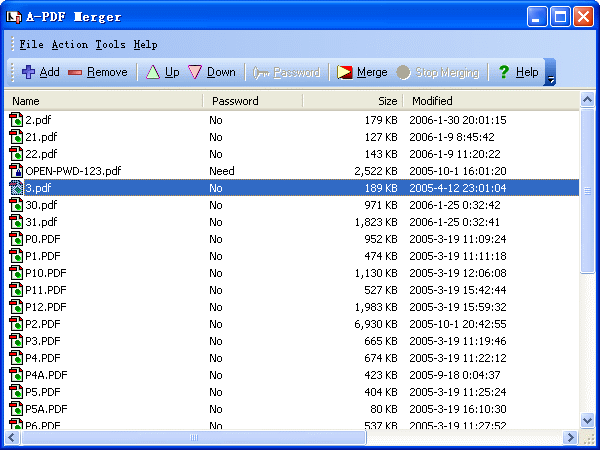
(Click to Enlarge)
A-PDF Merger for Mac is an easy-to-use PDF merging tool for Mac OS. This affordable program provides an easy and fast solution for file archiving. With this utility, you can merge multiple images or Acrobat PDF documents into a compact PDF file. The optional file import methods and flexible merge methods of this software will save you troubles and improve your work efficiency. Multiple-to-One for Archiving & email A-PDF Merger for Mac can be a great helper for document archiving. By combining multiple PDF files into a single one, you will have fewer files to store, which will reduce the possibility of file missing. Besides, this file merging tool will allow you to send fewer email attachments because the merged PDF already contains all the information. Images to PDF File In addition to allowing you to merge PDF files to one succinct PDF, A-PDF Merger for Mac also enables you to convert images of different formats into a single PDF document. The supported image formats include: TIFF (.tif), Multi-page TIFF, Windows bitmap (.bmp), GIF (.gif), JPEG (.jpg), Portable Network Graphics(.png), JPEG2000(.JP2, .J2K), Photo Shop Document(.psd), PCX, DCX, DIB, RLE, TGA, PBM, PGM, PPM, ICO, PCD, WMF, EMF, CUR. Easy Merging in 3 Steps Once you launch this PDF merger on your Mac computer, you can complete the mergence in 3 steps: 1. Click the "Add" button to import PDF files or images; 2. Organize file order and select merge method; 3. Click the "Merge" button to start the mergence. Flexible Merge Methods For different uses or purposes, A-PDF Merger for Mac provides you with 5 merge methods including: Whole, Part, Mix alternate pages, Mix alternate pages Reversed and Repeat. Find more actual examples of using the merge methods. Multi-Language Support A-PDF Merger for Mac supports multiple languages. You can choose and customize the interface language of this program so you can proceed the merging with native or familiar language.
Specifications:
Version: 1.0.0 |
Download
|

Similar Products:
Graphic Apps :: Converters & Optimizers
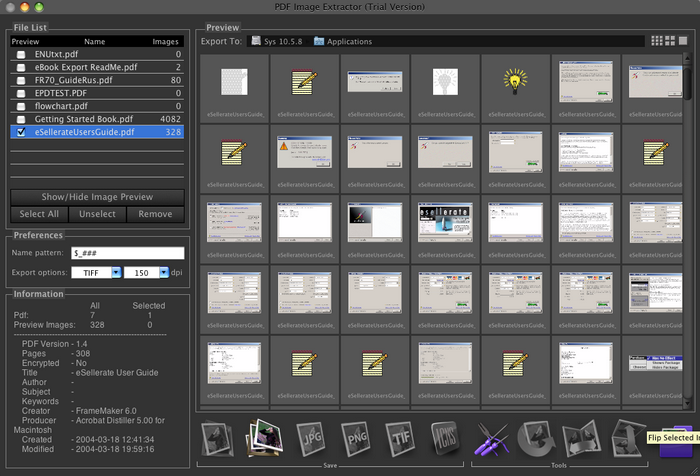 PDF Image Extractor can be used for extraction of the raster images from PDF files, and saving them to a disk, or converting them to numerous graphic formats including EPS, JPG, GIF, TIFF, PICT, PNG, BMP, and HEIC.
MAC | Shareware
Read More
FREE PICOPDF DOCUMENT CONVERTER FOR MAC 7.10
Business :: Other
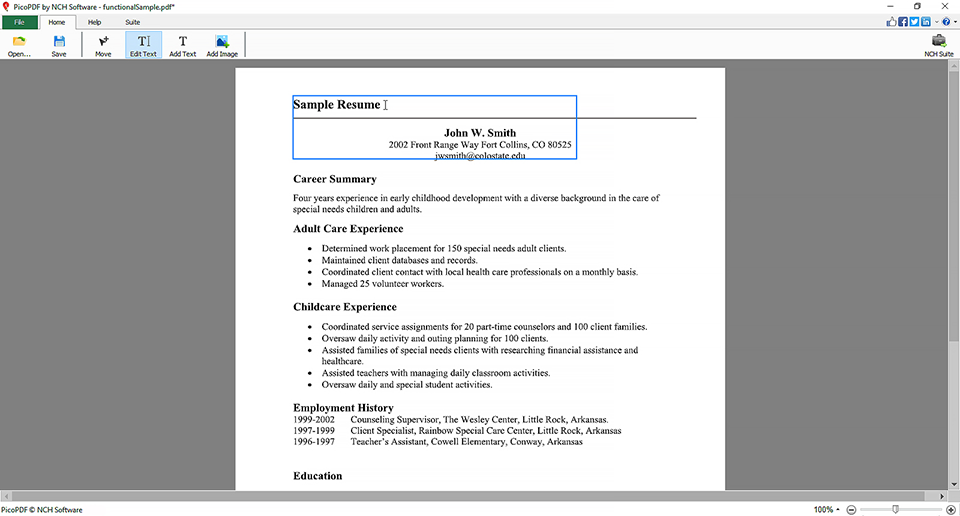 Download PicoPDF PDF Editor Software for Mac. Add your own digital signature to a PDF, add text or edit existing text, rearrange text and graphics, or add notes and comments to documents. Edit your PDFs with the best free PDF Editor on the market.
MAC | Freeware
Read More
PICOPDF DOCUMENT CONVERTER HOME EDITION FOR MAC 7.10
Business :: Other
Download PicoPDF PDF Editor Software for Mac. Add your own digital signature to a PDF, add text or edit existing text, rearrange text and graphics, or add notes and comments to documents. Edit your PDFs with the best PDF Editor on the market.
MAC | Shareware
Read More
Graphic Apps :: Converters & Optimizers
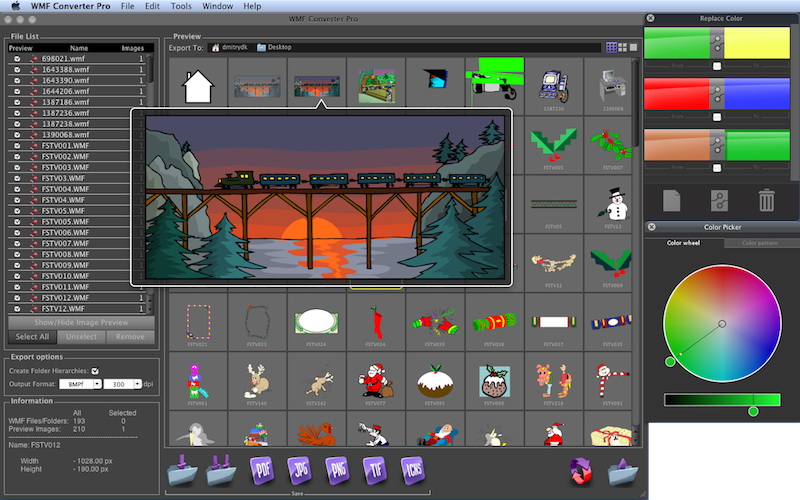 The program is mac wmf image converter and viewer application. It allows you to render and convert single or multiple WMF and EMF files, preview them, change colors in vector based WMF/EMF files, and save either all of them, or selected ones as mac native images in one of 10 file formats, including vector formats (PDF, EPS) and the raster ones, such as TIFF, JPEG, PNG, 8BPS (Photoshop), BMP, SGI, Mac ICNs and more.
MAC | Shareware
Read More