


N5 Net Software Repository
Your one-stop for all your software needs.
Search N5 Net Software Repository:
Search Files
Sponsor:
Browse:
- Audio & Multimedia (1527)
- Business (1697)
- Communications (462)
- Desktop (135)
- Development (555)
- Education (163)
- Games & Entertainment (700)
- Graphic Apps (657)
- Home & Hobby (102)
- Network & Internet (524)
- Security & Privacy (499)
- Servers (65)
- System Utilities (8668)
- Web Development (279)
Areas Of Interest
Authors Area
Are you a software author? Take a look at our Author Resource Center where you will find marketing tools, software specifically created for promoting your software and a ton of other helpful resources.
FSTool 1.01
System Utilities :: File & Disk Management
(Click to Enlarge)
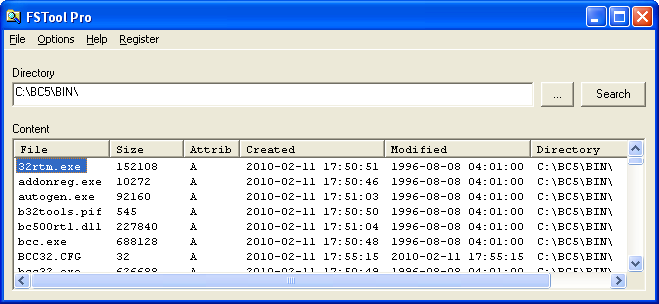
Have you ever wanted to use that list of files after doing a search? Are you fed up with having to flick between windows to find the next file to copy somewhere, or rename, or ...? Have you ever wished you could find files modified in the last 5 minutes instead of a whole day? If you answered, "Yes!" to any of these then this program is what you are looking for. Create a list of files that you can use in a batch file. Or feed into a document processor. Select just the filenames, or the full paths. Identify files by attribute, by creation datetime, or by how recently it was modified. FSTool will search a whole tree. It shows you what it found. AND it lets you export the results straight into Notepad OR into Excel. Now that's useful!
Specifications:
Version: 1.01 |
Download
|

Similar Products:
Business :: Databases & Tools
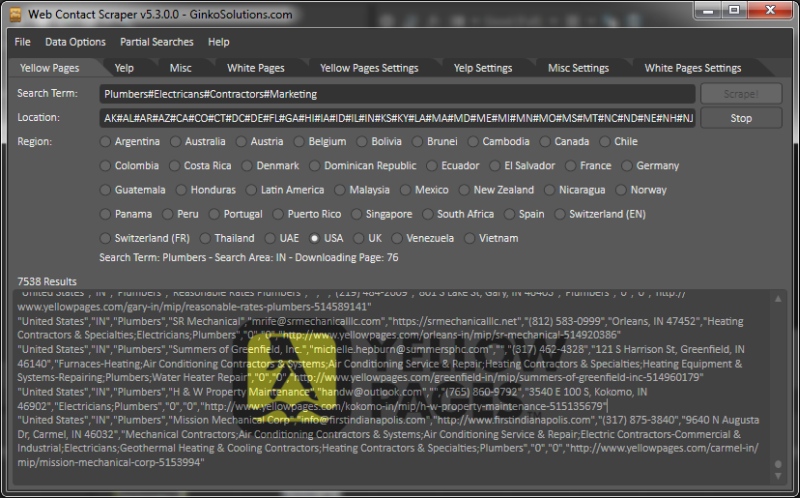 You can search and gather thousands of business leads, matching a chosen profession within any location, worldwide. Build your own targeted email marketing lists using any niche of your choice. For example: You can instantly retrieve 1000 Plumbers in New York or 10,000 Dance Instructors in Australia, the possibilities are endless. Export: emails, phone numbers, websites, addresses to CSV and start your targeted business campaign today!
Windows | Shareware
Read More
System Utilities :: Backup & Restore
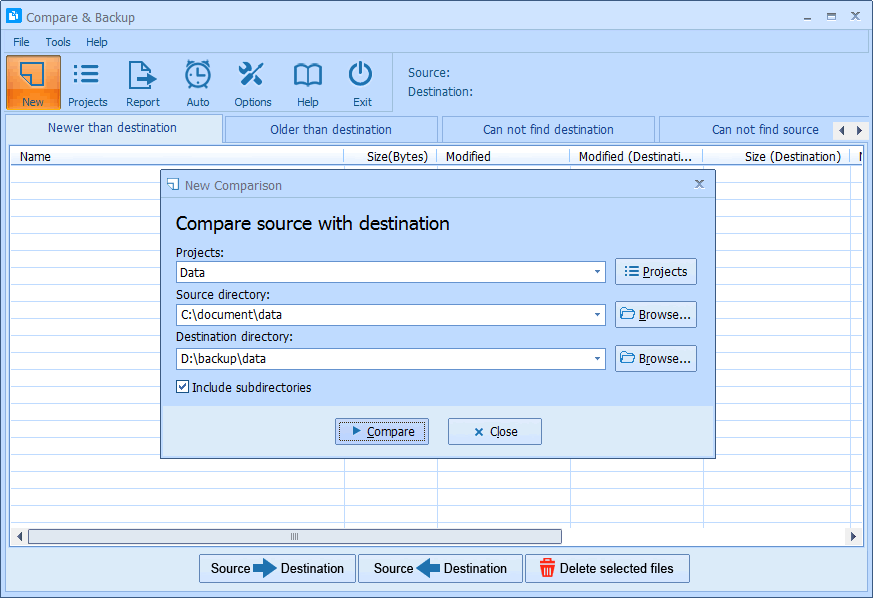 Compare & Backup is an easy to use and powerful tool for directory synchronization. It allows you to compare source with destination before backup. Compare results are shown in 5 sections:
1) Newer than destination
2) Older than destination
3) Can not find destination
4) Can not find source
5) Only size changed
So you will exactly know what the difference is between source and destination.
Compare & Backup is an easy to use and powerful tool for directory synchronization. It allows you to compare source with destination before backup. Compare results are shown in 5 sections:
1) Newer than destination
2) Older than destination
3) Can not find destination
4) Can not find source
5) Only size changed
So you will exactly know what the difference is between source and destination.
Windows | Shareware
Read More
System Utilities :: Backup & Restore
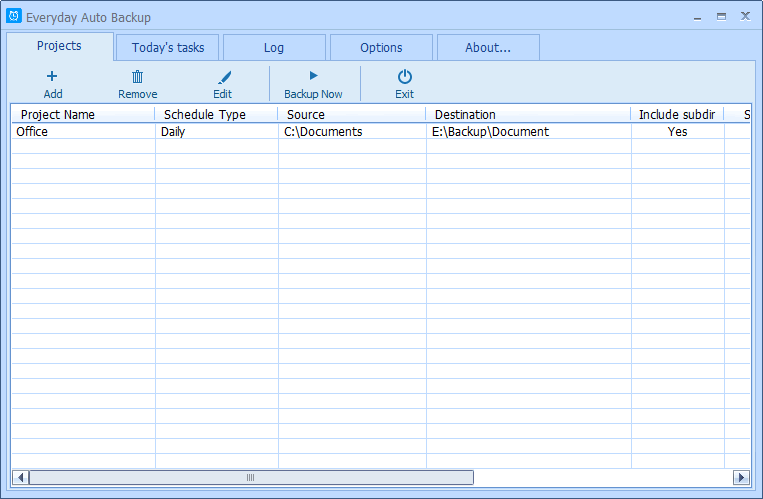 Everyday Auto Backup is an easy-to-use software designed to backup files automatically. What you need to do is to specify the source directory, the destination directory and the backup time. Then let this software do the rest. When the start time of a backup task arrives, this software will automatically start the backup task in the background without manual intervention. This software could be very useful to the Dropbox users.
Windows | Freeware
Read More
LEPIDE ACTIVE DIRECTORY SELF SERVICE 16.0
System Utilities :: System Maintenance
 Lepide Active Directory Self Service (LADSS) empowers the end users to perform self-password reset and self-account unlock actions directly from their login screens. It incorporates GINA/CP feature which provides one click access to software functionalities directly from the locked screen. GINA/CP is supported by all the desktop and windows versions. It also supports enrollment, bulk enrollment, co-worker authorization, report generation, etc.
Windows | Shareware
Read More