


N5 Net Software Repository
Your one-stop for all your software needs.
Search N5 Net Software Repository:
Search Files
Sponsor:
Browse:
- Audio & Multimedia (1527)
- Business (1697)
- Communications (462)
- Desktop (135)
- Development (555)
- Education (163)
- Games & Entertainment (700)
- Graphic Apps (657)
- Home & Hobby (102)
- Network & Internet (524)
- Security & Privacy (499)
- Servers (65)
- System Utilities (8668)
- Web Development (279)
Areas Of Interest
Authors Area
Are you a software author? Take a look at our Author Resource Center where you will find marketing tools, software specifically created for promoting your software and a ton of other helpful resources.
RoboGEO 6.3.2
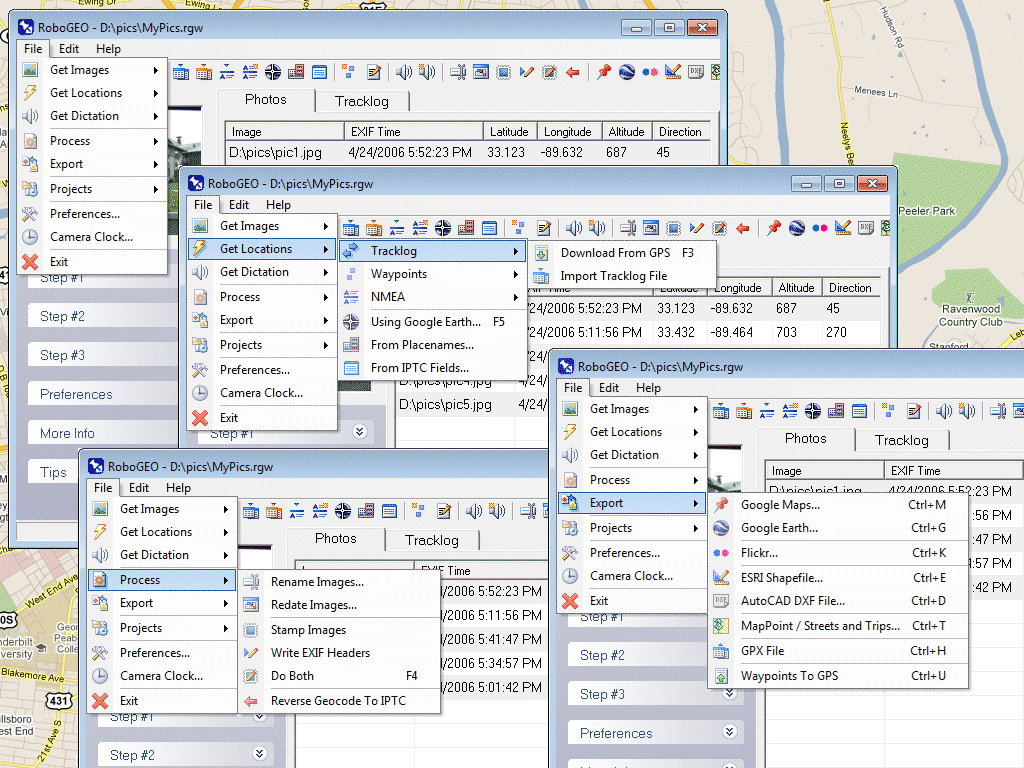
(Click to Enlarge)
Geocode digital images with latitude, longitude, altitude, and direction information. RoboGEO stamps this information onto the images or writes it to the EXIF, allowing you to permanently geocode and link your photos to the GPS coordinates. All writing to the EXIF and IPTC headers is lossless and all of the existing comments (including the MakerNote and the Adobe XMP metadata) are preserved. Includes a Picasa-style geotagger for Google Earth. Create web pages that use Google Maps, export KML or KMZ files to Google Earth, upload geotagged photos to Flickr, export ESRI SHP shapefiles, export to MapPoint, or export DXF files to AutoCAD or IntelliCAD. Show the photo direction on maps and calculate it from the GPS tracklog. Merge EXIF or IPTC tags into the image titles and descriptions. Record dictation using any modern digital voice recorder and automatically associate audio with the photos. Rotate or redate images based on the EXIF info. Export GPX files. Edit the EXIF times. Lookup altitudes knowing only lat/lon. Photo locations can be projected to a new location in either ground or airplane mode. Free EXIF/IPTC viewer. Geocode any type of JPG, PNG, BMP, TIF, DNG, NEF, CR2, MRW, ERF, RAF, ORF, PEF, ARW SR2, SRW, RW2, RAW, RWL, and MEF. Directly supports Garmin GPS units (USB or COM), but no GPS is required. Geocode images from a GPS tracklog, KML or KMZ files, NMEA sentences, waypoints, known place names OziExploer PLT files, or TCX files. Import GPX files for interfacing with other GPSs like Magellan and Trimble. Import shapefiles. Rename images per the EXIF data. IPTC editor. UTM and MGRS support. Use any digital camera. Internationally aware. Very easy to use. Nice user interface. Can be fully automated from the command line. Perfect tool for aerial photography, land surveyors, engineers, insurance claim adjusters or anyone who needs to collect field data for integration into a GIS system. Affordable. Free lifetime upgrades. Extensive documentation.
Specifications:
Version: 6.3.2 |
Download
|

Similar Products:
Graphic Apps :: Editors
 FotoSketcher is 100% free and automatically turns digital photos into beautiful drawings or paintings in seconds. With the click of a button any photo can become a masterpiece. Many styles are available: pencil sketch, oil painting, watercolor, pastel, drawing, pen and ink?
Windows MAC | Freeware
Read More
THE PANORAMA FACTORY X64 EDITION 5.0
Graphic Apps :: Editors
 The Panorama Factory creates panoramas from a set of overlapping digital images. You can add image hotspots, export to VR formats and create web pages that link your images into virtual tours. The software also corrects for lens-induced distortions and can create cylindrical, spherical and cubic image projections. The x64 Edition supports 64-bit and multi-core processors.
Windows | Shareware
Read More
TSR WATERMARK IMAGE SOFTWARE - FREE 3.7.2.3
Graphic Apps :: Editors
 Protect your photos with the TSR Watermark images software, add logo, text or 3D watermark to your pictures, images, photos or other digital images. Batch processing when creating watermark. Transparent or solid watermark. Free software for personal use to add watermark to pictures. How to watermark images, use this software. Use angled text used for watermarking. Keep the EXIF information when saving jpegs, and define your output photo quality.
Windows | Freeware
Read More
Graphic Apps :: Editors
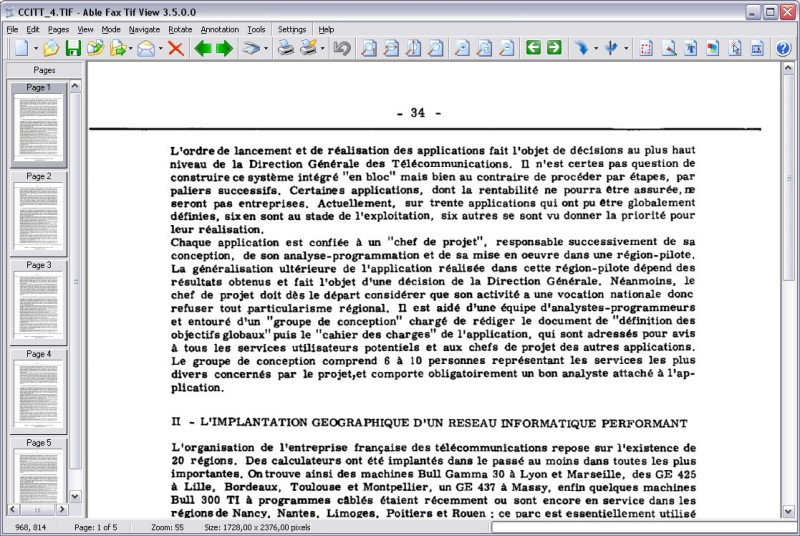 TIF, PDF, EPS, PS, AI, DCX viewer, editor and converter. Allows to view, edit, print, save, convert your files. Able Fax Tif View can convert one- and multipage files to standard TIFF/FAX format, jpeg, png, bmp, pcx, gif, dib, rle, tga, pdf, ps, eps and more. Able Fax Tif View can edit loaded images - extract, move, insert, delete, rotate, flip, invert pages, remove noise, deskewing image, color adjust, add margins.
Windows | Shareware
Read More