


N5 Net Software Repository
Your one-stop for all your software needs.
Search N5 Net Software Repository:
Search Files
Sponsor:
Browse:
- Audio & Multimedia (1582)
- Business (1741)
- Communications (469)
- Desktop (134)
- Development (571)
- Education (165)
- Games & Entertainment (709)
- Graphic Apps (683)
- Home & Hobby (106)
- Network & Internet (544)
- Security & Privacy (505)
- Servers (67)
- System Utilities (9267)
- Web Development (284)
Areas Of Interest
Authors Area
Are you a software author? Take a look at our Author Resource Center where you will find marketing tools, software specifically created for promoting your software and a ton of other helpful resources.
Xilisoft MP4 to DVD Converter for Mac 6.2.1.0318
Audio & Multimedia :: Multimedia Creation Tools
(Click to Enlarge)
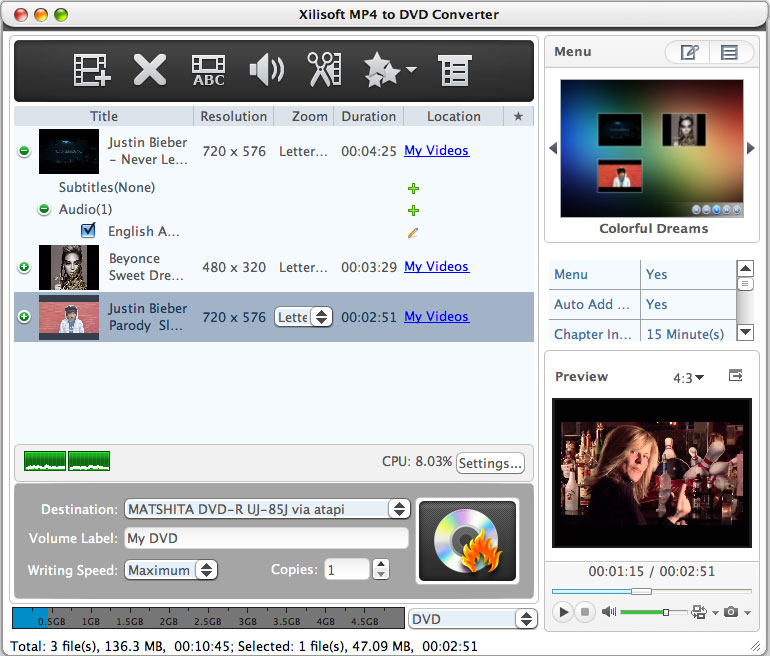
Easy and creative, Xilisoft MP4 to DVD Converter for Mac offers the best solution for you to preserve your fancied MP4 videos on Mac by burning them to high-quality DVDs. With it, you can convert MP4, MPEG, MPG, M2V, DAT, VOB, M4V, and H.264 videos as well as iPhone videos (MOV) to a format compatible with most DVD players and burn them into DVD discs, DVD folders or ISO image files on Mac effortlessly. New feature: Support minimize the window when burning DVD. Features: 1.Convert MP4, MPEG, MPG, M2V, DAT, VOB, M4V and H.264 videos to the format compatible with DVD players and burn them to high-quality DVDs on Mac. 2.Burn iPhone MOV videos to DVDs and watch them on DVD players. 3.Create ISO files on disc or DVD folders from MP4 videos besides DVD discs. 4.Convert MP4 videos to multiple DVD formats, including DVD-R, DVD+R, DVD-RW, DVD+RW, DVD+R DL, DVD-R DL, DVD-5 and DVD-9. 5.Dozens of DVD menu templates are available for you to choose to your preference. It is amusing to add background music/picture into the DVD menus to make them stylish and personalized. 6.Enable you to skip DVD menus and start playing DVD movies right away by skipping DVD menus. 7.Provide the option to clip videos to extract some parts and merge them together for burning to a DVD. 8.You are allowed to adjust video frame size, regulate image effect or add pictures/ watermark into your videos. 9.Set different audio tracks and subtitles of your videos before burning them to DVDs. You can adjust the audio volume, set subtitle language and etc. 10.More parameters to adjust video/audio settings are available: video/audio quality, bit rate, television standard, aspect ratio, resizes mode, channel, sample rate and etc. 11.It comes with a resizable built-in player allowing you to preview the video file and take snapshots from it at the same time. 12.Add chapters of specified time length automatically under each title.Adjust the writing speed and number of copies to burn.
Specifications:
Version: 6.2.1.0318 |
Download
|

Similar Products:
AISEESOFT DVD CREATOR FOR MAC 6.0.18
Audio & Multimedia :: Multimedia Creation Tools
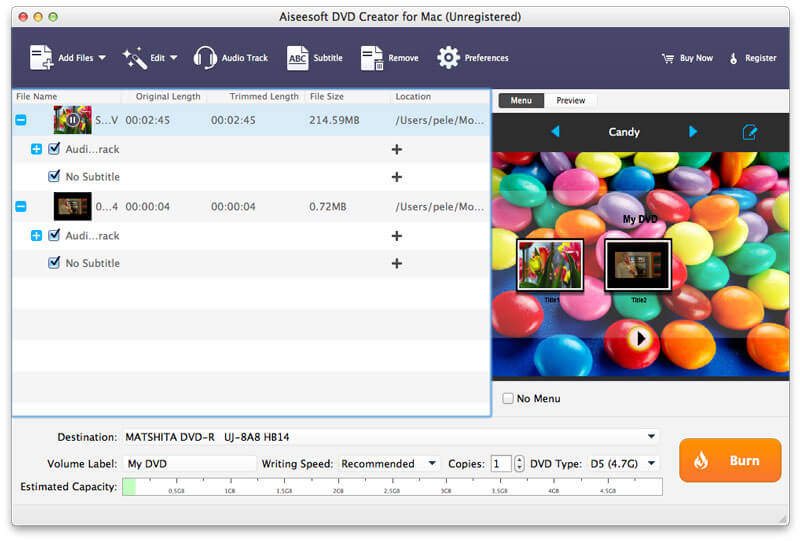 Aiseesoft DVD Creator for Mac enables you to burn DVD disc/folder/ISO images from your video files for forever preservation on Mac computer. You are allowed to add audio tracks/subtitles before burning DVD. You can also customize your own DVD menu with the built-in DVD menu templates, such as define the menu frame, edit the menu text, define its font, size and color, add a background picture, etc.
MAC | Shareware
Read More
WAVEPAD AUDIO EDITOR FOR MAC 24.01
Audio & Multimedia :: Multimedia Creation Tools
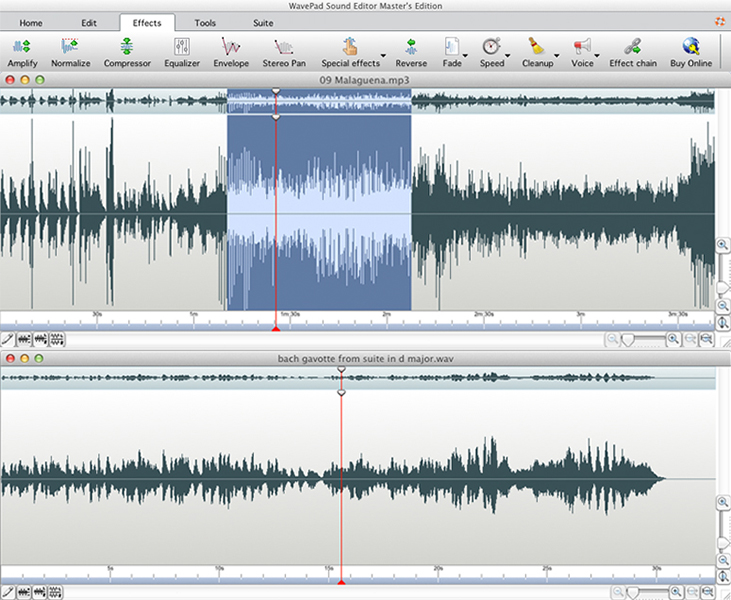 WavePad is a music editing softwasre program for Mac OS X. WavePad allows you to create and edit voice, music and other sound recordings. You can duplicate sections of recordings and add echo, amplification, noise reduction and other effects.
MAC | Shareware
Read More
XILISOFT PHOTO SLIDESHOW MAKER FOR MAC 1.0.2.0428
Audio & Multimedia :: Multimedia Creation Tools
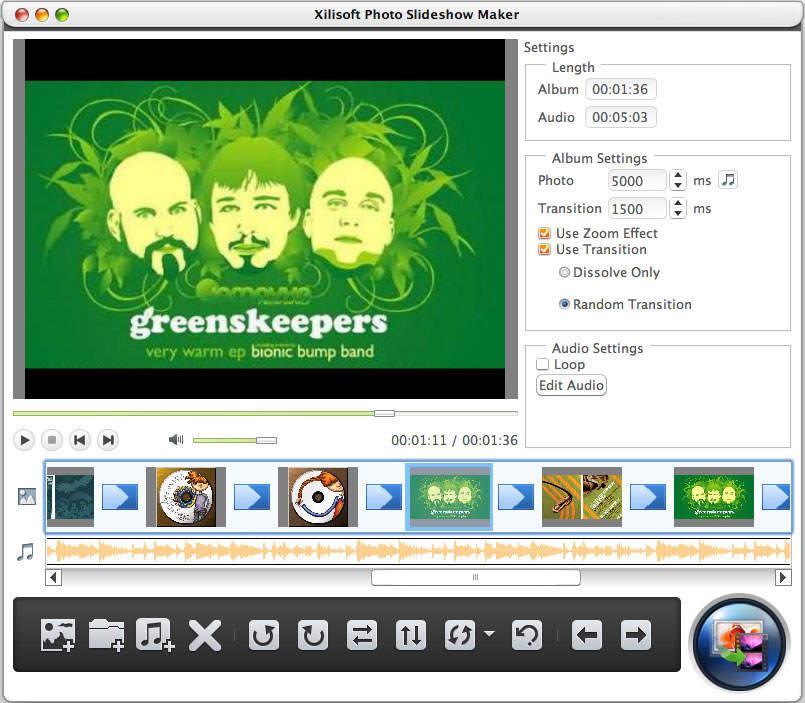 Xilisoft Photo Slideshow Maker for Mac provides you the perfect solution to sort out your photo collections to wonderful slideshows by creating them to photo videos of various formats on Mac. Multiple image formats can be imported into the application, like jpg, jpeg, png, gif, bmp, tiff, xbm and xpm to make exciting photo slideshows for sharing them to the Internet or enjoying on portable digital devices.
MAC | Shareware
Read More