


N5 Net Software Repository
Your one-stop for all your software needs.
Search N5 Net Software Repository:
Search Files
Sponsor:
Browse:
- Audio & Multimedia (1527)
- Business (1697)
- Communications (462)
- Desktop (135)
- Development (555)
- Education (163)
- Games & Entertainment (700)
- Graphic Apps (657)
- Home & Hobby (102)
- Network & Internet (524)
- Security & Privacy (499)
- Servers (65)
- System Utilities (8668)
- Web Development (279)
Areas Of Interest
Authors Area
Are you a software author? Take a look at our Author Resource Center where you will find marketing tools, software specifically created for promoting your software and a ton of other helpful resources.
ServiceMill 4.1.74
System Utilities :: Launchers & Task Managers
(Click to Enlarge)
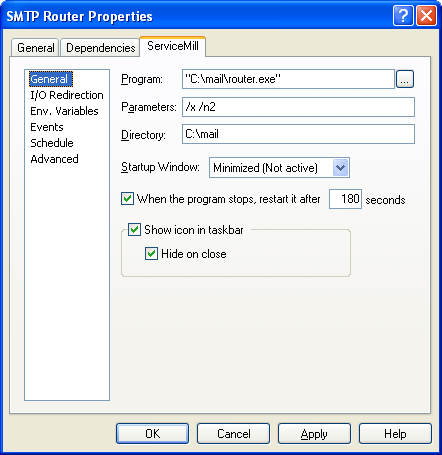
1.Applications: Run a program that is not available as a native system service (No user session needed). Write your own batch or script and run it securely as a system service. Run an application as a service in order to be able to start/stop it remotely. Run a UI application under an administrative security context (the user will not have access to the password). 2.Benefits: Run your application securely without the need of a user session. No modifications are required for your existing programs to work. Integrates with Microsoft Management Console (MMC). Optional administration through Service+. Remote & Local administration supported. Specify window position at startup. Run programs which requires both interactive mode and network access at the same time. Create Service+ views which only show ServiceMill services. Import or export your ServiceMill services settings as an XML file. 3.Features: Runs most executable: 16 bit (Dos, Windows, OS/2), 32 bit, batch files, scripts (VBScript, JScript) as a service. Runs custom applications developed using: Visual Basic, Java, PowerBuilder, Delphi, etc. as a service. Start applications at predefined interval. Restarts applications that terminate when a user logs off. Lets you specify the application priority (High, Normal, Idle). Supports multiple processors (Specify processors on which the application will run). Reports private errors to the event log. Lets you set process-specific environment variables. Allows to run multiple processes within the same service without ending up with orphan processes when the service is stopped. Restore user mapped network drives when the process starts. Specify standard input/output file redirection. Schedule the running state of the launched application: restart the application, stop the application during backups or week-ends, etc. Allows to raise events that let you execute custom programs at different points during the application life cycle.
Specifications:
Version: 4.1.74 |
Download
|

Similar Products:
System Utilities :: Launchers & Task Managers
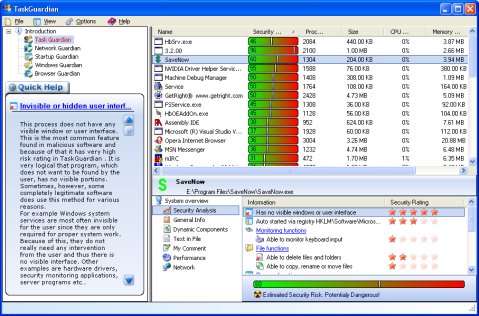 TaskGuardian is the arsenal of security tools designed to give you complete overview of what software is running on your system, in a comprehensible and easily understandable way. TaskGuardian includes advanced real-time process viewer with security analyzer, network connections viewer, startup and services manager, Windows folder scanner and browser plugin manager.
Windows | Shareware
Read More
System Utilities :: Launchers & Task Managers
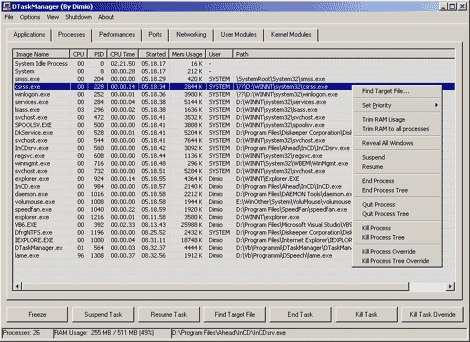 DTaskManager is a stand-alone Task-Manager specifically engineered to give additional functionalities that the Windows bundled TaskManager does not has: forced termination of any type of process bypassing all permissions (it can terminate also system processes), suspend and reactivate a process capability, monitor actually opened ports and much more.
Windows | Freeware
Read More
System Utilities :: Launchers & Task Managers
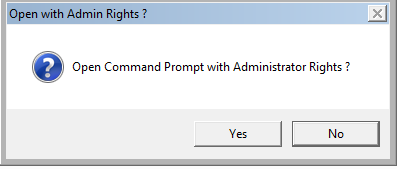 Launch the Command Prompt with or without administrative rights directly at any folder from Windows Explorer.Open Command Prompt Here is a free shell extension to the right click menu of Windows Explorer that adds a menu item to the right click context menu that opens the command prompt at the selected folder with or without admin rights. Both Windows 32bit and Windows 64bit are supported.
Windows | Freeware
Read More
System Utilities :: Launchers & Task Managers
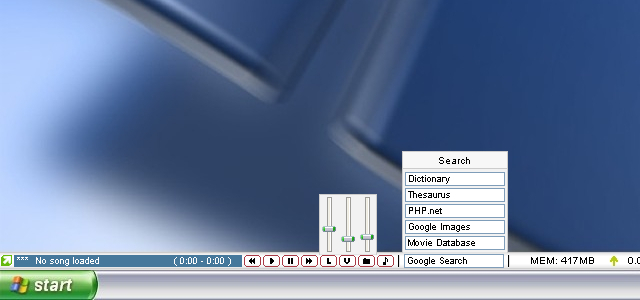 CustomBar is a bar that is always visible, much like the taskbar. Unlike the taskbar, you can place almost anything you want on it. This is accomplished through a scripting/plugin/skinning system that is powerful enough to create some basic apps in. C++ plugins can be used to further extend functionality. Standard features include Winamp controls, web search, volume controls, shortcuts, a mini notepad, system stats and much more. Fully skinnable.
Windows | Shareware
Read More