


N5 Net Software Repository
Your one-stop for all your software needs.
Search N5 Net Software Repository:
Search Files
Sponsor:
Browse:
- Audio & Multimedia (1521)
- Business (1689)
- Communications (462)
- Desktop (134)
- Development (555)
- Education (163)
- Games & Entertainment (700)
- Graphic Apps (656)
- Home & Hobby (102)
- Network & Internet (524)
- Security & Privacy (498)
- Servers (65)
- System Utilities (8707)
- Web Development (277)
Areas Of Interest
Authors Area
Are you a software author? Take a look at our Author Resource Center where you will find marketing tools, software specifically created for promoting your software and a ton of other helpful resources.
Windows XP Backup Recovery 6.0
System Utilities :: Backup & Restore
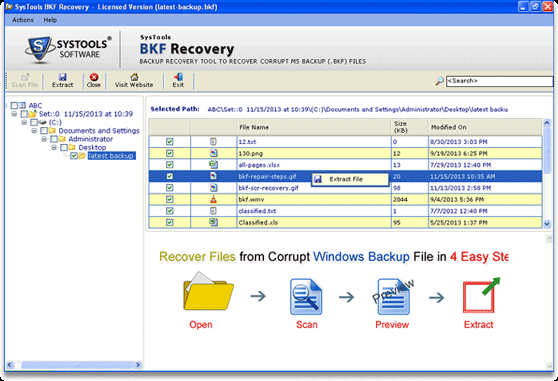
(Click to Enlarge)
Windows XP backup files generally created with VERITAS, ntbackup.exe and Symantec backup exe utility. Windows backup files mostly got corrupted due to various reasons like: - * Trojan / Virus Attack * Catalog File Missing * Media Corruption * Backup Interruptions * Cyclic Redundancy Check Errors * Drive Failure when NTBackup Utility Perform Exchange Backup Processes Advanced Windows backup recovery utility has been intended to take care of BKF files in corruption situation. This Windows XP backup recovery utility provides you best three scanning mode such as: - 1) Quick Scan 2) Deep Scan 3) Range Based Scan. These all mode works with unique method. MS backup repair software gives a best solution for backup recovery and completely recover heavy backup files up to 400 GB. Download free demo version of Windows XP backup recovery tool and check software functionality. If you are fully satisfied with demo version software then you go with full version license by pay only 89 dollars. Visit - www.bkfrepair.net
Specifications:
Version: 6.0 |
Download
|

Similar Products:
System Utilities :: Backup & Restore
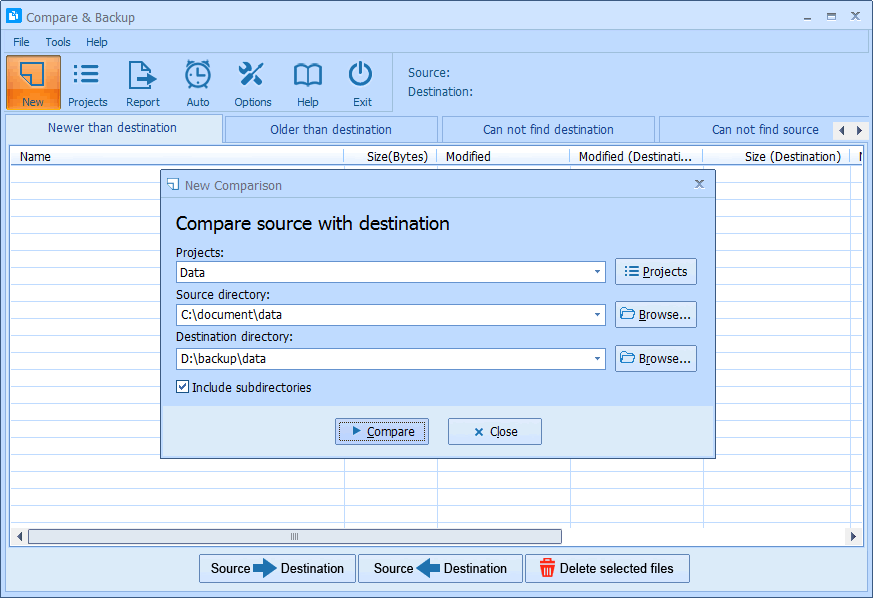 Compare & Backup is an easy to use and powerful tool for directory synchronization. It allows you to compare source with destination before backup. Compare results are shown in 5 sections:
1) Newer than destination
2) Older than destination
3) Can not find destination
4) Can not find source
5) Only size changed
So you will exactly know what the difference is between source and destination.
Compare & Backup is an easy to use and powerful tool for directory synchronization. It allows you to compare source with destination before backup. Compare results are shown in 5 sections:
1) Newer than destination
2) Older than destination
3) Can not find destination
4) Can not find source
5) Only size changed
So you will exactly know what the difference is between source and destination.
Windows | Shareware
Read More
System Utilities :: Backup & Restore
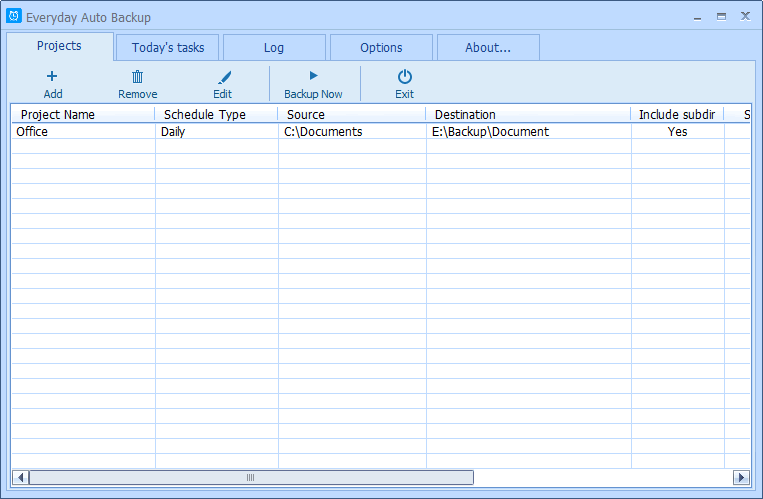 Everyday Auto Backup is an easy-to-use software designed to backup files automatically. What you need to do is to specify the source directory, the destination directory and the backup time. Then let this software do the rest. When the start time of a backup task arrives, this software will automatically start the backup task in the background without manual intervention. This software could be very useful to the Dropbox users.
Windows | Freeware
Read More
System Utilities :: Backup & Restore
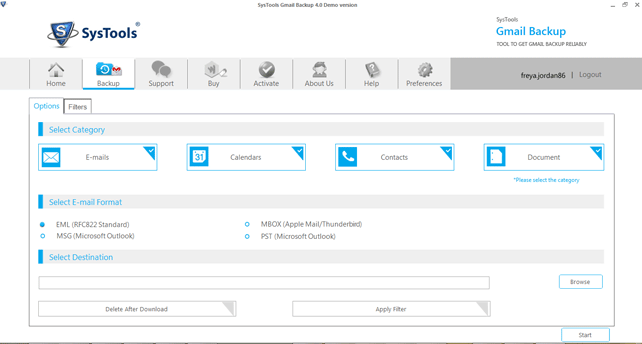 We provide Gmail backup software that resolves the user query issue like how to backup Gmail email simply. Our Gmail backup software can make backup Gmail email along with converting/migrating all email from Gmail to PST, MBOX, MSG or EML format on a local drive.
Windows | Shareware
Read More
System Utilities :: Backup & Restore
Our company offers Gmail backup software which is specifically developed for Gmail users. Using Gmail backup software, you can easily take backup of all Gmail emails including inbox, sent mail, starred, personnel, drafts and label) from Google account. There are some unique backup features of Gmail backup software including date based backup & delete after backup that assists you to create Gmail backup of Gmail account holder.
Windows | Shareware
Read More