


N5 Net Software Repository
Your one-stop for all your software needs.
Search N5 Net Software Repository:
Search Files
Sponsor:
Browse:
- Audio & Multimedia (1565)
- Business (1732)
- Communications (466)
- Desktop (182)
- Development (569)
- Education (166)
- Games & Entertainment (707)
- Graphic Apps (683)
- Home & Hobby (105)
- Network & Internet (543)
- Security & Privacy (500)
- Servers (65)
- System Utilities (9315)
- Web Development (281)
Areas Of Interest
Authors Area
Are you a software author? Take a look at our Author Resource Center where you will find marketing tools, software specifically created for promoting your software and a ton of other helpful resources.
QuickEditor 4.0.4437.16398
System Utilities :: Text/Document Editors
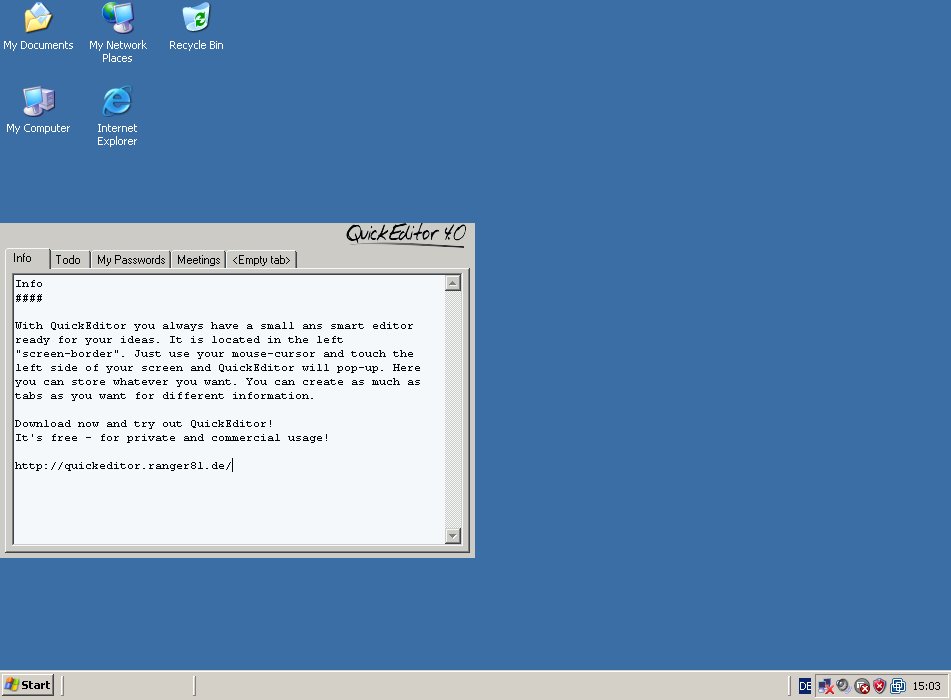
(Click to Enlarge)
What is QuickEditor? QuickEditor is a free, small and light-weight notepad which is always ready for your input. If you do not need QuickEditor, it will hide itself in the left or right "screen-frame" and will stay there until you move your mouse-cursor to the left/right side of your screen. Then QuickEditor will instantly pop-up and is ready for your input. QuickEditor is designed to run always in the background and if you instantly need a place to put information in, you can use QuickEditor. Is QuickEditor free? Yes! QuickEditor is absolutely free. Also for commercial use. Why use QuickEditor instead of Notepad or something else? Notepad is nice, but you always have to start it, if you need it. It is always there and visible in the windows taskbar. Most of the time you don't need it and inn most cases (if you need it), it is not started and not ready for your input. QuickEditor is different. QuickEditor started once on system-startup is always ready for your information. It is always on-standby "inside" the left "screen-border". You just have to move your mouse-cursor to the left side of the screen and QuickEditor is instantly visible and has the focus to grab your information. Much more than just a simple editor... For a full feature list have a look at feature list, but just to tell you a few here. QuickEditor is taking care of your stored information. Are you afraid of losing data or overwriting data? No problem with QuickEditor. There are a few backup-strategies implemented to ensure highly security for your information. In some cases it is really good to have something printed out... Thats not a problem for QuickEditor. A "standard" editor like Microsoft Notepad offers one textfield to enter some information - for some people this might be enough. QuickEditor offers a tabbed system like you know it from Firefox, Internet Explorer or something. In this tabbed system you can open as much tabs (including textfields for your information) as you want.
Specifications:
Version: 4.0.4437.16398 |
Download
|

Similar Products:
System Utilities :: System Maintenance
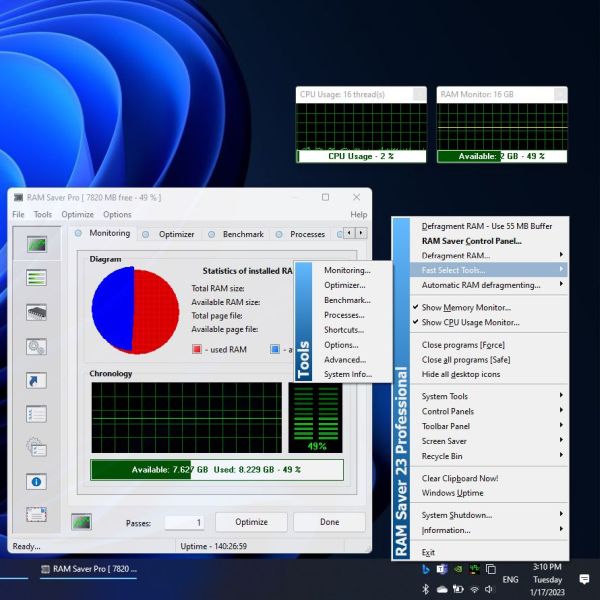 Easy-to-use RAM optimizer tool that will keep your computer running faster. It increases the operation system performance by making more memory available for your applications. Defragments system memory, increasing the efficiency of your CPU and motherboard caches. It also recovers memory leaks from corrupted applications, and it temporarily flushes unused libraries to disk.
Windows | Shareware
Read More
System Utilities :: System Maintenance
 Easy-to-use RAM optimizer tool that will keep your computer running faster. It increases the operation system performance by making more memory available for your applications. Defragments system memory, increasing the efficiency of your CPU and motherboard caches. It also recovers memory leaks from corrupted applications, and it temporarily flushes unused libraries to disk.
Windows | Shareware
Read More
System Utilities :: System Maintenance
 SuperRam makes your computer run faster by taking control and managing the memory on your computer efficiently. SuperRam gives you full control over how memory works on your computer and allows you to fine tune how your computer operates. SuperRam intelligently manages memory unlike many other memory management programs available on the internet. SuperRam's simple to use interface allows you to set it and forget it.
Windows | Shareware
Read More
Development :: Components & Libraries
 The Atomic Memory Model is a powerful methodology which handles memory in a highly effective way, greatly increasing the quality of code and speed of development. The download includes the thesis of the model, the complete source code of example implementation "Two" for C++, and a Reference Manual. It also includes a set of helper classes and the source code for implementation "One", and an example program demonstrating the use of the code.
Windows MAC Linux | Data Only
Read More