


N5 Net Software Repository
Your one-stop for all your software needs.
Search N5 Net Software Repository:
Search Files
Sponsor:
Browse:
- Audio & Multimedia (1527)
- Business (1697)
- Communications (462)
- Desktop (135)
- Development (555)
- Education (163)
- Games & Entertainment (700)
- Graphic Apps (657)
- Home & Hobby (102)
- Network & Internet (524)
- Security & Privacy (499)
- Servers (65)
- System Utilities (8668)
- Web Development (279)
Areas Of Interest
Authors Area
Are you a software author? Take a look at our Author Resource Center where you will find marketing tools, software specifically created for promoting your software and a ton of other helpful resources.
Business Barcode Designing Application 9.2.3.2
Business :: Inventory & Barcoding
(Click to Enlarge)
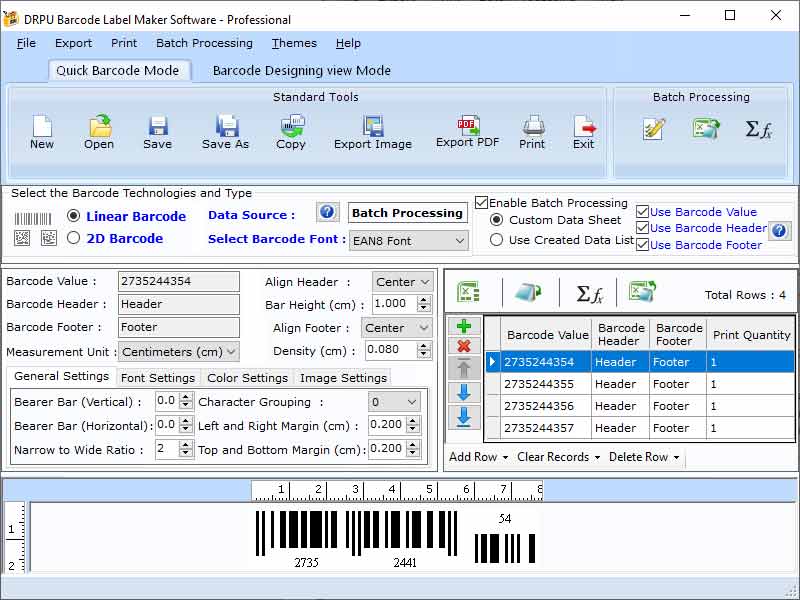
Barcode is a structure form of some lines and spaces with certain define width. In the other words that is machine readable data storage methodology. Barcodes ensures that these are more accurate than others in decision making ability because it is entering data in computer system which is worked on binary system o and 1. Computer can read the binary values of barcodes with the bar, spaces and varying width. Tracking of the product is performed by barcodes in the company. Barcode can manage the accounts of a company in a very efficient manner with automatic updating feature. Barcode designing process is also consist with few steps. After purchase the software, here are the steps to create barcode: ?Install and run application on your windows operating system ?Write barcode value ?Choose type of barcode ?Adjust height and density ?Print barcode There are some features of professional barcode maker: Software is very easy to use. Barcode creating application can be accessed by everyone. Software allows user to save the barcodes in jpg, PNG and other file format. It has option to share barcode via email.User can provides the values of barcode, header, footer, measurement unit, header-footer alignments and height & density of bar and many other. Every feature has the adjustable properties that can be adjust as per your choice. Designing view mode is used to design labels, stickers and tags for professional jobs. User has option to change the property values of label like background, text, image and many others. Label properties as general setting, background filling and image processing properties. General setting has option to change the labels name, height width. Application has option to include the images and digital signature in their barcodes and label so they can easily extract from their system.
Specifications:
Version: 9.2.3.2 |
Download
|

Similar Products:
SCANPOINT - ARCHIVE MANAGEMENT SOFTWARE 4.00.XX
Business :: Inventory & Barcoding
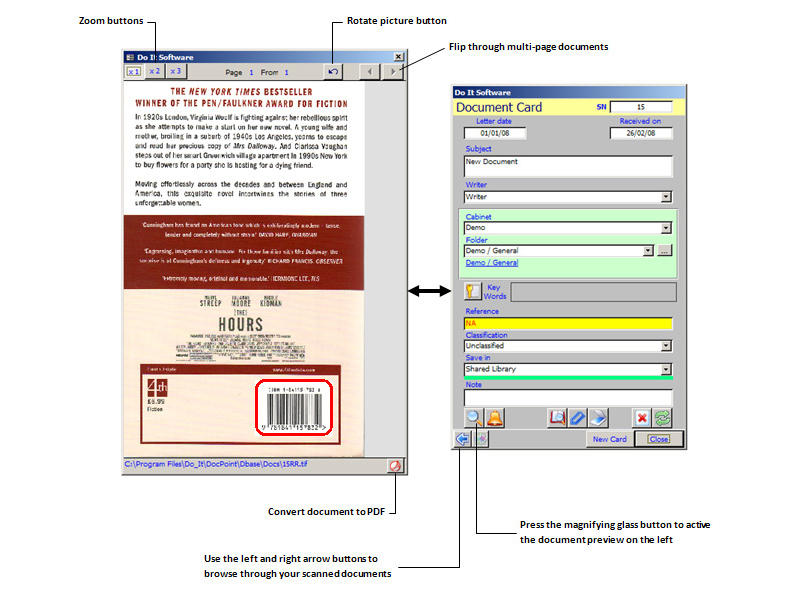 ScanPoint is an OCR and barcode-ready archive and imaging management solution that provides organizations of any size with a powerful and affordable paperless office solution. ScanPoint gives you the power to file documents quickly by capturing index criteria from barcodes embedded in a scanned document.
Windows | Shareware
Read More
INVENTORY EXECUTIVE SYSTEM 1.5
Business :: Inventory & Barcoding
 Inventory Executive System is a complete inexpensive system for management of sales, purchases and payments. This system will help you in creation invoices, sale orders, purchase orders, receiving lists, payment receipts, product labels with bar codes and any kinds of the reports for monitoring your business. It allows to control customer balances and vendor balances
Windows | Shareware
Read More
Business :: Inventory & Barcoding
 Silver Inventory System is a complete inexpensive system for management of sales, purchases and payments. This system will help you in creation invoices, sale orders, purchase orders, receiving lists, payment receipts, product labels with bar codes and any kinds of the reports for monitoring your business. It allows to control customer balances and vendor balances
Windows | Shareware
Read More
CONNECTCODE ASSET TRACKING SPREADSHEET 1.0
Business :: Inventory & Barcoding
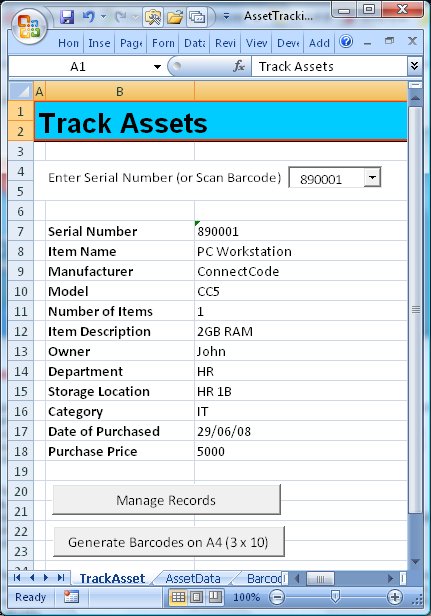 This free Excel Template is designed to help you track assets easily with barcodes. It lets you to setup asset or inventory records, generate barcodes out of serial numbers, and print the barcodes on commonly used labels with an inkjet or laser printer. The barcodes are then pasted on the items you will like to track. During the tracking phase, the barcodes are scanned into the template to retrieve the neccessary information about the asset.
Windows | Freeware
Read More