


N5 Net Software Repository
Your one-stop for all your software needs.
Search N5 Net Software Repository:
Search Files
Sponsor:
Browse:
- Audio & Multimedia (1582)
- Business (1741)
- Communications (469)
- Desktop (134)
- Development (571)
- Education (165)
- Games & Entertainment (709)
- Graphic Apps (683)
- Home & Hobby (106)
- Network & Internet (544)
- Security & Privacy (505)
- Servers (67)
- System Utilities (9267)
- Web Development (284)
Areas Of Interest
Authors Area
Are you a software author? Take a look at our Author Resource Center where you will find marketing tools, software specifically created for promoting your software and a ton of other helpful resources.
A Better Finder Rename 12.26
System Utilities :: File & Disk Management
(Click to Enlarge)
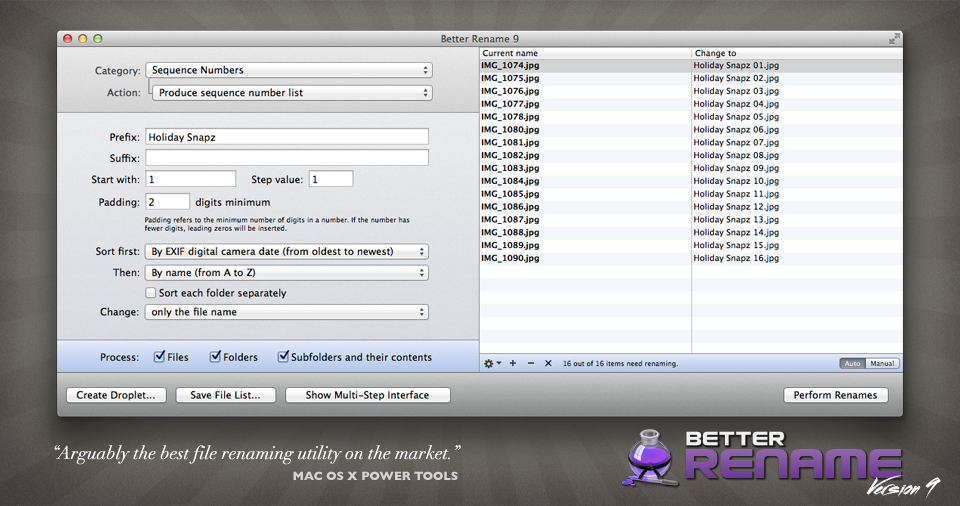
A Better Finder Rename is the most complete renaming solution available on the market today. That is why, since 1996, tens of thousands of hobbyists, professionals and businesses depend on A Better Finder Rename to organize and maintain files. A Better Finder Rename's user interface supports complex renaming tasks without sacrificing ease and speed of use. Simply drag the files you want to rename straight from the Finder into the large preview table or the application icon.. or use our Finder context menu and hot key. The Instant Preview feature eliminates guesswork and costly errors and helps you find the right settings quickly and accurately by providing as-you-type feedback. A Better Finder Rename offers a complete set of renaming options that are organized into 15 categories covering all the text, character, position, conversion and truncation features that you would expect from a file renamer, but it does not stop there. Photographers use the advanced sequence number and date and time features to clean up their portfolios or prepare photos for delivery to their client. A Better Finder Rename knows how to extract EXIF shooting date and time information from digital camera images and exploit them in creating sequence numbers or adding time and date information to the file name. Support for all major RAW formats extends this to professional photographers. A Better Finder Rename also deals gracefully with multiple shots captured in the same second. Version 9 adds access to over 100 photo, image, color, camera, lens and date meta-data tags and allows for manual re-ordering of sequence numbers. System administrators, web masters and other power users will appreciate the presence of advanced features, such as regular expression support, conversion to Windows NTFS/SMB compatible names, the ability to import file names from a database, a spreadsheet or any other source that can produce plain or tab-delimited text files.
Specifications:
Version: 12.26 |
Download
|

Similar Products:
MAILDIVERT MAC PST CONVERTER 1.1
System Utilities :: File & Disk Management
 With MailDivert Mac PST Converter users can simply convert their Outlook PST files to PDF, MBOX, EML, CSV, DOC, HTML, MBOX, Office 365, vCard, ICS, Yahoo, OLM, IMAP Server, Gmail, Thunderbird, etc. the tool supports conversion of complete PST data without missing any data.
MAC | Shareware
Read More
MAILDIVERT MAC OLM CONVERTER 1.1
System Utilities :: File & Disk Management
 Download MailDivert Mac OLM Converter that provides simple and accurate method to convert Mac Outlook OLM mailboxes without any data loss. The tool allows converting Mac Outlook OLM to PST, PDF, EML, CSV, MBOX, Office 365, vCard, ICS, Gmail etc.
MAC | Shareware
Read More
MACFLICK MAC PST CONVERTER 1.1
System Utilities :: File & Disk Management
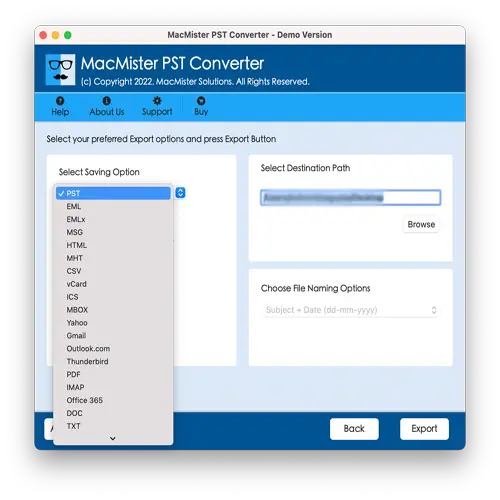 Macflick Mac PST Converter Tool securely performs the conversion of PST files into PDF, MSG, EML, CSV, OLM, MBOX, DOC, IMAP, Gmail, and more. Macflick Mac PST Converter has simplified GUI for seamless processing. Download its freeware version to know the in-depth software working for free.
MAC | Shareware
Read More