


N5 Net Software Repository
Your one-stop for all your software needs.
Search N5 Net Software Repository:
Search Files
Sponsor:
Browse:
- Audio & Multimedia (1565)
- Business (1732)
- Communications (466)
- Desktop (182)
- Development (569)
- Education (166)
- Games & Entertainment (707)
- Graphic Apps (683)
- Home & Hobby (105)
- Network & Internet (543)
- Security & Privacy (500)
- Servers (65)
- System Utilities (9315)
- Web Development (281)
Areas Of Interest
Authors Area
Are you a software author? Take a look at our Author Resource Center where you will find marketing tools, software specifically created for promoting your software and a ton of other helpful resources.
Deleted Data Recovery Software for NTFS 6.1.2.2
System Utilities :: File & Disk Management
(Click to Enlarge)
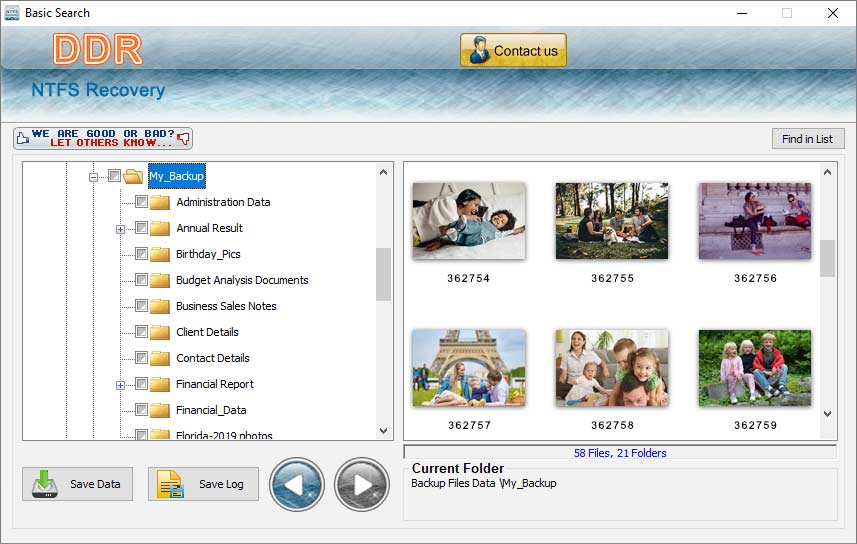
Step to recover NTFS data by using the hard disk data recovery software. Software also recovers the data in three steps. *Scanning-: User connects the device to the computer system. After selecting the device software scan all the formatted data and display it on the computer screen. *Select-: User can choose the particular file data, which want to recover. You can preview the selected data. * Data back-: After performing all steps, users click the next button and the recovery process will start. User saves the recovered data on our computer system. Common reason of data loss from NTFS partition-: Formatting-: If a user wants to format a drive to convert it into an NTFS partition, then the user will lose all data in the partition making process. You may convert the drive into a file system. *Corruption of file-: Most of the time, our data file is corrupt and due to the corruption file we also lose the data. Some hardware issues, like failure of the hard drive controller or an issue with the cable will corrupt our NTFS partition. *Power failure-: Power failure is a major reason for the data loss. If a user was working on a system and the power went out for any reason, User lost the data on the hard drives cause of the sudden shutdown. *Virus and malware-: A virus or malware also enters the system through phishing or email attacks where the attacker encourages clicking the download link or attachment. After entering malware or virus into the system, it will start damaging your file. Important feature of the software-: *Software recovers lost, deleted, or formatted file and folder. *Application support many SCSI, SATA, IDE hard disk standard. *Program takes less time to recover the data from hard disk. *Hard Disk Recovery Software has saving feature, so that user can save recovered data.
Specifications:
Version: 6.1.2.2 |
Download
|

Similar Products:
IM-MAGIC PARTITION RESIZER FREE 7.9.0
System Utilities :: File & Disk Management
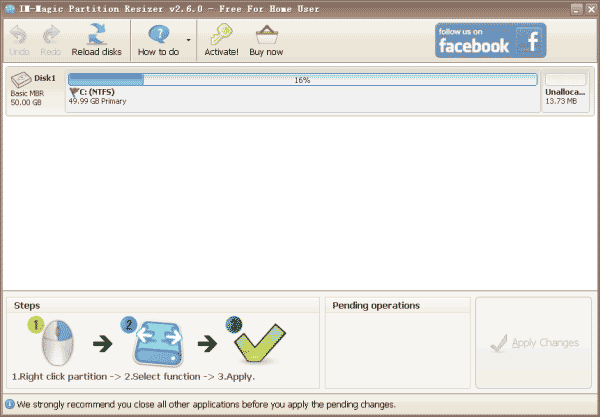 IM-Magic Partition Resizer Free is a free partition magic software to resize partition especially the system volume that is running out of space and has low disk space alter. It is able to repartition disk without formatting or reinstalling system. Resize partition in Windows XP Vista 7 / 8 /10/11 without losing data with IM-Magic Partition Resizer Free Edition.
Windows | Freeware
Read More
System Utilities :: File & Disk Management
 VX Search is an automated, rule-based file search solution capable of searching files by the file type, category, extension, file name, location, size, creation, modification and last access dates, user, file attributes, JPEG EXIF tags, etc. VX Search provides multiple types of file matching rules, user-defined file search profiles and customizable GUI layouts.
Windows | Freeware
Read More
System Utilities :: File & Disk Management
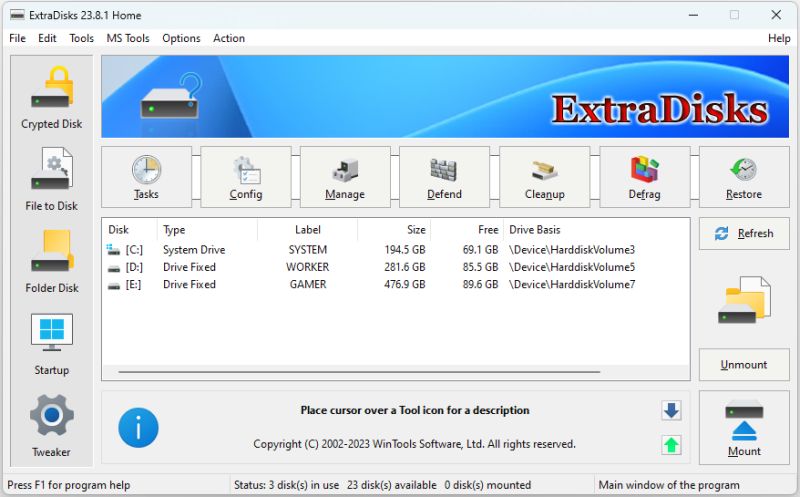 ExtraDisks is a suite of tools for creating Virtual disks on your computer - physical drives remain unchanged and are not divided into additional partitions. The program contains tools for creating Encrypted disks, Virtual disks based on files and Virtual disks based on folders. The current version consists of the following tools: Encrypted Disks, Virtual Disks, Folder Disks, Startup Manager, System Tweaker.
Windows | Shareware
Read More
TOOLSBAER OST TO PST MIGRATION TOOL 2.0
System Utilities :: File & Disk Management
 MS Outlook is most popular email-client which creates OST and PST file but some time OST file get unreadable and inaccessible in this situation user need to convert OST into PST data file without disturbing data hierarchy. You can see the preview before the conversion process then save the data into PST file format along with email, inbox, outbox, sent-items, deleted-items, drafts, contacts, calendars, notes (to, cc, bcc, subject, date and time)
Windows | Shareware
Read More