


N5 Net Software Repository
Your one-stop for all your software needs.
Search N5 Net Software Repository:
Search Files
Sponsor:
Browse:
- Audio & Multimedia (1527)
- Business (1697)
- Communications (462)
- Desktop (135)
- Development (555)
- Education (163)
- Games & Entertainment (700)
- Graphic Apps (657)
- Home & Hobby (102)
- Network & Internet (524)
- Security & Privacy (499)
- Servers (65)
- System Utilities (8668)
- Web Development (279)
Areas Of Interest
Authors Area
Are you a software author? Take a look at our Author Resource Center where you will find marketing tools, software specifically created for promoting your software and a ton of other helpful resources.
Image2PDF Command Line 3.2

(Click to Enlarge)
Image2PDF is an application program based on Windows platform, which can directly convert more dozens of image formats, such as TIF, JPG, GIF, PNG, BMP, PSD, WMF, EMF, PDF, PCX, PIC and so on, into PDF format, can support manifold conversion way, and automatically clear and skew-correct by adopting special technique for B/W images, to insure display effect of high quality after conversion. Image2PDF can operate independently on Adobe Acrobat, in faster processing speed. We once have an example of testing, in which, under Windows 2000 Pro, CPU Celeron400 / memory 256M, 5 minutes and 30 seconds was needed to convert 3042 images, totally 108 MB, in 200 directories, into one file. If your application program doesn't require OCR (Optical Character Recognition) function, this software provides a kind of very convenient way to compose electronic books so that users can very conveniently issue it to Web. You can directly scan paper documents into image files by scanner, convert them into PDF file by Image2PDF. Without complicated procedure and operation, it will be very simple to compose electronic books. Image2PDF Command Line Features: 1. Image To PDF Converter supports specify any resolution in the generated PDF file; 2. Easily generate bookmarks to go to a specific page; 3. Image To PDF Converter supports wildcard character, for example: *.tif, a*.tif, etc; 4. Image To PDF Converter supports command line operation (for manual use or inclusion in scripts); 5. Image To PDF Converter supports merge to an existing PDF file (insert before the first page or append to the last page); 6. Image To PDF Converter supports TIF, TIFF, JPG, JPEG, PNG, GIF, PCD, PSD, TGA, BMP, DCX, PIC, EMF, WMF, etc. image formats; 7. Image To PDF Converter supports combine multiple directories and images into one PDF file; 8. Image To PDF Converter does NOT need Adobe Acrobat software;
Specifications:
Version: 3.2 |
Download
|

Similar Products:
Business :: Office Suites & Tools
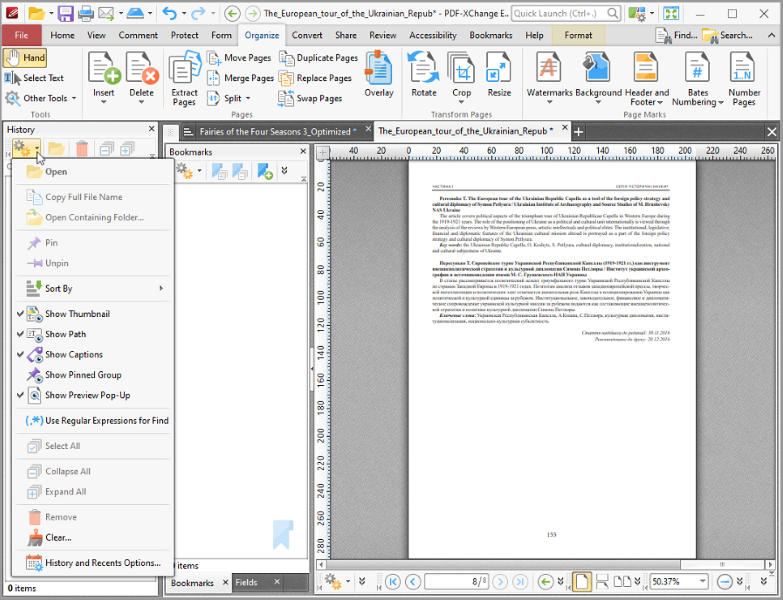 All you will ever need to Create (from virtually any windows application). Includes PDF-XChange Editor Plus and PDF-Tools; Create new PDF files from the output of any Windows app; Create and Edit Fillable PDF Forms; Dynamic Stamps; Interactive Adobe AcroForms
Windows | Shareware
Read More
VERYPDF PDF TO TEXT OCR SDK FOR .NET 2.0
Business :: Office Suites & Tools
 VeryPDF PDF to Text OCR SDK for .NET can recognize text from scanned documents with Optical Character Recognition technology. It can extract text from scanned PDF and even images. As a command line tool, users can implement batch process with batch scripts.
Windows | Shareware
Read More
IMAGE TO PDF CONVERTER FOR MAC 2.1
Business :: Office Suites & Tools
 VeryPDF Image to PDF Converter for Mac converts image to PDF, JPG to PDF in Mac OS X. VeryPDF Image to PDF Converter for Mac helps Mac users convert many kinds of images to PDF files singly or in batches, which can not only save your time, but also save your money. Furthermore, VeryPDF Image to PDF Converter for Mac supports editing properties of PDF files flexibly and professionally.
Windows MAC | Shareware
Read More
System Utilities :: File & Disk Management
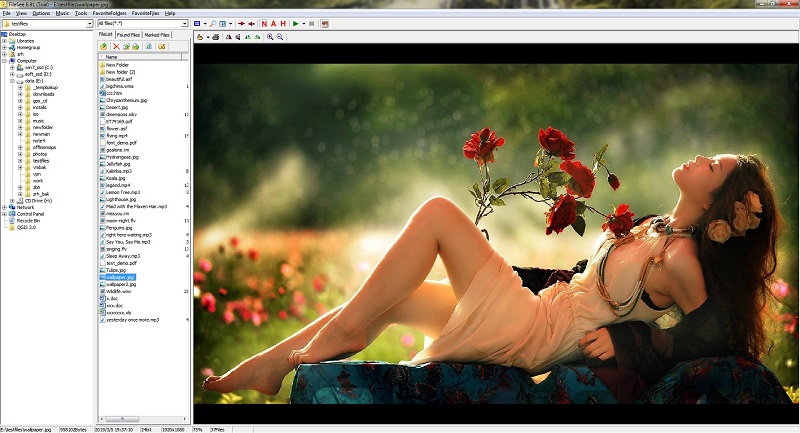 FileSee is a powerful All-In-One file viewer and file manager. Supported file types include: TXT, HTML, SWF, JPG, GIF, TIF, BMP, PNG, ICO, WMF, TGA, PCX, WBMP, JP2, JPC, PGX, PNM, RAS, J2K, MIDI, MP3, WAV, AVI, MPG, MPEG, WMA, WMV, ASf, ZIP, RAR, CAB, GZIP, JAR, TAR, BH, LHA, ZOO, ACE, ARC, ARJ, etc.
Windows | Shareware
Read More