


N5 Net Software Repository
Your one-stop for all your software needs.
Search N5 Net Software Repository:
Search Files
Sponsor:
Browse:
- Audio & Multimedia (1527)
- Business (1697)
- Communications (462)
- Desktop (135)
- Development (555)
- Education (163)
- Games & Entertainment (700)
- Graphic Apps (657)
- Home & Hobby (102)
- Network & Internet (524)
- Security & Privacy (499)
- Servers (65)
- System Utilities (8668)
- Web Development (279)
Areas Of Interest
Authors Area
Are you a software author? Take a look at our Author Resource Center where you will find marketing tools, software specifically created for promoting your software and a ton of other helpful resources.
Donglify 2.0
Network & Internet :: Remote Computing
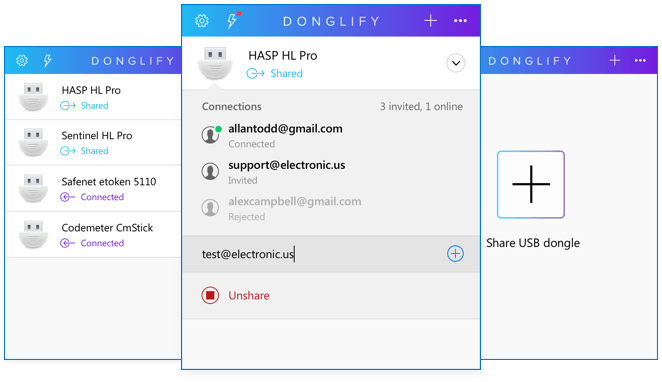
(Click to Enlarge)
Donglify is a software tool that allows USB security keys to be shared over the Internet. Licensed USB dongles can be used and managed remotely by network-attached users. Advanced port redirection technology is employed to enable the dongle?s functionality to be forwarded to any environment with no distance limitations. All connections are fully secured by the program?s ability to perform 2048-bit SSL encryption. Donliify offers an efficient method of sharing USB dongles among multiple computers without requiring any additional software or hardware. There is no need for extra cable or hubs when sharing a security dongle with multiple users. When using the tool you just need to attach the dongle to a single machine and then share it over the network with any number of users connected to the same network. USB dongles of other types can be accessed from only one computer at a time. When you share a USB dongle with Donglify, remote users enjoy the same functionality achieved through a direct, physical connection to the device. The operating system on the remote machines recognizes the dongle as if it were locally attached. Another advantage of this software solution is the extended lifespan afforded the security keys by eliminating the physical wear on them caused by disconnecting and reattaching the devices to different computers. Just plug it into one computer and share it remotely to any PC with a network connection. It also provides a simple way to establish remote USB dongle access to virtual machine sessions. Donglify needs to be installed on the host computer as well as the guest operating system to enable the dongle to be shared. After installation, there are no limitations regarding the number or location of the virtual machines that can simultaneously access the device
Specifications:
Version: 2.0 |
Download
|

Similar Products:
Network & Internet :: Remote Computing
 Network administrators always desire to administer entire network single-handedly. But administering multiple computers of multiple domains within a network is just impossible. With the use of Lepide Remote Admin, it?s easy to administer several computers without getting worried about the size of the network.
Windows | Freeware
Read More
Network & Internet :: Remote Computing
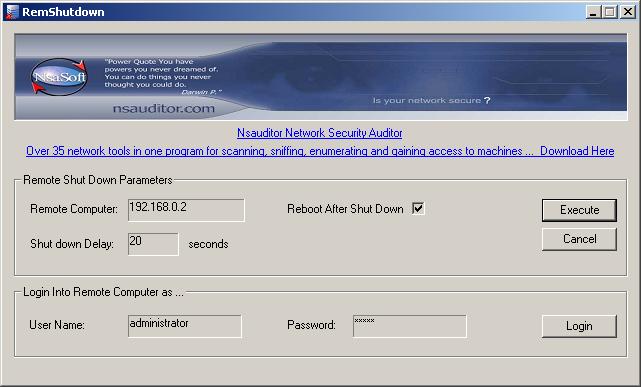 RemShutdown allows remotely shutdown or restart network computers. You can specify a delay during which a message you specify can be displayed and applications running on the remote computer at the time of shutdown can be allowed to close. The tool is designed with a user-friendly interface and is easy to use.
Windows | Freeware
Read More
Network & Internet :: Remote Computing
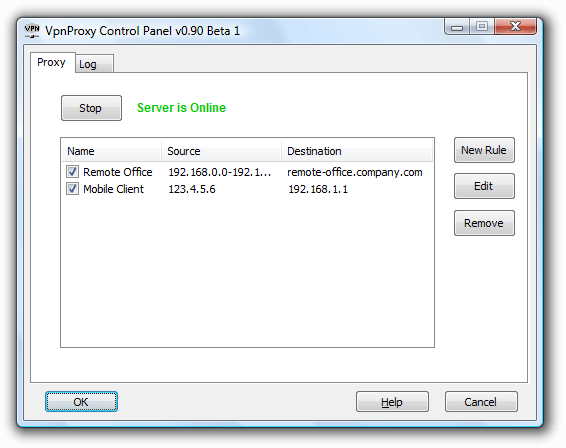 VpnProxy is a VPN Proxy Server that allows you to forward connections between VPN client and server. With VpnProxy you can establish VPN connections from/to a network with firewall or NAT without changing the network configuration and jeopardizing the security. Create and manage rules to control VPN access in your network.
Windows | Shareware
Read More
Network & Internet :: Remote Computing
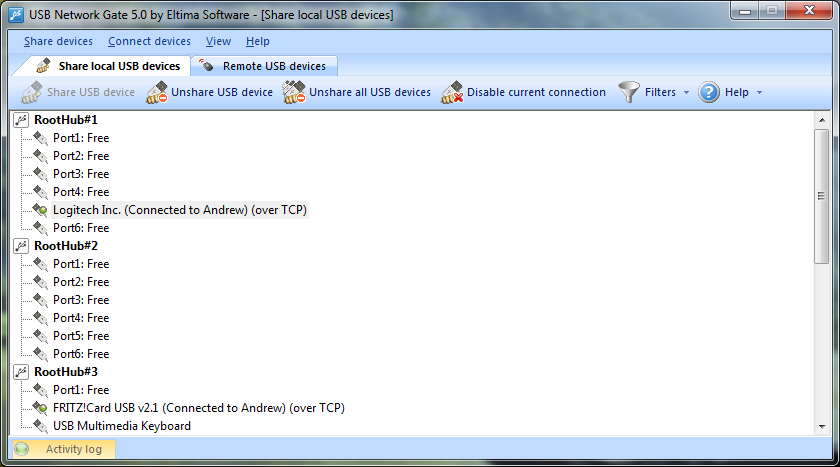 USB Network Gate is the perfect solution in case you need to work with some USB device that cannot be physically connected to your local machine for some reason. It will also help you access and use local USB devices in a virtual session. All that is needed to do to access USB over IP is simply install Network USB Gate on a computer with a physically attached device (server) and on the computer where you will be using remote USB device (client).
Windows | Shareware
Read More