


N5 Net Software Repository
Your one-stop for all your software needs.
Search N5 Net Software Repository:
Search Files
Sponsor:
Browse:
- Audio & Multimedia (1582)
- Business (1741)
- Communications (469)
- Desktop (134)
- Development (571)
- Education (165)
- Games & Entertainment (709)
- Graphic Apps (683)
- Home & Hobby (106)
- Network & Internet (544)
- Security & Privacy (505)
- Servers (67)
- System Utilities (9267)
- Web Development (284)
Areas Of Interest
Authors Area
Are you a software author? Take a look at our Author Resource Center where you will find marketing tools, software specifically created for promoting your software and a ton of other helpful resources.
AltMove manager 2.1.8
System Utilities :: Shell Tools
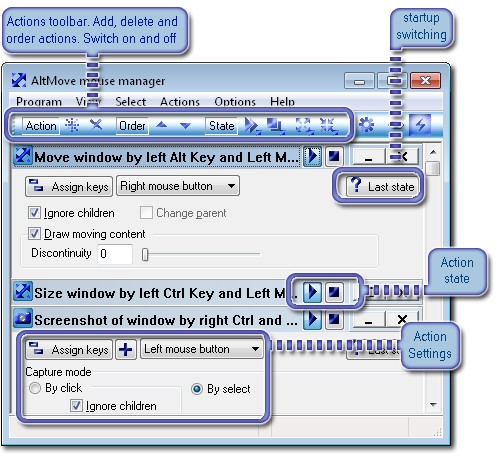
(Click to Enlarge)
Small and easy-to-use mouse enhancement manager Can move and size windows which do not support this ability Can move and size controls on windows and change parent window. Can change opaque of windows Can hide and show windows Runs programs from everywhere Assigns mouse-key combinations to menu items. Emulates hotkeys by mouse Makes screenshots Magnify content of windows Supports different settings. You can do more actions then your mouse has buttons!
Specifications:
Version: 2.1.8 |
Download
|

Similar Products:
FOLDER MARKER FREE - CUSTOMIZE FOLDERS 4.9
System Utilities :: Shell Tools
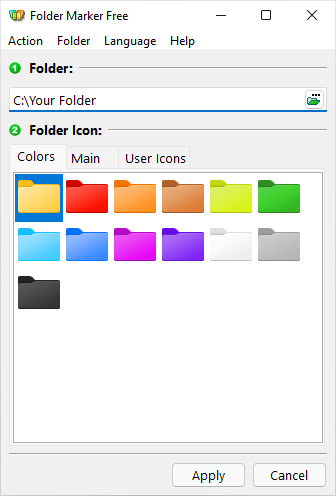 Folder Marker is a handy shell extension that enables you to quickly customize folder icons to indicate a priority level or project status (high, low, done, half-done, planned etc.), or you can use it to label a folder with a special icon or color of your choice. Simply right-click on any folder and select the icon or color to be used from the newly added menu option. Folder Marker supports single and multiple folder selections and is freeware.
Windows | Freeware
Read More
FOLDER MARKER HOME - CHANGE FOLDER COLOR 4.9
System Utilities :: Shell Tools
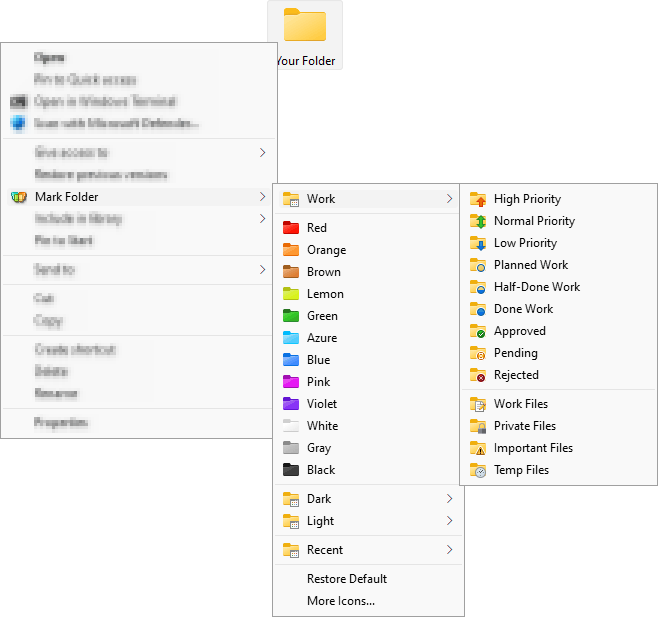 Change folder color or icon in 2 mouse clicks to indicate a priority level or project status (high, low, done, half-done, planned, etc.). Simply right-click on any folder and select the color or icon to be used from the newly added menu option. Folder color change helps you to get your files in order! Folder Marker Home has 86 amazing icons build-in, and you can get even more on the program's website.
Windows | Shareware
Read More
FOLDER MARKER PRO - CHANGES FOLDER ICONS 4.9
System Utilities :: Shell Tools
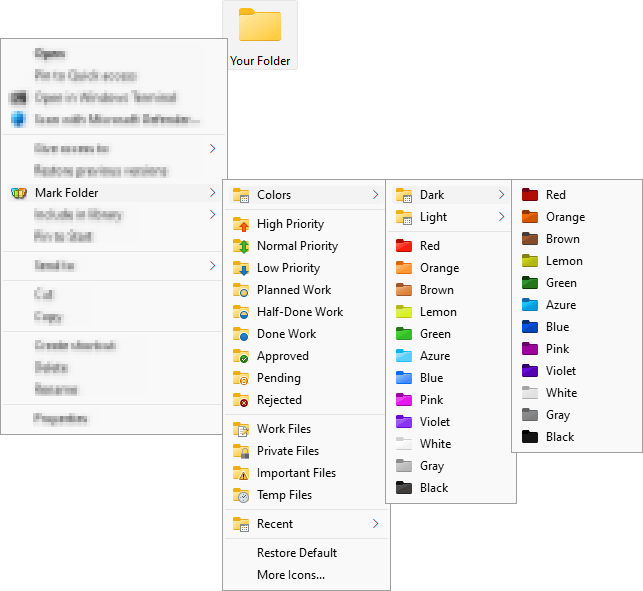 Quickly change folder icons to indicate priority (high, normal, low), project completeness level (done, half-done, planned), work status (approved, rejected, pending) and type of information stored within folder (work, important, temp and private files). Simply right-click on any folder and select the icon or color to be used from the newly added menu option. A powerful helper especially designed for office work.
Windows | Shareware
Read More
System Utilities :: Shell Tools
 If you sometimes have to search for - which of subfolders or files occupy plenty of room , this program is for you. Two clicks and you can see all the sizes of subfolders, hidden files and more. Fast and simple browse through folders, subfolders, and files, and open or delete too.
Windows | Freeware
Read More