


N5 Net Software Repository
Your one-stop for all your software needs.
Search N5 Net Software Repository:
Search Files
Sponsor:
Browse:
- Audio & Multimedia (1527)
- Business (1697)
- Communications (462)
- Desktop (135)
- Development (555)
- Education (163)
- Games & Entertainment (700)
- Graphic Apps (657)
- Home & Hobby (102)
- Network & Internet (524)
- Security & Privacy (499)
- Servers (65)
- System Utilities (8668)
- Web Development (279)
Areas Of Interest
Authors Area
Are you a software author? Take a look at our Author Resource Center where you will find marketing tools, software specifically created for promoting your software and a ton of other helpful resources.
Miraplacid Publisher 9.0
(Click to Enlarge)
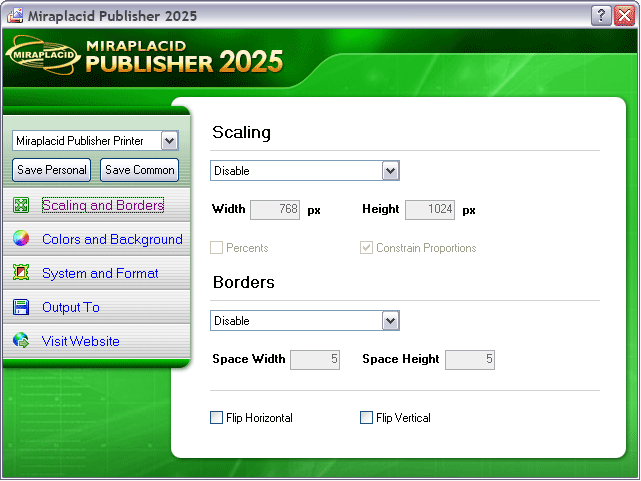
With Miraplacid Publisher software you can convert (print) any document to a set of images. Anyone can open your document across a broad range of hardware and software, and it will look exactly as you intended - with layout, fonts, and images intact. No one can modify or copy and paste your texts. After installation on your PC, Miraplacid Publisher appears as a new virtual printer in your system. All the documents you print to this "printer" will be opened in a preview dialog. You scale the image, adjust hue, saturation and value, get rid of unused white borders, and do some other image processing. Then you can save results images to disk, email, upload to FTP or HTTP server,or print them to a real printer. Miraplacid Publisher supports following output formats: PDF, JPEG, GIF, TIFF, BMP, PNG and TGA. When redirecting to a printer, reduce saturation to save color cartridge or increase value to save black ink. Use borders detector in manual mode to set printing area when you need to print only the document part you need. Miraplacid Publisher adds icon to desktop. All the documents you drag and drop to this icon will be printed behind the scenes and processed by Miraplacid Publihser. Turn "Auto Send" on if you want Miraplacid Publisher to send images to chosen destinations without waiting for your input. If you want every document to be saved to an individual file, add {{DATE}}, {{TIME}}, {{IDENTITY}}, {{PAGE}} or {{JOB}} to the file name or path. They will be replaced with current date, time, some unique number, page number and print job id respectively. Miraplacid Publisher is integration-ready software. All the settings can be easily managed from your software or script.
Specifications:
Version: 9.0 |
Download
|

Similar Products:
::
 e-PDF Document Converter is a software product that dynamically converts MS Office 97/2000/XP/2003, WordPerfect, HTML, AutoCAD DWG, PostScript and many other document types to PDF, PostScript, PDF, JPEG, TIFF, PNG, PCX and BMP etc formats. It works in both GUI version and Command Line version. With e-PDF Document Converter you can convert your documents from and to PDF files easily. It converts Word, Excel, PowerPoint, AutoCAD to PDF files.
Windows | Shareware
Read More
System Utilities :: Printer
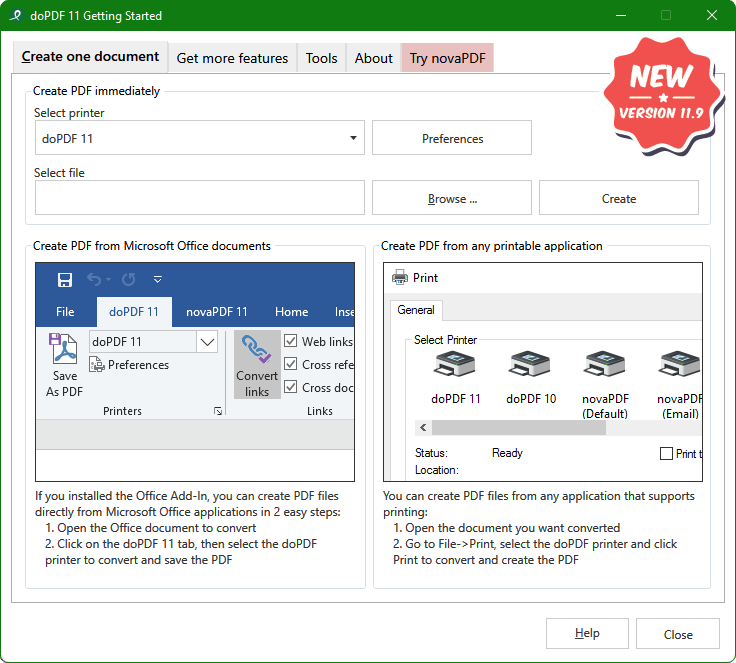 doPDF allows you to freely convert documents to PDF files, including emails, MS Office documents, web pages, text. It works as a printer driver and you can convert to PDF from any Windows application that supports printing - just set doPDF as the default printer and the document will be converted and saved as PDF file. Features include: customizable resolution, predefined page size, quality settings and much more.
Windows | Freeware
Read More
Business :: Office Suites & Tools
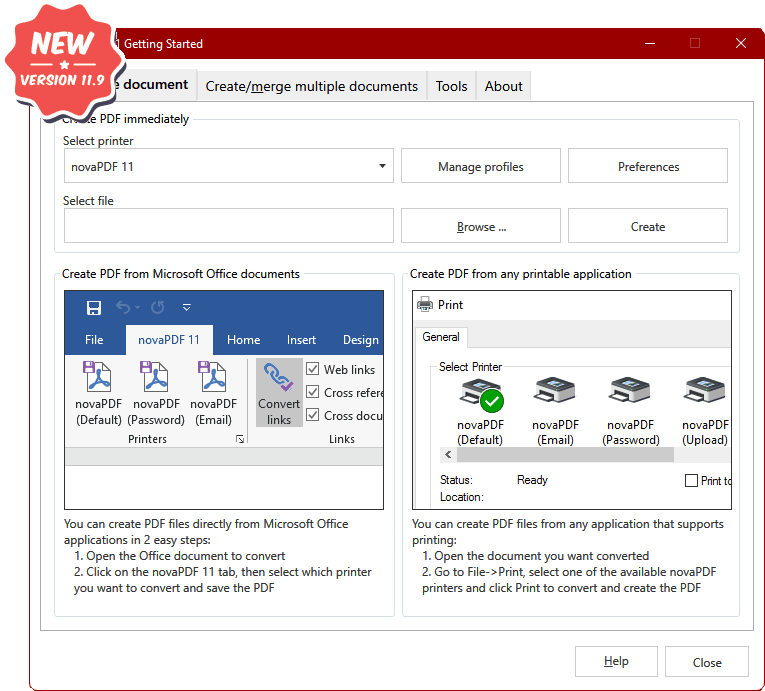 novaPDF Lite allows you to create PDF files from any printable document, including emails, MS Office documents, web pages, text. It works as a printer driver and you can print from any Windows application that supports printing - just set novaPDF Lite as the default printer and the document will be converted and saved as PDF file. Features include: customizable resolution, document information, predefined page size, quality settings and much more
Windows | Shareware
Read More
Business :: Office Suites & Tools
novaPDF Std allows you to create PDF files from any printable document, including emails, MS Office documents, web pages, text. It works as a printer driver and you can print from any Windows application that supports printing - just set novaPDF Std as the default printer and the document will be converted and saved as PDF file. Features include: customizable resolution, embed fonts, text/image compression, private profiles and much more.
Windows | Shareware
Read More