


N5 Net Software Repository
Your one-stop for all your software needs.
Search N5 Net Software Repository:
Search Files
Sponsor:
Browse:
- Audio & Multimedia (1582)
- Business (1733)
- Communications (469)
- Desktop (135)
- Development (557)
- Education (165)
- Games & Entertainment (706)
- Graphic Apps (681)
- Home & Hobby (105)
- Network & Internet (538)
- Security & Privacy (504)
- Servers (67)
- System Utilities (9263)
- Web Development (281)
Areas Of Interest
Authors Area
Are you a software author? Take a look at our Author Resource Center where you will find marketing tools, software specifically created for promoting your software and a ton of other helpful resources.
NOISE REDUCER PRO FOR MAC 1.6.1

(Click to Enlarge)
Noise Reducer Pro for Mac gently removes digital noise from the grainy photos and makes them flawless like never before. Its automatic noise reduction process helps you achieve pixel-perfect photos in no time. Noise is basically tiny grains and pixels which make images look less detailed and enhanced. Noise in photos can fiddle with detail, which can be observed later on final print. Removing these tiny grainy pixels makes images more clear, giving a more pixel-perfect look. Image noise can be caused due to several reasons, some of them are lack of light and high ISO. The images clicked in any of the two conditions makes image look grainy and sometimes pixelated. Systweak Noise Reducer Pro is a tool to reduce noise from images. It de-noises grainy images and enhances the exposure. Its smart noise reduction technique removes the grainy appearance from photos on Mac, making them clear and perfect. The real-time comparison in Noise Reduce Pro, allows to check the difference between original and denoised images on Mac. With its zero-click noise fixer, it doesn't even a require a single click to denoise image. Just add the images, and rest will be done by the tool automatically. Noise Reducer Pro comes with Auto-Mode, an automated feature to reduce noise gently and effortlessly. It also has a manual Quality Adjuster to adjust the quality of denoised image on Mac. It ranges from Low to High. It offers Mac Photos Extension to denoise images while previewing them, giving a more better digital experience. With the automated features of Noise Reducer Pro, effortlessly de-noise the digitally distorted images.
Specifications:
Version: 1.6.1 |
Download
|

Similar Products:
System Utilities :: Other
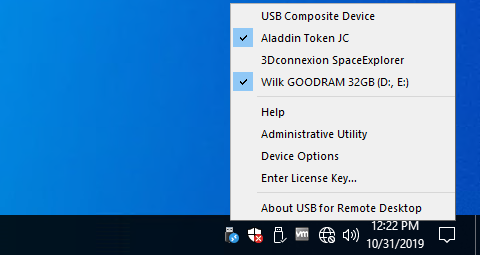 USB for Remote Desktop is a program that allows USB devices to be used in remote desktop session, virtual desktop infrastructure (VDI) or cloud instance. It works with Microsoft RDP, Citrix ICA, Amazon DCV, VMware Blast and Teradici PCoIP protocols.
Windows MAC Linux | Shareware
Read More
IMYPASS ILOCAGO FOR MAC 1.0.30
System Utilities :: Other
 imyPass iLocaGo for Mac is a powerful tool which enables you to set a virtual location for your iPhone on Mac fast. It is also an excellent GPS spoofer when you play a location-based AR game.
MAC | Shareware
Read More
ANYMP4 IPHONE GPS SPOOFER FOR MAC 1.0.28
System Utilities :: Other
 AnyMP4 iPhone GPS Spoofer for Mac is designed to change GPS location on iOS devices. It is one of the best iOS location spoofers to change your iOS devices location without jailbreaking. Whats more, it can change movement speed according to your demands.
MAC | Shareware
Read More
System Utilities :: Other
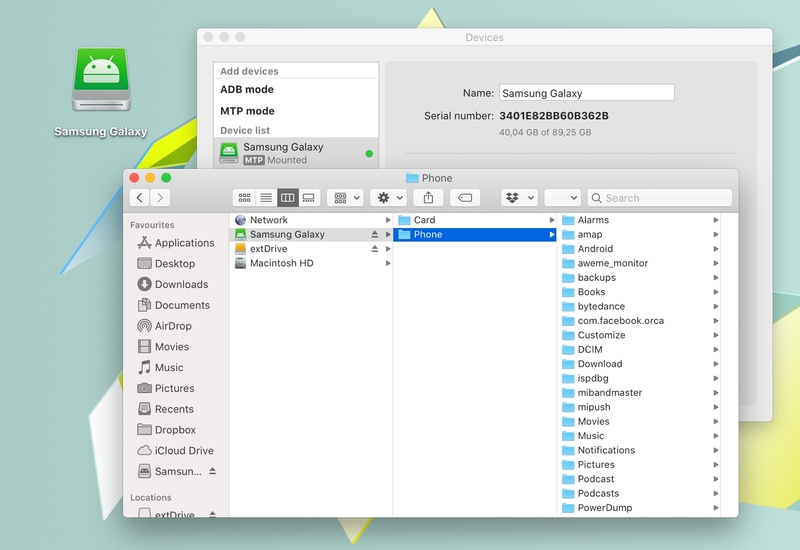 Looking for a fast and reliable solution for file transfer between Mac and Android? Check out MacDroid, a tiny yet powerful Android file transfer for Mac app. With MacDroid, you can transfer any files, including images, videos, music, and folders between your Mac and Android either via USB or Wi-Fi (starting from version 2.0 of the app). Plus, you can manage Android files directly on your Mac.
MAC | Freeware
Read More