


N5 Net Software Repository
Your one-stop for all your software needs.
Search N5 Net Software Repository:
Search Files
Sponsor:
Browse:
- Audio & Multimedia (1527)
- Business (1697)
- Communications (462)
- Desktop (135)
- Development (555)
- Education (163)
- Games & Entertainment (700)
- Graphic Apps (657)
- Home & Hobby (102)
- Network & Internet (524)
- Security & Privacy (499)
- Servers (65)
- System Utilities (8668)
- Web Development (279)
Areas Of Interest
Authors Area
Are you a software author? Take a look at our Author Resource Center where you will find marketing tools, software specifically created for promoting your software and a ton of other helpful resources.
Quick Image Resizer 2.7.3.2
Graphic Apps :: Converters & Optimizers
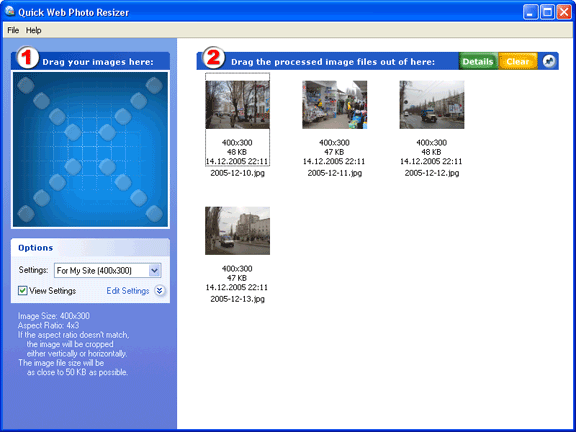
(Click to Enlarge)
Modern digital cameras produce images with up to 6 times higher resolution than their ancestors. While the resolution is very important to photo-printers, such resolution can be a severe drawback for on-screen and Internet viewing. This is why, before uploading your images to the Web or sending them via e-mail, you use your imaging software to reduce their size. There are two main disadvantages of this method. First, you need to do the same repetitive actions every time. Normally, you have to navigate to the folder containing images from your camera, then you need to select the images, set up resizing options, select a target folder, etc. The second disadvantage is that when resizing your images you never know exactly what file size they will have after resizing. Photos with a lot of small details will be significantly bigger in size than simple images after resizing with the same level of JPEG Quality/Compression. Quick Image Resizer from DzSoft solves both problems. From now on, you don't need to bother with browsing through folders with your image viewer. This program offers an easy, yet very powerful, technique of resizing your photos. You simply select a conversion scheme and drag the photos to the program`s window. Your photos get automatically converted and you can drag them out, upload to the Web or send via e-mail. A "Conversion scheme" is a set of user-defined resizing options. You can define several sets for different purposes. The most exciting feature of the resizing options is that you can select the desired resulting image file size. The program will automatically choose a JPEG Quality/Compression level for each image to best fit the file size and dimensions that you've selected. In addition, the program can automatically watermark your images or place your logo on them. An option to keep or remove the EXIF metadata has been added.
Specifications:
Version: 2.7.3.2 |
Download
|

Similar Products:
Business :: Office Suites & Tools
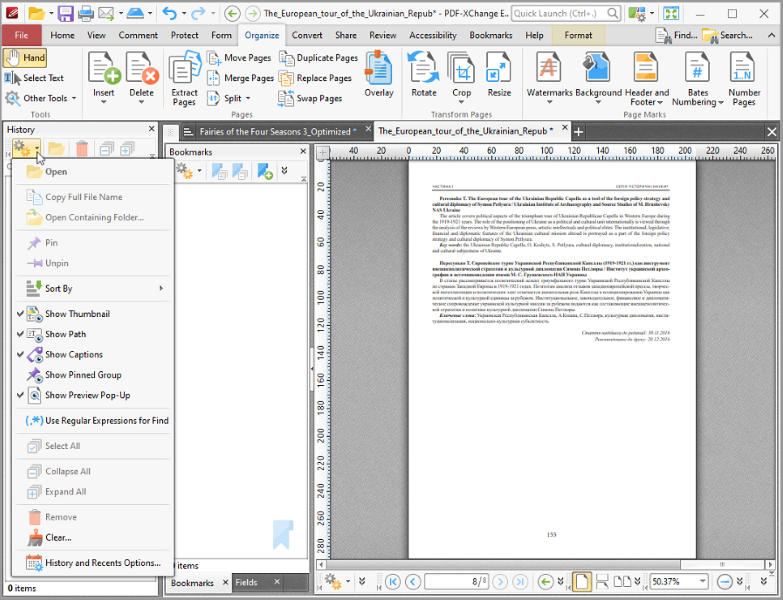 All you will ever need to Create (from virtually any windows application). Includes PDF-XChange Editor Plus and PDF-Tools; Create new PDF files from the output of any Windows app; Create and Edit Fillable PDF Forms; Dynamic Stamps; Interactive Adobe AcroForms
Windows | Shareware
Read More
VERYPDF PDF TO TEXT OCR SDK FOR .NET 2.0
Business :: Office Suites & Tools
 VeryPDF PDF to Text OCR SDK for .NET can recognize text from scanned documents with Optical Character Recognition technology. It can extract text from scanned PDF and even images. As a command line tool, users can implement batch process with batch scripts.
Windows | Shareware
Read More
IMAGE TO PDF CONVERTER FOR MAC 2.1
Business :: Office Suites & Tools
 VeryPDF Image to PDF Converter for Mac converts image to PDF, JPG to PDF in Mac OS X. VeryPDF Image to PDF Converter for Mac helps Mac users convert many kinds of images to PDF files singly or in batches, which can not only save your time, but also save your money. Furthermore, VeryPDF Image to PDF Converter for Mac supports editing properties of PDF files flexibly and professionally.
Windows MAC | Shareware
Read More
System Utilities :: File & Disk Management
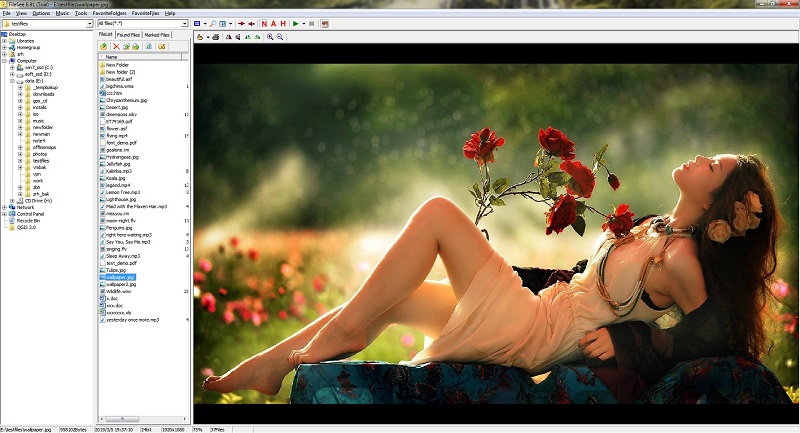 FileSee is a powerful All-In-One file viewer and file manager. Supported file types include: TXT, HTML, SWF, JPG, GIF, TIF, BMP, PNG, ICO, WMF, TGA, PCX, WBMP, JP2, JPC, PGX, PNM, RAS, J2K, MIDI, MP3, WAV, AVI, MPG, MPEG, WMA, WMV, ASf, ZIP, RAR, CAB, GZIP, JAR, TAR, BH, LHA, ZOO, ACE, ARC, ARJ, etc.
Windows | Shareware
Read More