


N5 Net Software Repository
Your one-stop for all your software needs.
Search N5 Net Software Repository:
Search Files
Sponsor:
Browse:
- Audio & Multimedia (1527)
- Business (1697)
- Communications (462)
- Desktop (135)
- Development (555)
- Education (163)
- Games & Entertainment (700)
- Graphic Apps (657)
- Home & Hobby (102)
- Network & Internet (524)
- Security & Privacy (499)
- Servers (65)
- System Utilities (8668)
- Web Development (279)
Areas Of Interest
Authors Area
Are you a software author? Take a look at our Author Resource Center where you will find marketing tools, software specifically created for promoting your software and a ton of other helpful resources.
Wondershare PPT to YouTube 1.5.0
Audio & Multimedia :: Presentation Tools
(Click to Enlarge)
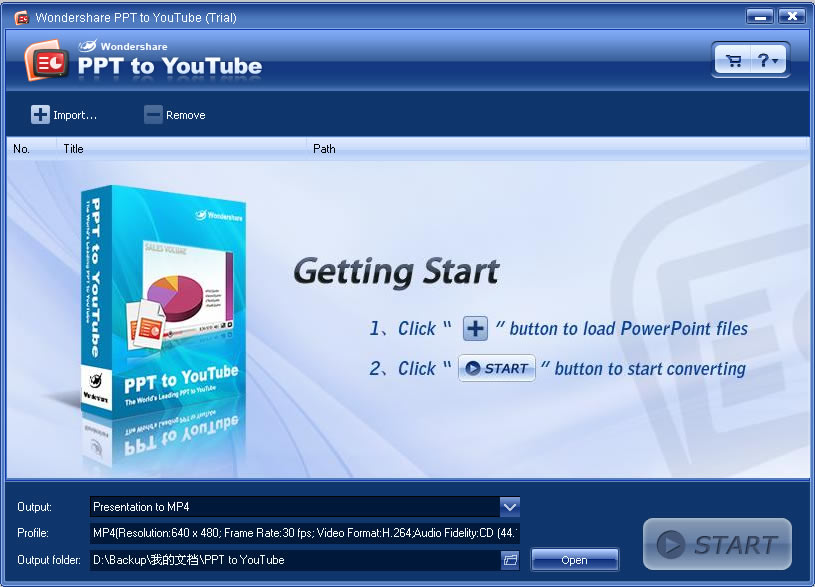
As PowerPoint is an easy and powerful tool to make beautiful slide show. We always use it to make slides to share with family or friends. And if your slide show is very funny or unique, you would be eager to share it with more people on YouTube. But, you know YouTube only accept video formats such as WMV, MP4. To put PowerPoint slide show on YouTube, we must convert PowerPoint file to WMV or MP4 video. This is actually what can Wondershare PPT to YouTube do for you. Benefits of putting PowerPoint slide show on YouTube 1. It is more convenient and easy to create compelling video slide show with PowerPoint and Wondershare PPT to YouTube 2. Broadcast yourseft on YouTube with your unique PowerPoint photo slide show 3. Promote your product or company with PowerPoint presentation on YouTube worldwide 4. It is an innovative alternative solution to email a PowerPoint presentation to others. What's the best format to upload for high quality? MPEG4 (Divx, Xvid) format 640x480 resolution (* most updated recommendation) MP3 audio 30 frames per second Resizing your video to these specifications before uploading will help your videos look better on YouTube. Ceate YouTube video with PPT to YouTube 1. Click "Import file" button to load PowerPoint files. 2. Click "Setting..." button to set the output options. 3. Click "Start" button to start converting. Key Features of Wondershare PPT to YouTube Convert PowerPoint presentations to WMV, MP4 video Retain animations, transitions, sound and movie clips Superior batch conversion: up to 8 PowerPoint files can be converted at a time
Specifications:
Version: 1.5.0 |
Download
|

Similar Products:
DATAPOINT FOR MICROSOFT POWERPOINT 2013 15.0
Audio & Multimedia :: Presentation Tools
 Display real-time information on a live information board from various data sources. Scope of applications are live news, messages, ads, production and sales information to communicate efficiently with your colleagues or customers.
Windows | Shareware
Read More
Audio & Multimedia :: Presentation Tools
 ProfCast is a versatile, powerful, yet very simple to use tool for recording lectures including PowerPoint slides for creating enhanced media files. ProfCast provides a low cost solution for recording lectures, special events, and presentations as podcasts. ProfCast offers an integrated workflow that makes creating, recording, and exporting podcast media easy. It's as simple as Launch, Load, and Lecture!
Windows | Shareware
Read More
BOILSOFT SCREEN RECORDER 1.05.13
Audio & Multimedia :: Presentation Tools
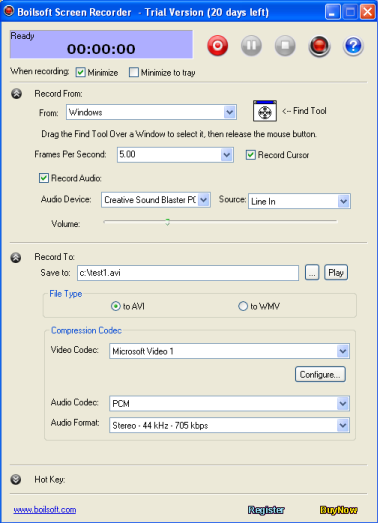 Boilsoft Screen Recorder is great demo creation software program which is designed to record desktop activities with audio from microphone, line-in, or speakers into compressed AVI or WMV videos in real-time. This screencasting software is the right solution to make demo videos, capture streaming video, record website service, generate presentation flash, make training materials, record PC game play and etc.
Windows | Shareware
Read More
POWERDVDPOINT - PPT TO DVD CONVERTER 3.5
Audio & Multimedia :: Presentation Tools
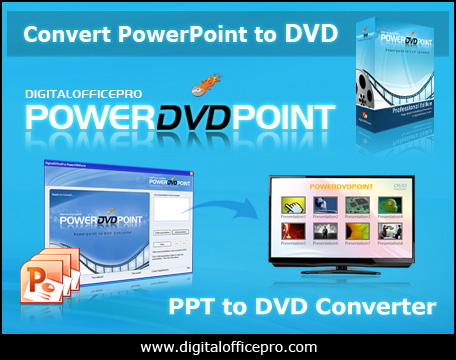 PowerDVDPoint is a comprehensive and efficient conversion tool that helps you to easily burn professional looking PowerPoint presentations to DVD video format supported by your system. The converted output retains all the features of the original PowerPoint presentation effects like Transition, Sound, Video Clips and Animation effects on slides. There is no distortion or loss of any PowerPoint effects on the output video.
Windows | Shareware
Read More