


N5 Net Software Repository
Your one-stop for all your software needs.
Search N5 Net Software Repository:
Search Files
Sponsor:
Browse:
- Audio & Multimedia (1582)
- Business (1741)
- Communications (469)
- Desktop (134)
- Development (571)
- Education (165)
- Games & Entertainment (709)
- Graphic Apps (683)
- Home & Hobby (106)
- Network & Internet (544)
- Security & Privacy (505)
- Servers (67)
- System Utilities (9267)
- Web Development (284)
Areas Of Interest
Authors Area
Are you a software author? Take a look at our Author Resource Center where you will find marketing tools, software specifically created for promoting your software and a ton of other helpful resources.
Captain Nemo Pro 5.30
System Utilities :: Backup & Restore
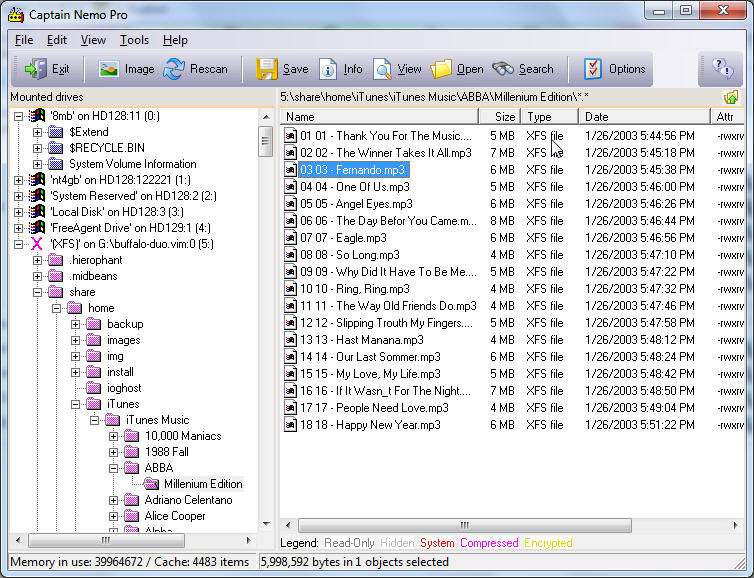
(Click to Enlarge)
Access Novell, NTFS and Linux drives or images from any Windows Computer Widely used by law enforcement personnel, forensic investigators as well as network administrators. Captain Nemo enables you to access any Novell, NTFS, or Linux EXT2FS/EXT3FS, or XFS drive from your Windows computer without requiring a network setup. Just connect the drive to your machine and Captain Nemo will automatically mount your Netware, NTFS or Linux partitions in Windows. You can read, search and view all your Novell/NT/Linux files and copy them to your Windows drive. Mount images you previously created with another software, such as DD, RAID Reconstructor or GetDataBack. Captain Nemo can mount any raw image of a disk that was formatted with NTFS, Novell or Linux. Captain Nemo accepts raw images (.img), compressed raw images (.imc) and virtual images (.vim). While Captain Nemo is not a data recovery tools in a strict sense, you can often use the Captain to mount an image or virtual image that you created with RAID Reconstructor. Once a RAID is reconstructed its file system is usually in good enough shape to be simply mounted in Captain Nemo, saving you many hours recovering your files. Captain Nemo does not require the installation of any Netware, NTFS or Linux drivers, programs or files! The foreign file system will be mounted automatically and you can copy files from it to the Windows partition. Captain Nemo looks like and is as easy to use as the Windows Explorer, but allows you to access all the data on the Novell, NTFS or Linux drive. Supported file systems: * Novell Netware 3.xx, 4.xx and 5.xx, supports Netware compression and sub-allocation * Windows NTFS, support NTFS compression, supports volumes > 2 TB * Linux EXT2FS, EXT3FS. * XFS Captain Nemo additional features: * A file viewer, which allows you to see the content of almost any file * A search function * Bootable from BartPE boot CD-ROM or Runtime Live CD
Specifications:
Version: 5.30 |
Download
|

Similar Products:
System Utilities :: Backup & Restore
 Backup all your LAN's data in once. Automatic, Simple, Client/Server
Each day of the week will have its own online backup, automatically copying the data contained either in the Gate-and-Way server, or in the network computers.
You will never lose any data due to hard disk crashes either at the server side or at the client one.
Other Gate-and-Way's modules: Mail, Fax, Internet, Voice, RAS. All them integrated and centrally managed.
Backup all your LAN's data in once. Automatic, Simple, Client/Server
Each day of the week will have its own online backup, automatically copying the data contained either in the Gate-and-Way server, or in the network computers.
You will never lose any data due to hard disk crashes either at the server side or at the client one.
Other Gate-and-Way's modules: Mail, Fax, Internet, Voice, RAS. All them integrated and centrally managed.
Windows Linux | Shareware
Read More
System Utilities :: Backup & Restore
 Recover data from a broken RAID Level 5 or RAID Level 0 Array. Even if you do not know the RAID parameters, such as drive order and block size, RAID Reconstructor will analyze your drives and determine the correct values. You will then be able to create a copy of the reconstructed RAID in a virtual image, an image file, or on a physical drive.
Windows Linux | Shareware
Read More
System Utilities :: Backup & Restore
 DriveImage XML allows you to backup logical drives and partitions to image files, browse these images, view and extract files, restore these images to the same or a different drive, copy directly from drive to drive. Images are stored in XML files, allowing you to process them with 3rd party tools. Never again be stuck with a useless backup! Restore images to drives without having to reboot.
Windows Linux | Shareware
Read More
SDB EXPLORER FOR AMAZON SIMPLEDB 2013.09.01.01
System Utilities :: Backup & Restore
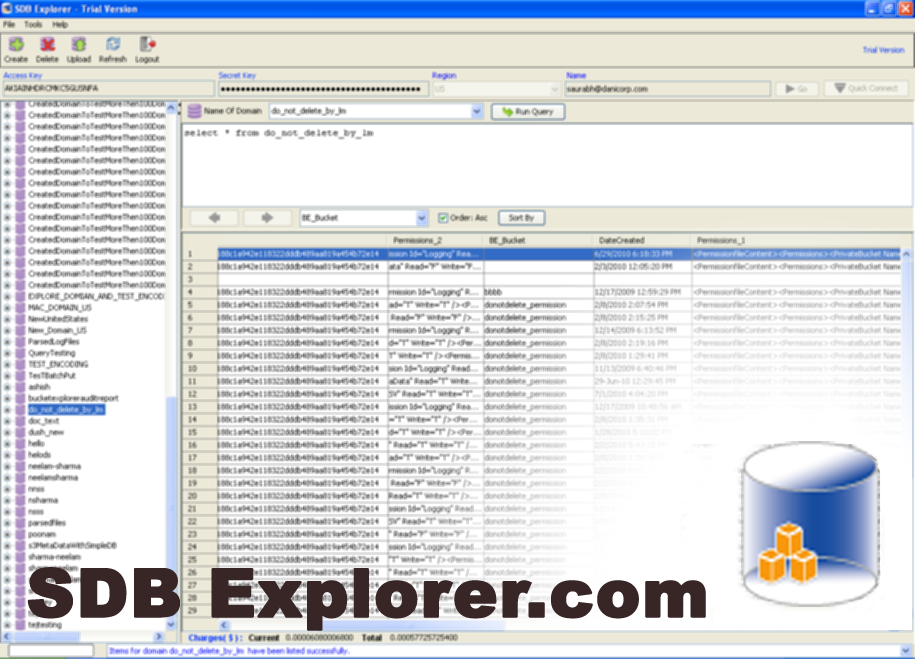 Import & Export data in CSV, Import data from My Sql Database, AWS IAM interface to manage users, List Domains from all Region End Points, Export Amazon SimpleDB domains in XML, Execute Queries, Experience fast, multiple and parallel Uploads, Deletes, Exports and Imports, Search and Sort SimpleDB records, In-Place cell editing, Download for all O.S.
Windows MAC Linux | Shareware
Read More