


N5 Net Software Repository
Your one-stop for all your software needs.
Search N5 Net Software Repository:
Search Files
Sponsor:
Browse:
- Audio & Multimedia (1527)
- Business (1697)
- Communications (462)
- Desktop (135)
- Development (555)
- Education (163)
- Games & Entertainment (700)
- Graphic Apps (657)
- Home & Hobby (102)
- Network & Internet (524)
- Security & Privacy (499)
- Servers (65)
- System Utilities (8668)
- Web Development (279)
Areas Of Interest
Authors Area
Are you a software author? Take a look at our Author Resource Center where you will find marketing tools, software specifically created for promoting your software and a ton of other helpful resources.
Wordaizer 3.6
(Click to Enlarge)
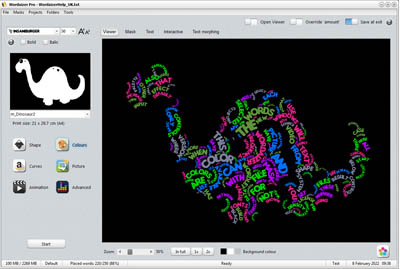
Where Wordle stops: from text to word cloud with a creative twist. Wordaizer creates attractive word clouds where the user has full control over size, color and shape. The word clouds can be printed and saved on hard disk. Shapes are fully controlled by applying shape masks; three different color engines are available, and many, many presets to get started right away. A popular setting can be saved as a project, for repeating later on. Here is the full feature list of Wordaizer: 1. Automated word cloud generation - easy control over size and shape - fonts and fontsize settings - 'surprise' button to create random word clouds - 3 different color selection methods - pictures as color source - save as scaleable vector format for infinite print size - bended words placement, wave, circular, crossword 2. Using masks to fully control the shape of the word cloud - pre-installed masks are provided - user generated masks on-the-fly - load and save masks for repeated use - special masks: using the transparency mask of PNG files 3. Post-processing - store the resulting picture on harddisk - print or post-process the pictures (using external bitmap editor) 4. Projects to save and repeat creating the same word cloud - pre-installed projects - save and load new or existing projects 5. Educational mode - simplified interface with key controls only for fast results - intuitive picture and mask/shape controls - hundreds of pre-installed color schemes, 80+ masks and transparent pictures 6. Easy workflow and intuitive interaction 7. Open system: the user can add more masks and projects 8. Multi-language support (EN, NL, D, F) 9. Web-update
Specifications:
Version: 3.6 |
Download
|

Similar Products:
Graphic Apps :: Other
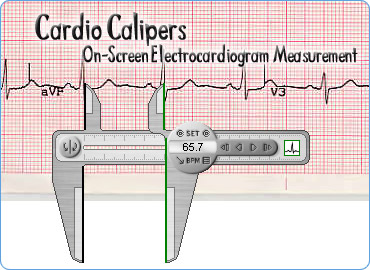 The Cardio Calipers from Iconico.com provide a fast and accurate way to measure electrocardiograms on a computer screen with pixel perfect accuracy.
The Cardio Calipers allow measurement of any EKG, no matter what format the EKG image is in. Simply open up your EKG in any image viewer application and move the Cardio Calipers into place with the mouse.
The Cardio Calipers from Iconico.com provide a fast and accurate way to measure electrocardiograms on a computer screen with pixel perfect accuracy.
The Cardio Calipers allow measurement of any EKG, no matter what format the EKG image is in. Simply open up your EKG in any image viewer application and move the Cardio Calipers into place with the mouse.
Windows | Shareware
Read More
Graphic Apps :: Other
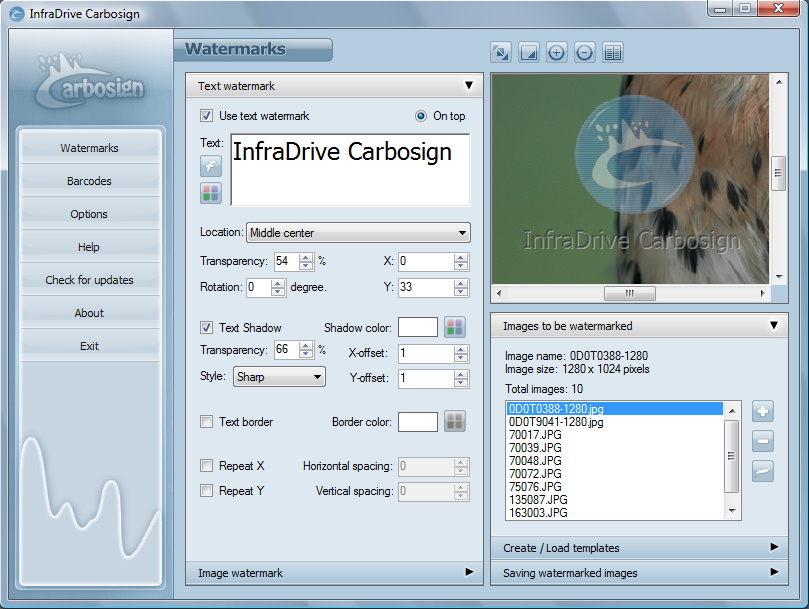 Carbosign is fast and easy tool to create watermarks and print barcodes. With simple few steps and clicks you get professional quality watermarks and barcodes that can be printed using any normal printer.
Windows | Shareware
Read More
WONDERWEBWARE.COM SCREEN CAPTURER 2.0
Graphic Apps :: Other
 Yet another screen capturer
Windows | Freeware
Read More
Graphic Apps :: Other
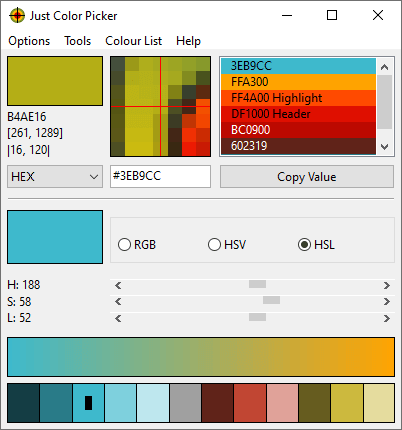 Free colour picker and colour-editing tool. HEX, RGB, HSB/HSV, HSL, HWB, CMY, CMYK and TColor colour code formats, averaged sampling for handling colour noise, magnifier, screen freeze feature, colour scheme generator, editable picked colour list, code-to-colour conversion, RGB, CMY and RYB colour wheels, RGB, HSV and HSL colour editors, colour gradients, custom hotkeys. Portable program. Download Just Color Picker from annystudio.com
Windows MAC | Freeware
Read More