


N5 Net Software Repository
Your one-stop for all your software needs.
Search N5 Net Software Repository:
Search Files
Sponsor:
Browse:
- Audio & Multimedia (1565)
- Business (1732)
- Communications (466)
- Desktop (182)
- Development (569)
- Education (166)
- Games & Entertainment (707)
- Graphic Apps (683)
- Home & Hobby (105)
- Network & Internet (543)
- Security & Privacy (500)
- Servers (65)
- System Utilities (9315)
- Web Development (281)
Areas Of Interest
Authors Area
Are you a software author? Take a look at our Author Resource Center where you will find marketing tools, software specifically created for promoting your software and a ton of other helpful resources.
Xilisoft Video Editor for Mac 2.0.1.0314
Audio & Multimedia :: Video Tools
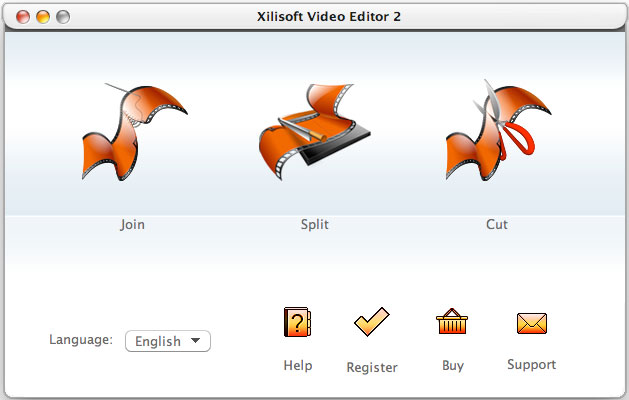
(Click to Enlarge)
Xilisoft Video Editor 2 for Mac is the comprehensive and easy way to take your video footage from shoot to show as your wish on Mac. Quickly load, organize and trim SD or HD video clips, cut together your production or split to segments to get creative and customized brand new videos on Mac. Xilisoft Video Editor 2 for Mac is everything you need for professional-quality video editing. Features: 1.Seamless join videos together, even videos of different formats. 2.Instantly split videos into segments to fit your digital devices. 3.Easily remove unwanted parts of your video in one simple step to showcase your favorite footage. 4.A vast range of video formats are supported, including AVI, MPEG, WMV, MP4, FLV, MKV, H.264/MPEG-4, DivX, XviD, MOV, RMVB, ASF, 3GP, 3G2, SWF, VOB, TS, DV H.264/MPEG-4 AVC (*.mp4), MPEG2 HD Video (*.mpg; *.mpeg), MPEG-4 TS HD Video (*.ts), MPEG-2 TS HD Video (*.ts), Quick Time HD Video (*.mov), WMV HD Video (*.wmv), Audio-Video Interleaved HD Video (*.avi). 5.Apply fade-in or fade-out effect when joining video clips to put them together seamlessly. 6.Quickly export video output to High Definition videos to have a better enjoyment. 7.Easily trim multiple video clips you like and output them to a whole new movie. 8.Have fun making movies with professional video-editing parameters, like video size, bitrate, frame rate, zoom and etc. 9.Split video to parts automatically according to defined standard: video size, video duration or video segment numbers. 10.Clear timeline to set start point and end point accurately and easily. 11.Start editing videos faster with the simple and intuitive interface. 12.English, German, Spanish, French, Italian, Japanese, Simplified and Traditional Chinese interface languages are optional.
Specifications:
Version: 2.0.1.0314 |
Download
|

Similar Products:
VIDEOPAD MASTERS EDITION FOR MAC 18.05
Audio & Multimedia :: Video Tools
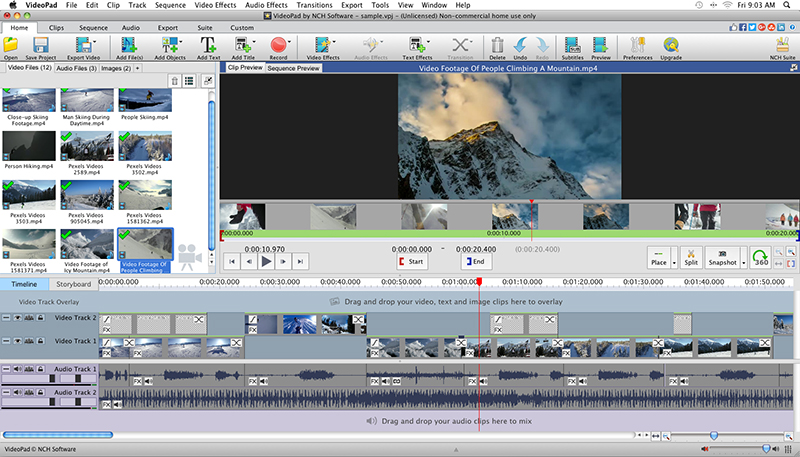 With VideoPad Masters Edition for Mac you can drag and drop files for easy video editing. You can also apply effects, transitions, speed adjustments, and more. VideoPad is one of the fastest video stream processors available. You can capture video from several sources, including DV camera, VHS, webcam, or raw files. You can also use VideoPad Masters to burn movies to DVD, share online, or post to video sites.
MAC | Shareware
Read More
VIDEOPAD FREE VIDEO EDITOR FOR MAC 18.05
Audio & Multimedia :: Video Tools
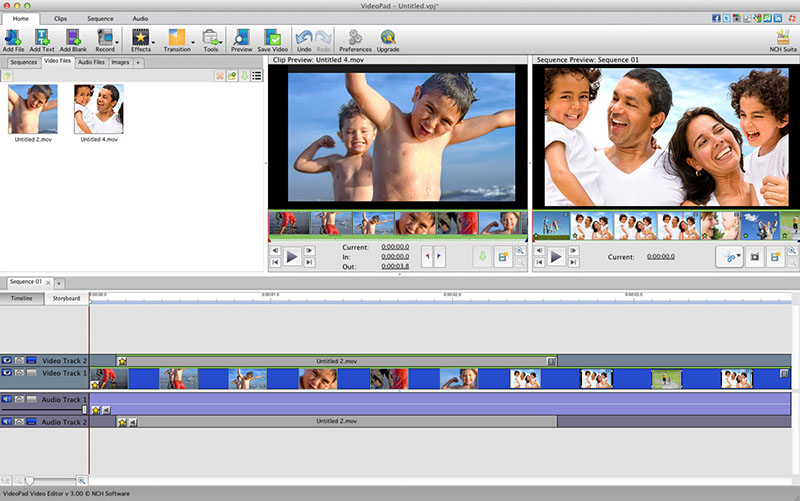 VideoPad is free video editing software for Mac. Create and edit professional quality videos whether you are combining several short video clips or working with just one video. Make movies you will be proud of and then burn them to DVD or share them online. Easily import and edit videos from a wide variety of sources supporting .mov, .avi, .wmv, .wmv, virtually any DV camcorder and more.
MAC | Freeware
Read More
VIDEOPAD VIDEO EDITOR FREE FOR MAC 18.05
Audio & Multimedia :: Video Tools
With VideoPad Free Video Editing Software for Mac, you can drag and drop files for easy video editing. You can also apply effects, transitions, speed adjustments, and more. VideoPad Free Editor is one of the fastest video stream processors available. You can capture video from several sources, including DV camera, VHS, webcam, or raw files. You can also use VideoPad Free to burn movies to DVD, share online, or post to video sites.
MAC | Freeware
Read More
DRMARE M4V CONVERTER FOR MAC 4.1.0
Audio & Multimedia :: Video Tools
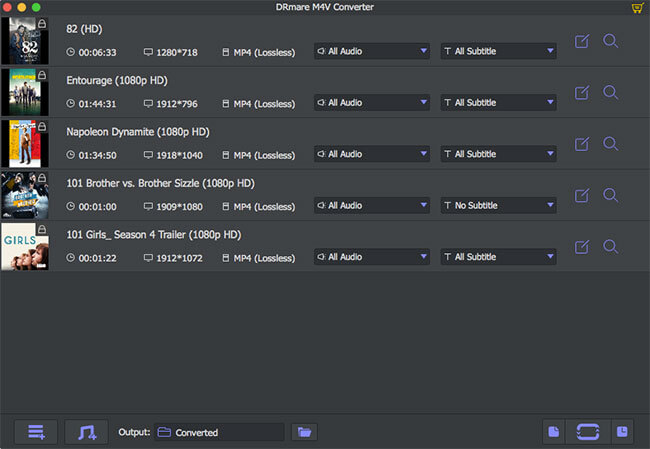 DRmare iTunes M4V Converter for Mac is specialized in removing DRM from iTunes movie rentals, purchases, TV shows and music videos as well as converting the DRM-protected iTunes M4V videos to lossless M4V, MP4, HD MOV, AVI, etc. supported by most popular media players and devices, including Android smartphone, tablets, Windows phones, smart TVs, game consoles, etc. It works at up to 30X faster while retaining original AC3 5.1 sound, CC, etc.
MAC | Shareware
Read More