


N5 Net Software Repository
Your one-stop for all your software needs.
Search N5 Net Software Repository:
Search Files
Sponsor:
Browse:
- Audio & Multimedia (1582)
- Business (1741)
- Communications (469)
- Desktop (134)
- Development (571)
- Education (165)
- Games & Entertainment (709)
- Graphic Apps (683)
- Home & Hobby (106)
- Network & Internet (544)
- Security & Privacy (505)
- Servers (67)
- System Utilities (9267)
- Web Development (284)
Areas Of Interest
Authors Area
Are you a software author? Take a look at our Author Resource Center where you will find marketing tools, software specifically created for promoting your software and a ton of other helpful resources.
DearMob iPhone Music Manager 2.0
System Utilities :: File & Disk Management
(Click to Enlarge)
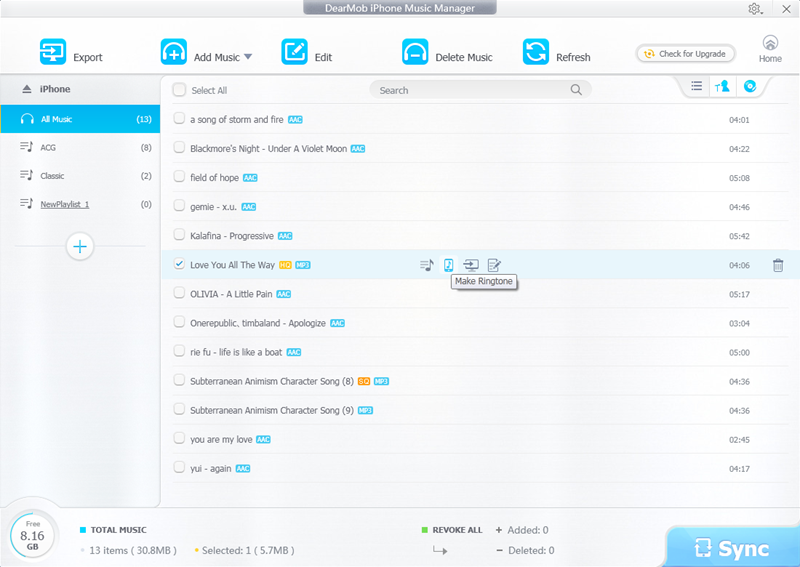
Transferring iPhone music to computer and adding songs to iPhone can be done for free with DearMob iPhone Music Manager effortlessly. You can select one, some, or all music to transfer to computers, and you can add one or some or a folder music to sync to iPhone. DearMob iPhone Music Manager offers an unexpected fast speed for batch transfer. What?s more, it will auto convert music in FLAC, OGG, WMA, WAV, and more to iPhone supported AAC, or MP3. Apart from transferring, DearMob iPhone Music Manager provides you multiple options to manage music by editing or deleting. You can edit music information like title, artist, album, composer, etc. Music playlist is able to be added, modified, or deleted too. It is easy to add music to other playlist, to remove music from playlist or to change music from one playlist to another playlist. Another pleasant additional function of DearMob iPhone Music Manager is ringtone creation. It has the ability to make ringtone with a wave form trimming. The maximum length of the ringtone is 40 seconds. After syncing the newly made ringtone to iPhone, you will be no surprise to find it in Settings > Sound > Ringtone on your iPhone. Key Features of DearMob iPhone Music Manager: 1. Import and export music from/to iPhone at fast speed. 2. Auto convert iPhone unsupported music format to AAC/MP3. 3. Transfer music in batch or separately. 4. Add, edit, delete any music or playlist at will. 5. Make ringtone with wave form trimming. 6. Undo or revoke if not satisfied before syncing. 7. Refresh to get real time files of iPhone iPad. 8. Totally free and safe. Easy to use with a simple interface.
Specifications:
Version: 2.0 |
Download
|

Similar Products:
System Utilities :: File & Disk Management
 VX Search is an automated, rule-based file search solution capable of searching files by the file type, category, extension, file name, location, size, creation, modification and last access dates, user, file attributes, JPEG EXIF tags, etc. VX Search provides multiple types of file matching rules, user-defined file search profiles and customizable GUI layouts.
Windows | Freeware
Read More
TOOLSBAER OST TO PST MIGRATION TOOL 2.0
System Utilities :: File & Disk Management
 MS Outlook is most popular email-client which creates OST and PST file but some time OST file get unreadable and inaccessible in this situation user need to convert OST into PST data file without disturbing data hierarchy. You can see the preview before the conversion process then save the data into PST file format along with email, inbox, outbox, sent-items, deleted-items, drafts, contacts, calendars, notes (to, cc, bcc, subject, date and time)
Windows | Shareware
Read More
REPAIR OST FILE TO PST FREE 8.0
System Utilities :: File & Disk Management
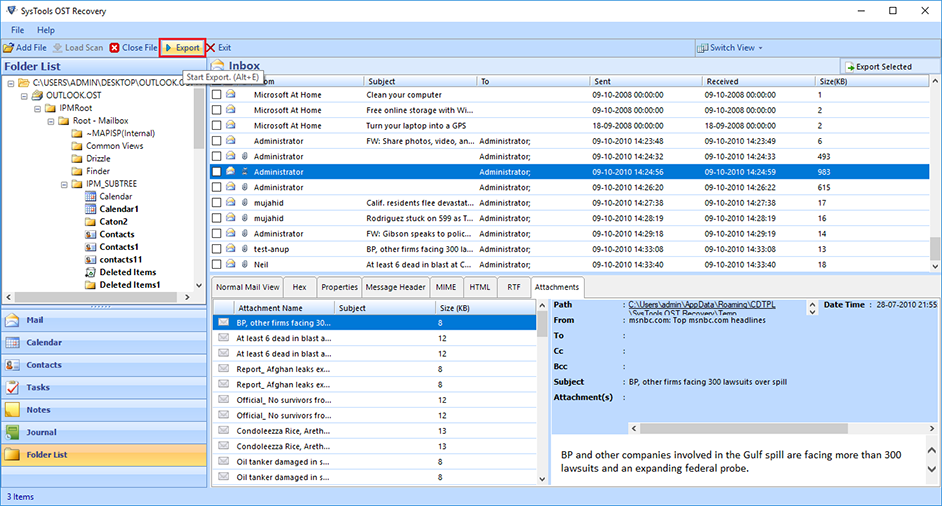 Outlook OST Repair eliminates all corruption of OST files from the scanning process. The tool has two modes: fast or advanced scan. By default, repair Outlook software to OST in a quick scan, but if your data is severely damaged. Ost database, advanced scan is the best. If OST files get damaged due to unexpected errors, repair OST file to PST free. Software Exchange 2010 Repair OST Process useful.
Windows | Shareware
Read More
System Utilities :: File & Disk Management
 DiskSorter Server is a file classification server, which runs in the background as a service and is capable of performing multiple file classification operations, save file classification reports, submit reports to a centralized SQL database, send E-Mail notifications when one or more file classification reports match user-specified rules and conditions, etc.
Windows | Shareware
Read More