


N5 Net Software Repository
Your one-stop for all your software needs.
Search N5 Net Software Repository:
Search Files
Sponsor:
Browse:
- Audio & Multimedia (1527)
- Business (1697)
- Communications (462)
- Desktop (135)
- Development (555)
- Education (163)
- Games & Entertainment (700)
- Graphic Apps (657)
- Home & Hobby (102)
- Network & Internet (524)
- Security & Privacy (499)
- Servers (65)
- System Utilities (8668)
- Web Development (279)
Areas Of Interest
Authors Area
Are you a software author? Take a look at our Author Resource Center where you will find marketing tools, software specifically created for promoting your software and a ton of other helpful resources.
StartEd Pro 5.30
System Utilities :: System Maintenance
(Click to Enlarge)
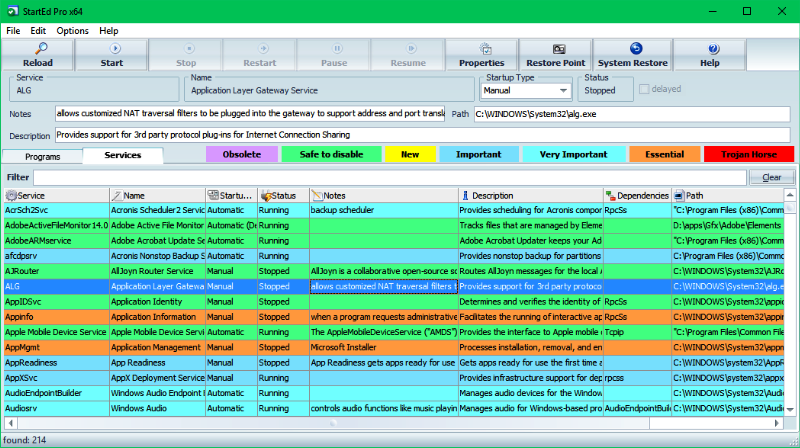
StartEd is a tool which helps you to control your Windows startup process. It recognizes startup programs which are either obsolete or memory hogs. You can safely disable such items in order to increase your computer's performance. StartEd detects also more than 150 Trojan Horses, the most destructive and dangerous species of computer viruses. It allows you to backup and restore your startup configurations. StartEd displays detailed info about the functionality of every System Service so that even novice users are able to manage their startup configuration. A warning message will be displayed when a System Service vital for your computer's stability is about to get disabled. You get also the ability to uninstall programs directly from StartEd. StartEd Pro is a $19 shareware. A freeware edition of StartEd (for private and educational usage) is available as a separate download. What can you do with StartEd? - View, Edit, Delete, Disable and Add entries to your program startup configuration - Backup and Restore of your startup configurations - Detect obsolete startup items and unneeded memory hogs - Manage System Services with detailed notes and description - See new startup items since last StartEd use - Show detailed information about every startup entry - Launch files - Uninstall programs - Create shortcuts on desktop (useful for temporary disabled items) - Print out and copy startup list to clipboard - StartEd recognizes more than 150 Trojan Horses in the Startup configuration and displays a warning message
Specifications:
Version: 5.30 |
Download
|

Similar Products:
System Utilities :: Launchers & Task Managers
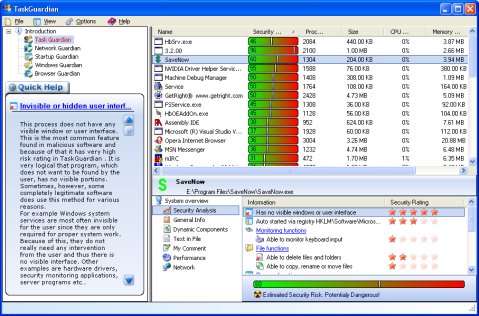 TaskGuardian is the arsenal of security tools designed to give you complete overview of what software is running on your system, in a comprehensible and easily understandable way. TaskGuardian includes advanced real-time process viewer with security analyzer, network connections viewer, startup and services manager, Windows folder scanner and browser plugin manager.
Windows | Shareware
Read More
System Utilities :: System Maintenance
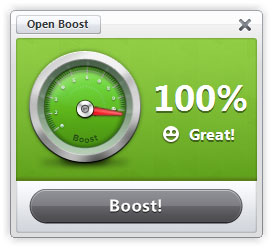 Boost helps you gain back control of your PC by improving performance and stability with one click. There is nothing better than the feeling of a brand new PC. However, over time your PC quickly becomes sluggish, bogged down with tons of programs and clutter. With Boost, one click is all it takes to make your PC feel like new again.
Windows | Shareware
Read More
::
 Auto Startup Detective is a tool which helps you to manage efficiently what programs run at Windows startup. Unlike other similar programs, it also detects trojan horse viruses. You can also make profiles to backup, test, or configure it for multiple users. With its simple interface, you can accelerate your computer performance without knowing much about the registry or the system files.
Windows | Shareware
Read More
Graphic Apps :: Editors
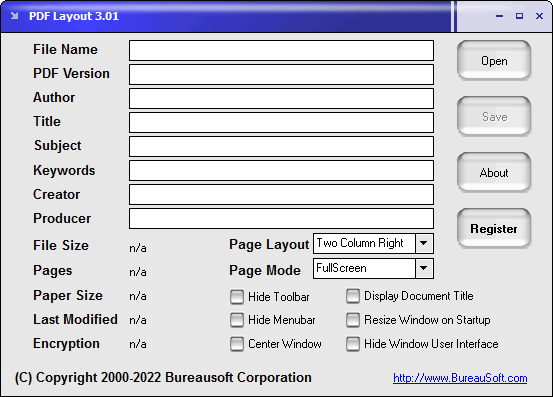 Customize the startup options for your PDF files. You may decide whether to hide toolbar and menubar, display document title, resize window on startup, show in full screen mode, center window, center window, show thumbnail, show outline, hide window user interface or not when your PDF document is opened and viewed. You can even specify the page layout as single page, one column, two column left, or two column right.
Windows | Shareware
Read More