


N5 Net Software Repository
Your one-stop for all your software needs.
Search N5 Net Software Repository:
Search Files
Sponsor:
Browse:
- Audio & Multimedia (1582)
- Business (1741)
- Communications (469)
- Desktop (134)
- Development (571)
- Education (165)
- Games & Entertainment (709)
- Graphic Apps (683)
- Home & Hobby (106)
- Network & Internet (544)
- Security & Privacy (505)
- Servers (67)
- System Utilities (9267)
- Web Development (284)
Areas Of Interest
Authors Area
Are you a software author? Take a look at our Author Resource Center where you will find marketing tools, software specifically created for promoting your software and a ton of other helpful resources.
Multimedia Xpert 2.8
Audio & Multimedia :: Video Tools
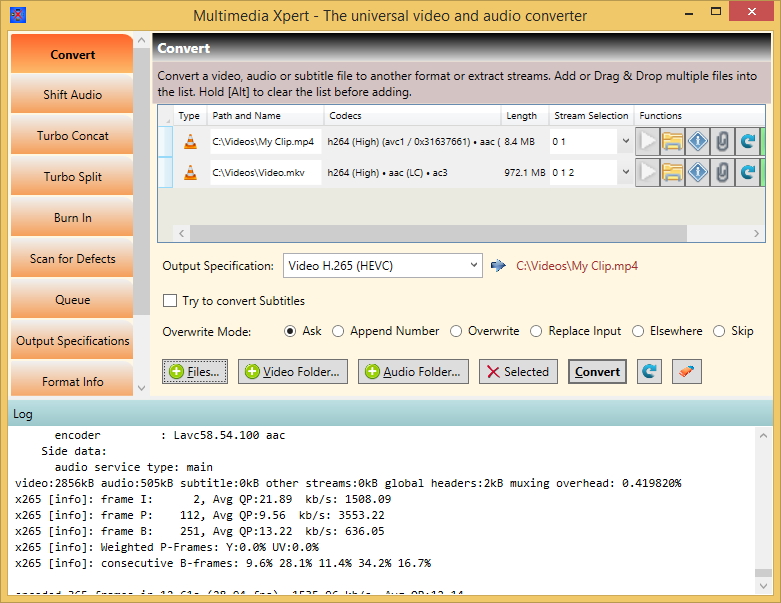
(Click to Enlarge)
- Conversion between almost any video, audio and subtitle format (hundreds) - Conversion of only the audio tracks of a video - Extraction of audio tracks of a video into an audio file - Extraction of subtitle streams of a video into separate files - Adding of streams to a video or audio file - Shifting the audio and subtitle streams in relation to the video stream - Concatenating (joining) multiple videos, audios or subtitles, optionally with turbo speed (more than 10x) - Splitting of videos, audios or subtitles, also optionally with turbo speed - Burning text, subtitles or images into a video - Subtitle file editor - Changing the speed, size (resolution), bitrate, pixel depth, frame rate, volume, orientation or quality of a video or audio - Clipping away parts - Free composition of the output file format and storage in a list - Pattern based system to automatically generate output filenames - Management of multiple parallel processings in a Process Queue window - True GUI for ffmpeg with several places to add customized options - Search ffmpeg app's help output for a keyword - Display of all properties of the content of media files - Scanning for defects and repair of files - Comfortable and safe overwrite management featuring an in-place replacement - Stream protection, no streams are dropped during the processing - Display of the full output of ffmpeg and more in a scrollable window - Drag & Drop even in datagrids - Modern WPF UI that adapts flexibly to different screen sizes - Many tooltips and online help - Windows Explorer right click functions - Callable from commandline - Auto update, no manual lookup necessary - Member of 'The Atlas Xperience' family
Specifications:
Version: 2.8 |
Download
|

Similar Products:
System Utilities :: Automation Tools
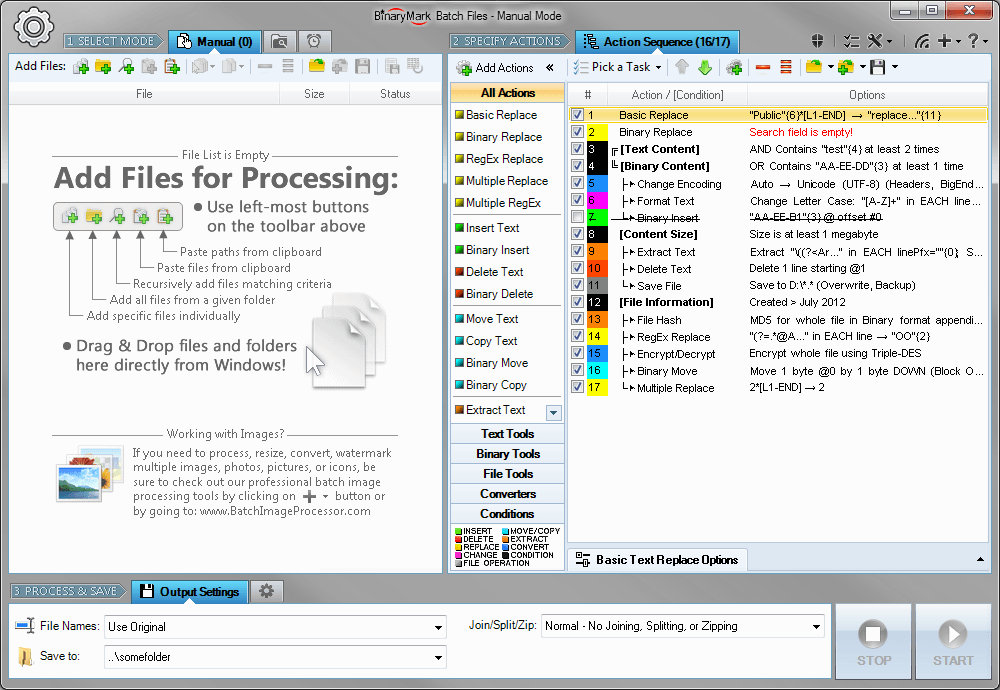 Replace, insert, delete, copy, move, format, extract, convert, encode, encrypt text and bytes in multiple files. Process 1000s files using multiple CPU cores in manual, automatic/continuous, triggered/scheduled, or console modes, or directly from Windows Explorer right-click menu. Save files with original or new name defined by a mask. Select files for processing based on their name, dates, size, and contents using advanced file search.
Windows | Shareware
Read More
CHEQUESYSTEM CHEQUE PRINTING SOFTWARE 8.5.9
Business :: Accounting & Finance
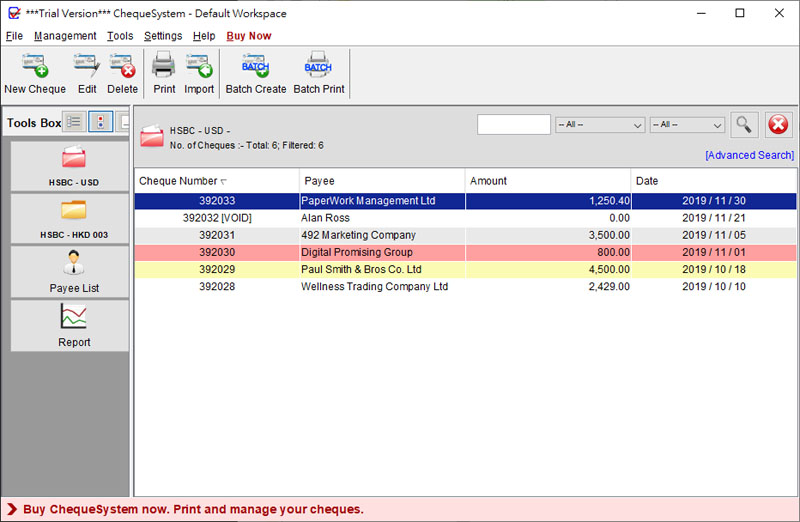 ChequeSystem streamlines cheque issuing. Print & manage cheques easily, with batch printing, recurring templates, and comprehensive reporting (Account, Payee, Monthly Statements). Supports multiple cheque books, companies, currencies, and numbering systems. Includes 200+ built-in layouts & a design tool. One-time purchase, 30-day money-back guarantee. Windows & macOS compatible.
Windows | Shareware
Read More
DIGITAL PHOTO FINALIZER PRO EDITION 2.52
Graphic Apps :: Editors
 Anyone with a digital camera should have Digital Photo Finalizer Pro Edition. It makes your photos look better, and is easy enough for anyone to use. It makes colors look cleaner and crisper. It also can help fix common digital camera problems, such as inadequate flash and poor lighting. Digital cameras are not perfect, but this software helps you get the most from your digital photos. Best of all, this software is totally free.
Windows | Shareware
Read More
DIGITAL PHOTO FINALIZER LITE EDITION 2.52
Graphic Apps :: Editors
 Anyone with a digital camera should have Digital Photo Finalizer Lite Edition. It makes your photos look better, and is easy enough for anyone to use. It makes colors look cleaner and crisper. It also can help fix common digital camera problems, such as inadequate flash and poor lighting. Digital cameras are not perfect, but this software helps you get the most from your digital photos. Best of all, this software is totally free.
Windows | Freeware
Read More