


N5 Net Software Repository
Your one-stop for all your software needs.
Search N5 Net Software Repository:
Search Files
Sponsor:
Browse:
- Audio & Multimedia (1527)
- Business (1697)
- Communications (462)
- Desktop (135)
- Development (555)
- Education (163)
- Games & Entertainment (700)
- Graphic Apps (657)
- Home & Hobby (102)
- Network & Internet (524)
- Security & Privacy (499)
- Servers (65)
- System Utilities (8668)
- Web Development (279)
Areas Of Interest
Authors Area
Are you a software author? Take a look at our Author Resource Center where you will find marketing tools, software specifically created for promoting your software and a ton of other helpful resources.
DICOM Detective 2.00
Network & Internet :: Network Monitoring
(Click to Enlarge)
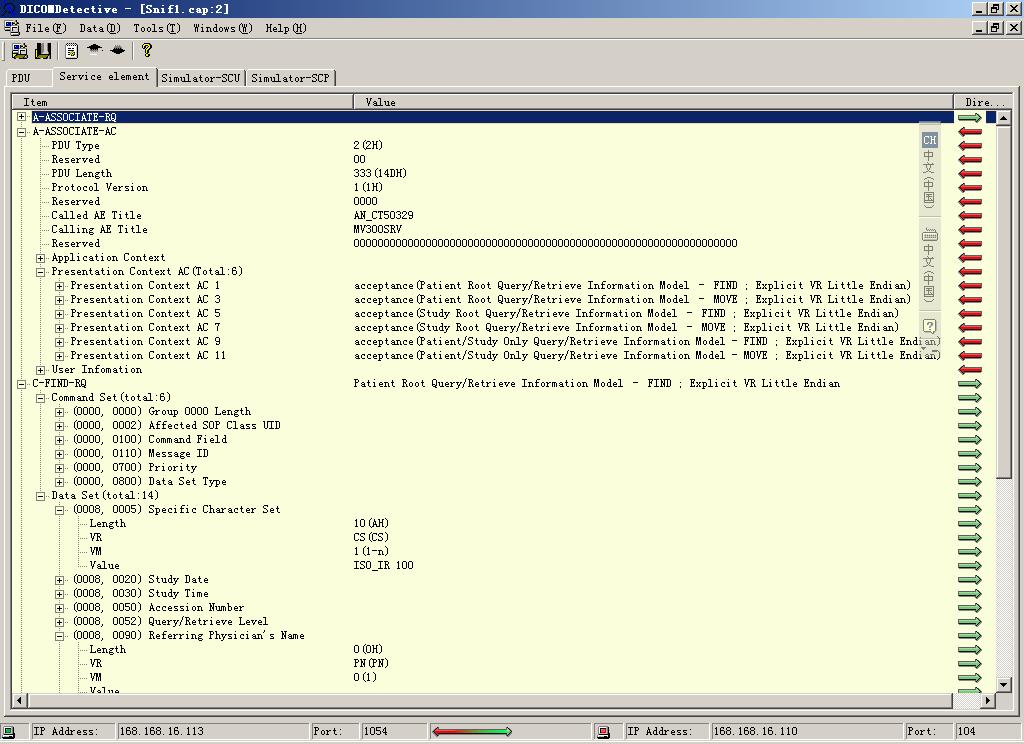
DICOM Detective is a DICOM protocol analysis and simulation software tool dedicated to PACS maintenance people, DICOM servicemen, programmers, consultants, radiologists and other people working with DICOM networks. Using the DICOM Detective, PACS maintenance people and DICOM servicemen can analyze DICOM communication problem online immediately and DICOM programmers can simulate DICOM communication offline and trace and debug their program without traveling onsite. DICOM Detective is also a great tool for DICOM beginners to learn the detail of DICOM. Just capture a DICOM communication and open it with DICOM detective, and you will know what the DICOM is and how simple it is. DICOM Detective reads network capture file and DICOM file and display DICOM tag and value in a tree list. an alternative for MergeDPM, DICOM Observer and Laurel Bridge. The new stable version 2.0 is released with following features: Online capture. Online transfer rate analysis. Offline transfer rate analysis. Tranfer rate history analysis. Gateway capture. Network interface info. Edit capture file and DICOM file. time format selection. Command line Export. Export DVT script. Export Merge DPM User Info. Chinese, Japanese, Korean, Western Europe language support. Auto Encoding according to the special character set. Verify DICOM Tag, VR, VM and Value length according DICOM Standard. Show packet number and time for PDUs and service elements. View image and structure report by a single click. Save the dataset as a DICOM file. Error column to display errors. Drag a capture file or DICOM file from windows explorer and drop to DICOM Detective to open the file. Continue the simulation without waiting. Show binary detail for PDUs. Display general information in content column for folded nodes. Search elements and values. Query Product ID at service@dicomtool.com.
Specifications:
Version: 2.00 |
Download
|

Similar Products:
Network & Internet :: Network Monitoring
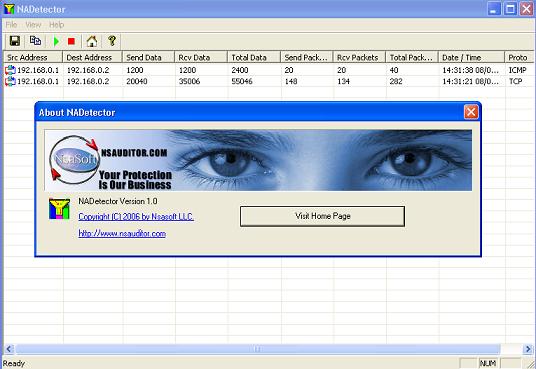 NADetector monitors and analyzes the network traffic and displays statistical information pertaining to each IP address pair and protocol, helping network administrators and users troubleshoot network problems. The main purpose of NADetector is to allow you to collect statistical information about your network traffic that passes through network adapters and display incoming, outgoing and summary traffic statistics.
Windows | Freeware
Read More
Network & Internet :: Network Monitoring
 DEKSI Bandwidth Monitor collects information about inbound and outbound traffic and displays the dynamic of the changing transferring speed in a map. DEKSI Bandwidth Monitor can perform specific actions from sending the SMS and email to rebooting the computer and service if critical values of volume were reached. DEKSI Bandwidth Monitor allows you to view the statistics via diagrams and tables.
Windows | Shareware
Read More
Network & Internet :: Network Monitoring
 Network monitoring and session control. Features: PC usage timer. Remotely turn off/restart PCs. Cost per session can be associated. Solution for schools and public networks. Automatically warn users when session is about to expire. Send messages to users. upload network activity log to your web server. You can export log to csv or text.
Windows | Shareware
Read More
Network & Internet :: Network Monitoring
The Internet WatchDog network monitor is designed to automatically test if IP-based services are operational, and perform a variety of actions upon service failure, such as send an e-mail, or attempt to restart the service. WatchDog will generate regular reports, detailing service uptime or availability to give an overview of service availability over a period of time.Can have the admin interface on the server or locally on your windows box.
Windows MAC Linux | Shareware
Read More