


N5 Net Software Repository
Your one-stop for all your software needs.
Search N5 Net Software Repository:
Search Files
Sponsor:
Browse:
- Audio & Multimedia (1527)
- Business (1697)
- Communications (462)
- Desktop (135)
- Development (555)
- Education (163)
- Games & Entertainment (700)
- Graphic Apps (657)
- Home & Hobby (102)
- Network & Internet (524)
- Security & Privacy (499)
- Servers (65)
- System Utilities (8668)
- Web Development (279)
Areas Of Interest
Authors Area
Are you a software author? Take a look at our Author Resource Center where you will find marketing tools, software specifically created for promoting your software and a ton of other helpful resources.
EventMeister 5.4.4.0
Network & Internet :: Network Monitoring
(Click to Enlarge)
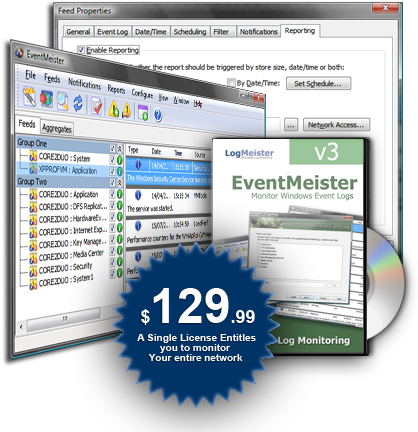
EventMeister is a powerful solution to centrally monitor and analyze Windows Event Logs. It will alert you to security issues and other critical events throughout your network, facilitate central archiving of log data and assist with analysis and meeting audit requirements. As EventMeister is a centralized monitoring solution there is no need to install agents on monitored PC's and servers! EventMeister gathers information from Windows Event Logs throughout your network either in real-time, or according to a specified schedule. Incoming data is scanned to look for entry patterns of interest. If these are detected EventMeister can perform a variety of actions and alerts including sending email, writing to log, running scripts, batch files or applications and displaying popup messages and sound alerts. The EventMeister log viewer presents gathered log data in a consistent, easy to read format. You can merge data from multiple logs for easier timeline analysis, filter, sort and reorganize columns, and create multiple views of the same data. At the click of a button you can export a view in various formats including text, csv, xml, formatted HTML reports and RSS feeds. Data can be exported in a variety of formats (text, csv, xml, formatted HTML reports and RSS feeds) according to various triggers. This makes it easy to import data into a database or into analysis applications such as Excel or Crystal Reports. You can even publish your event logs as RSS feeds!
Specifications:
Version: 5.4.4.0 |
Download
|

Similar Products:
Network & Internet :: Network Monitoring
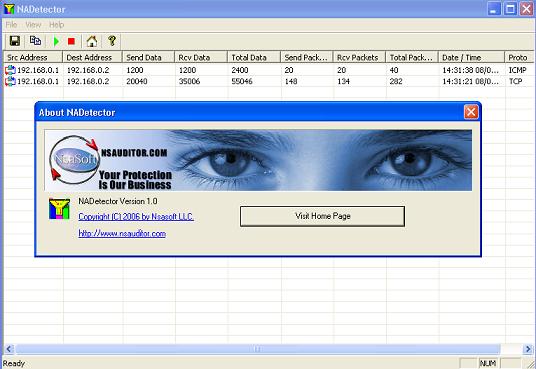 NADetector monitors and analyzes the network traffic and displays statistical information pertaining to each IP address pair and protocol, helping network administrators and users troubleshoot network problems. The main purpose of NADetector is to allow you to collect statistical information about your network traffic that passes through network adapters and display incoming, outgoing and summary traffic statistics.
Windows | Freeware
Read More
Network & Internet :: Network Monitoring
 DEKSI Bandwidth Monitor collects information about inbound and outbound traffic and displays the dynamic of the changing transferring speed in a map. DEKSI Bandwidth Monitor can perform specific actions from sending the SMS and email to rebooting the computer and service if critical values of volume were reached. DEKSI Bandwidth Monitor allows you to view the statistics via diagrams and tables.
Windows | Shareware
Read More
Network & Internet :: Network Monitoring
 Network monitoring and session control. Features: PC usage timer. Remotely turn off/restart PCs. Cost per session can be associated. Solution for schools and public networks. Automatically warn users when session is about to expire. Send messages to users. upload network activity log to your web server. You can export log to csv or text.
Windows | Shareware
Read More
Network & Internet :: Network Monitoring
The Internet WatchDog network monitor is designed to automatically test if IP-based services are operational, and perform a variety of actions upon service failure, such as send an e-mail, or attempt to restart the service. WatchDog will generate regular reports, detailing service uptime or availability to give an overview of service availability over a period of time.Can have the admin interface on the server or locally on your windows box.
Windows MAC Linux | Shareware
Read More