


N5 Net Software Repository
Your one-stop for all your software needs.
Search N5 Net Software Repository:
Search Files
Sponsor:
Browse:
- Audio & Multimedia (1593)
- Business (4242)
- Communications (1265)
- Desktop (183)
- Development (600)
- Education (168)
- Games & Entertainment (710)
- Graphic Apps (681)
- Home & Hobby (106)
- Network & Internet (571)
- Security & Privacy (526)
- Servers (65)
- System Utilities (11664)
- Web Development (285)
Areas Of Interest
Authors Area
Are you a software author? Take a look at our Author Resource Center where you will find marketing tools, software specifically created for promoting your software and a ton of other helpful resources.
Printing Barcode for Book Cover 3.0.4
Business :: Inventory & Barcoding
(Click to Enlarge)
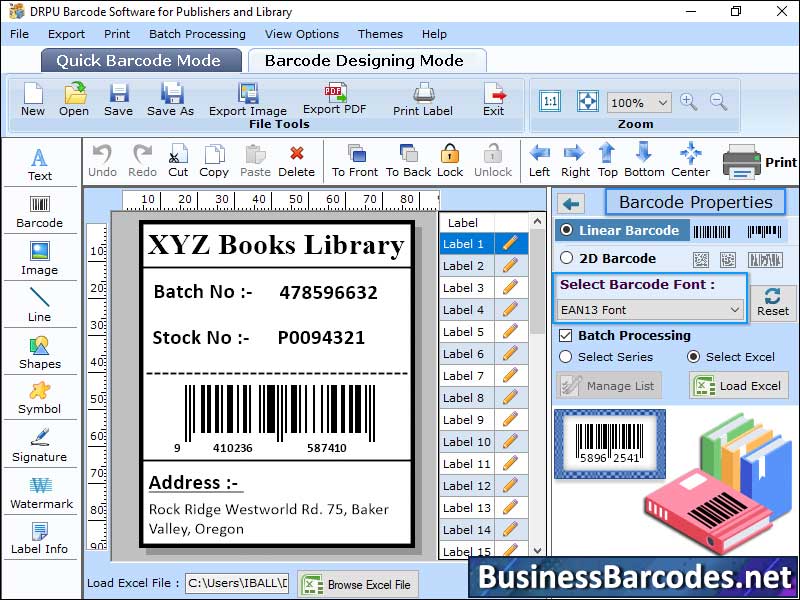
Library items are scanned and their information, such as title, author, publication date and automatically recorded in library management software. Accuracy of barcodes is ensured by using high-quality labels, calibrating scanners, and training staff on proper labelling and scanning. Ensure barcodes meet industry standards, follow printing guidelines, conduct regular audits, obtain valid barcode number from authorized provider, verify compliance with industry standards using scanners and choose appropriate symbology. ISBN-13 barcode is the most commonly used symbol in publishing industry. Regular audits can prevent errors and ensure barcodes are readable and compliant. Scan barcodes for published books, purchase compatible barcode scanner device, connect it to your device, open scanning app and aim the scanner at ISBN barcode. Press trigger button, and scanner will read code and send ISBN number to app or software. Book barcode is created to need obtain International Standard Book Number (ISBN) from country's agency, choose barcode format (EAN-13), and use barcode generator software to generate barcode image. Barcode symbology used depends on book type and industry standards with Code 128 being most common. Process can be completed manually or using barcode software. Print barcodes for published books obtain ISBN or EAN barcode from provider or publishing service. Generate barcode image using barcode generator or software, import into design software, create label with barcode and relevant information, adjust the label size and layout, print label using appropriate printer, and check for scan ability and legibility. Print barcodes on book covers, generate barcode image, obtain specifications from printer or label manufacturer, test barcode with scanner, print on adhesive labels, and add barcode image to back cover.
Specifications:
Version: 3.0.4 |
Download
|

Similar Products:
LABEL SPIRIT ENTERPRISE 7.0.33
Business :: Inventory & Barcoding
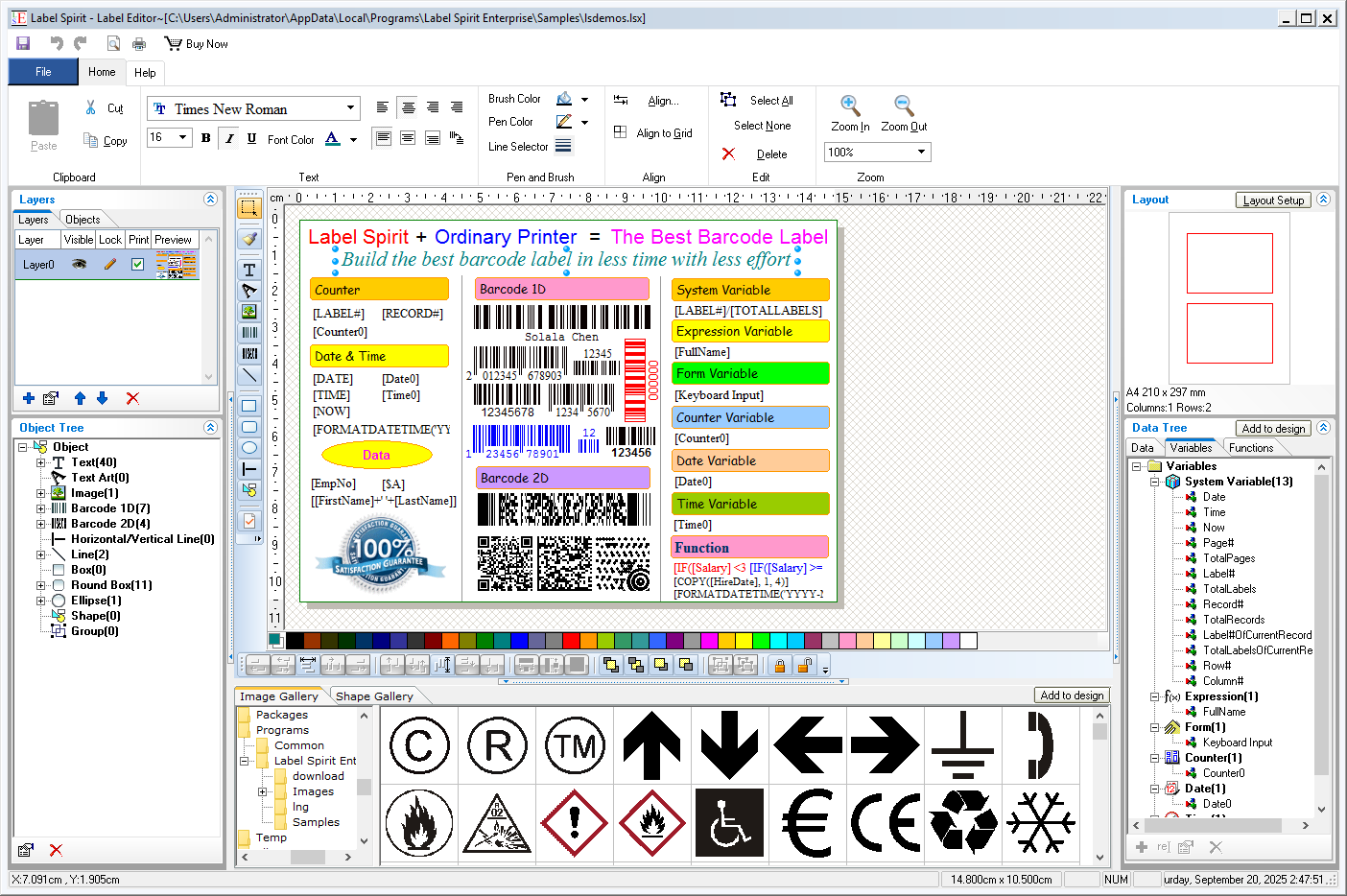 Label Spirit is a professional barcode label software for all your labeling and printing needs. It provides a wide variety of powerful, yet easy to use tools. You can create any size label with text, shapes and images, etc. You can also move, resize and modifying objects on labels. The data sheet lets you generate sequences of data freely, and you can import data from any database through ADO or ODBC too.
Windows | Shareware
Read More
Business :: Inventory & Barcoding
Label Spirit is a professional barcode label software for all your labeling and printing needs. It provides a wide variety of powerful, yet easy to use tools. You can create any size label with text, shapes and images, etc. You can also move, resize and modifying objects on labels. The data sheet lets you generate sequences of data freely. Further more, Label Spirit support variable and functions.
Windows | Freeware
Read More
SMARTVIZOR VARIABLE DATA BATCH PUBLISHING SOFTWARE 44.5.250.826
Business :: Inventory & Barcoding
 SmartVizor is a stand-alone,powerful and extremely easy to use variable-data-printing application. SmartVizor Suite is a software solution for creating personalized communications and professional one to one documents. It is one of the least expensive full-featured variable-data-printing solutions available today. With SmartVizor Suite, merge any design with any database and print on any printer.
Windows | Shareware
Read More
BARCODE ACTIVEX PROFESSIONAL 4.0
Business :: Inventory & Barcoding
 Morovia Barcode ActiveX is an extremely powerful ActiveX control for creating high quality barcode images. It can be used in any ActiveX-compliant environment such as Microsoft Excel, Word, Visual Basic, Visual C++, FoxPro, Delphi, C++ Builder and Visual Studio .Net.
Windows | Demo
Read More