


N5 Net Software Repository
Your one-stop for all your software needs.
Search N5 Net Software Repository:
Search Files
Sponsor:
Browse:
- Audio & Multimedia (1527)
- Business (1697)
- Communications (462)
- Desktop (135)
- Development (555)
- Education (163)
- Games & Entertainment (700)
- Graphic Apps (657)
- Home & Hobby (102)
- Network & Internet (524)
- Security & Privacy (499)
- Servers (65)
- System Utilities (8668)
- Web Development (279)
Areas Of Interest
Authors Area
Are you a software author? Take a look at our Author Resource Center where you will find marketing tools, software specifically created for promoting your software and a ton of other helpful resources.
PC Tasks Optimizer 2.0.877
System Utilities :: System Maintenance
(Click to Enlarge)
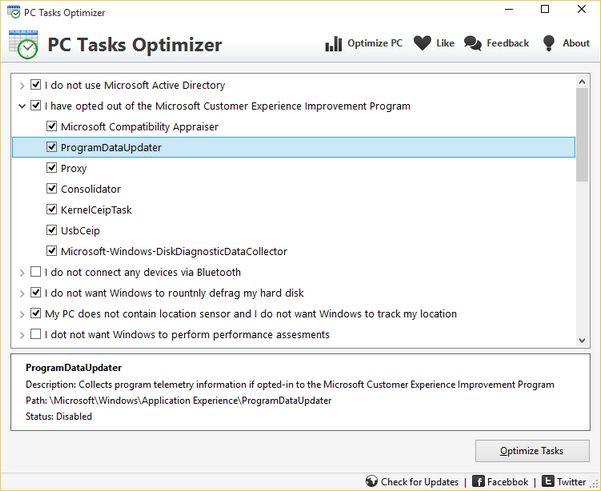
PC Tasks Optimizer allows you to easily and safely optimize unnecessary Windows scheduled tasks based on how you use your computer. Windows scheduled tasks are applications and components that run in the background, responding to specific events and carrying out various system tasks. Microsoft Windows includes a built-in Task Scheduler application that allows you to create, manage, and optimize scheduled tasks. However, it is essential to be familiar with all scheduled tasks and understand their functions. Otherwise, you risk having a necessary task disabled without realizing the potential consequences. This is where PC Tasks Optimizer can help. PC Tasks Optimizer provides a more intuitive approach to disabling unnecessary tasks that could slow down your computer. Instead of listing the names of scheduled tasks to disable, it offers simple and easy-to-understand descriptions of each task's function. This significantly reduces any technical complexities, making it easier for you to tweak unnecessary scheduled tasks for improved system performance and security. PC Tasks Optimizer is ideal for beginners with little or no technical knowledge, providing clear options to help them decide which scheduled tasks to disable. PC Tasks Optimizer is also ready for advanced users who want more control over the optimization process. For instance, you can manually choose which scheduled tasks to disable. Additionally, PC Tasks Optimizer provides detailed technical information about each scheduled task, helping you decide which ones to disable.
Specifications:
Version: 2.0.877 |
Download
|

Similar Products:
PEGASUN SYSTEM UTILITIES 9.4.0
System Utilities :: System Maintenance
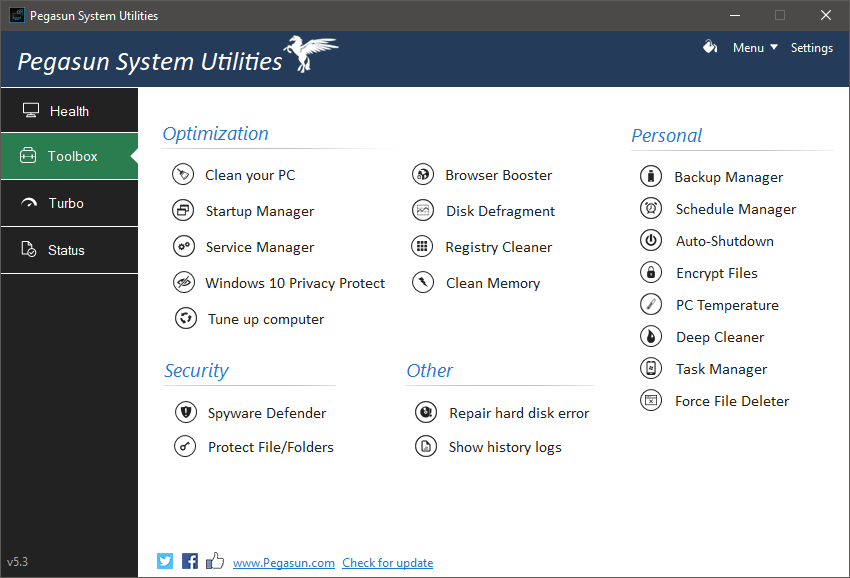 System Utilities is an all-in-one software suite designed to speed up, clean, maintain, secure, and increase your PC's battery life in 1-click of a button. System Utilities saves you hours of manual computer maintenance work by doing it all for you automatically by performing over 140 optimization procedures. With System Utilities, you'll never have to worry about your PCs or laptops running slow again.
Windows | Freeware
Read More
System Utilities :: System Maintenance
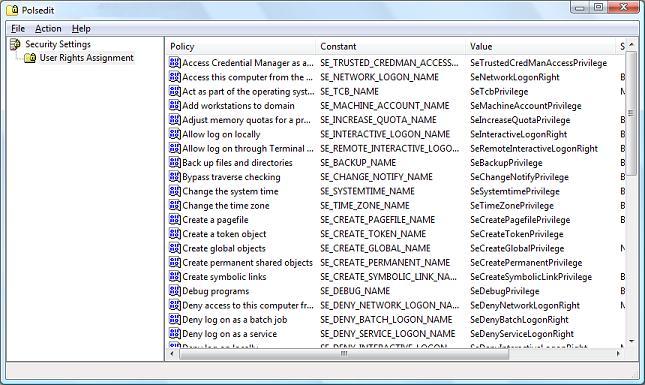 Polsedit is a utility to modify user policies such as user account rights and user privileges on a local or remote system. This can be useful when for some reason you are unable to run secpol.msc snap-in, for example, XP Home and Vista Home do not have secpol.msc at all. The user interface of Polsedit is very similar to the standard policies editor from Windows, but it also displays some internal data, which can be useful for developers.
Windows | Freeware
Read More
System Utilities :: System Maintenance
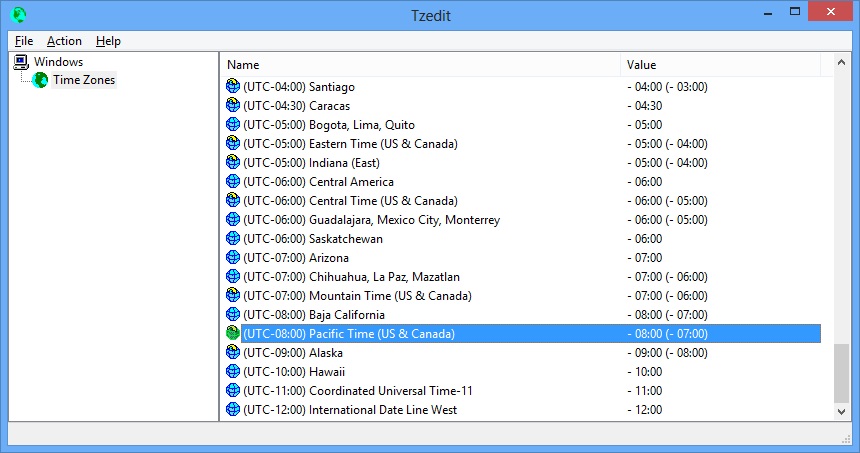 Tzedit is a freeware utility that allows you to edit time zone information in Windows. All parameters can be edited such as time zone name and information, time zone location on the world map (MapID), Microsoft Time Zone Index, MUI strings for time zone name and Dynamic DST settings. This utility works on any version of Windows from Windows 95 to Windows 11.
Windows | Freeware
Read More
System Utilities :: System Maintenance
 Diskeeper 12 is the only solution to resolve the root cause of performance degradation on Windows systems. Diskeeper optimizes application & storage performance for servers, desktops, laptops and all storage platforms, including SANs and SSDs. With Diskeeper computers boot faster, backups complete quicker, application performance increases, SAN data retrieval rates soar, SSD life is extended, systems see an additional 1-3 years of productive life
Windows | Shareware
Read More