


N5 Net Software Repository
Your one-stop for all your software needs.
Search N5 Net Software Repository:
Search Files
Sponsor:
Browse:
- Audio & Multimedia (1565)
- Business (1732)
- Communications (466)
- Desktop (182)
- Development (569)
- Education (166)
- Games & Entertainment (707)
- Graphic Apps (683)
- Home & Hobby (105)
- Network & Internet (543)
- Security & Privacy (500)
- Servers (65)
- System Utilities (9315)
- Web Development (281)
Areas Of Interest
Authors Area
Are you a software author? Take a look at our Author Resource Center where you will find marketing tools, software specifically created for promoting your software and a ton of other helpful resources.
Create Barcode in Google Sheet 6.0.1.3
Business :: Inventory & Barcoding
(Click to Enlarge)
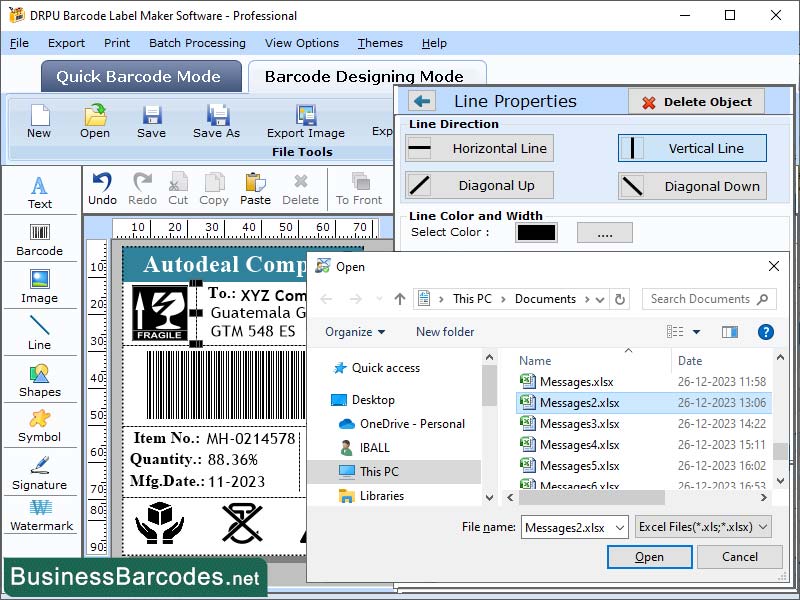
Software must Install code 39, code 128, and EAN 13 Font to generate Google Sheet Barcodes. Font is downloaded as a ZIP folder. Double click on the ZIP folder to open it, then open the TTF file inside to install the barcode font. In the Font Preview window, click Install to install the barcode font onto your Excel program. Once you have installed a barcode font, you can create barcodes by inputting lists of numbers. Create a header row in your spreadsheet program by entering product details such as name, ID, and barcode font. Enter details about your products for the attributes you've added in the Add your Item Information section. Give each product a unique identification barcode using the Google Sheets Barcode Creator. Generating QR codes is easy with Google Sheets using the simple formula image. Software uses these steps to create barcodes in Google Sheets-* Sign in to Google Sheets with your email address and create a new spreadsheet. Print Google Sheet QR Code Application generates barcodes, creates columns as needed for details like product name, product ID, and barcode URL, and then enters the relevant data into each cell. Application generates Code 39 Barcodes and Code 128 Barcode. Code 128 Barcode is widely used in the packaging and shipping industries due to its versatility, high data density, and ability to encode all ASCII characters. Barcode 39 generates barcodes in the Code 39 format without any human-readable text underneath. Barcode with ID number 39 converts text into a machine-readable barcode format, with the identifying number printed underneath. EAN13 barcodes are the most commonly used type of barcode in retail environments. Software generates linear and 2D barcode labels using Excel spreadsheets and text files, allowing users to create multiple barcodes at once or design them manually to produce single barcodes on demand.
Specifications:
Version: 6.0.1.3 |
Download
|

Similar Products:
SCANPOINT - ARCHIVE MANAGEMENT SOFTWARE 4.00.XX
Business :: Inventory & Barcoding
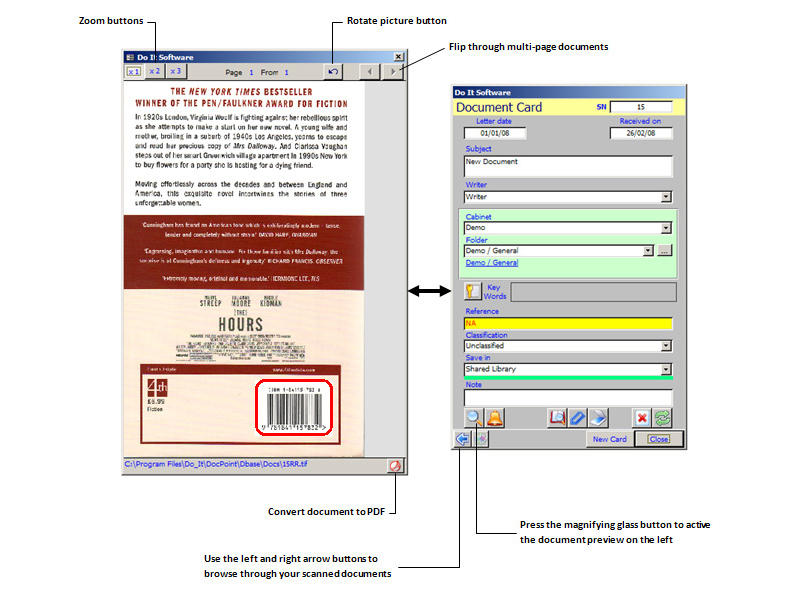 ScanPoint is an OCR and barcode-ready archive and imaging management solution that provides organizations of any size with a powerful and affordable paperless office solution. ScanPoint gives you the power to file documents quickly by capturing index criteria from barcodes embedded in a scanned document.
Windows | Shareware
Read More
Business :: Inventory & Barcoding
 Whether you are designing and printing labels for internal use or for your customers, Tattoo ID Enterprise lets you
produce labels with fixed or dynamic text, pictures and barcodes. Dynamic data can come from a wide variety of
sources, including your company's database. Create labels for FDA, OSHA, HIBCC or AIAG compliance, inventory,
shipping, or tracking. Control label design at a central location, print remotely, throughout your company.
Whether you are designing and printing labels for internal use or for your customers, Tattoo ID Enterprise lets you
produce labels with fixed or dynamic text, pictures and barcodes. Dynamic data can come from a wide variety of
sources, including your company's database. Create labels for FDA, OSHA, HIBCC or AIAG compliance, inventory,
shipping, or tracking. Control label design at a central location, print remotely, throughout your company.
Windows | Demo
Read More
TECHNORIVER FREE BARCODE SOFTWARE COMPONENT 2.1
Business :: Inventory & Barcoding
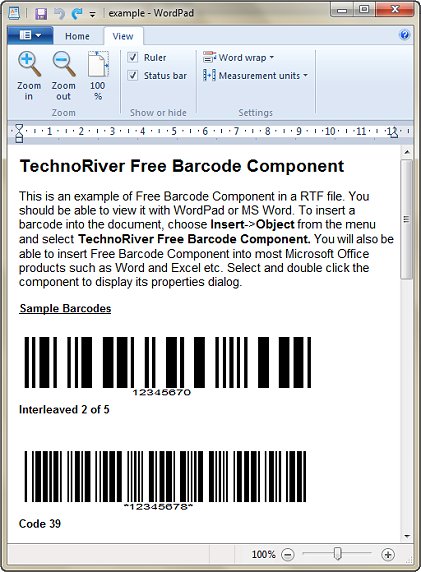 Free Barcode Software Component allows you to easily add Code39, I2OF5 and ITF14 barcodes to Windows documents like Word or Excel. It exposes a full range of barcode properties and allows precise control over barcode dimensions. The barcodes are generated as Windows Metafiles and allow accurate, high resolution printing to any printer. The Component includes an Excel Add-in for mass conversion of data to barcodes.
Windows | Freeware
Read More
TECHNORIVERSTUDIO COMMUNITY EDITION 8.12
Business :: Inventory & Barcoding
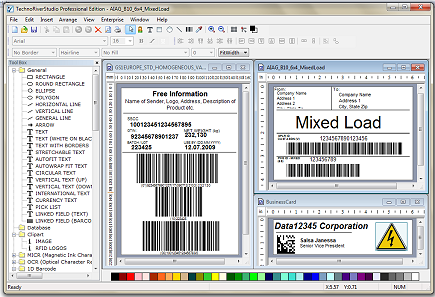 TechnoRiverStudio Community Edition is a useful tool for label design and business cards printing. It is the free edition of the award winning software TechnoRiverStudio. It provides powerful features like WYSIWYG design, Image Acquisition, Image/Vector graphics, Rich Text, Circular Text, 2600+ label templates, Advanced Print Management and International Text. The tool is also capable of rendering labels as image files in PNG and TIFF formats.
Windows | Freeware
Read More