


N5 Net Software Repository
Your one-stop for all your software needs.
Search N5 Net Software Repository:
Search Files
Sponsor:
Browse:
- Audio & Multimedia (1527)
- Business (1697)
- Communications (462)
- Desktop (135)
- Development (555)
- Education (163)
- Games & Entertainment (700)
- Graphic Apps (657)
- Home & Hobby (102)
- Network & Internet (524)
- Security & Privacy (499)
- Servers (65)
- System Utilities (8668)
- Web Development (279)
Areas Of Interest
Authors Area
Are you a software author? Take a look at our Author Resource Center where you will find marketing tools, software specifically created for promoting your software and a ton of other helpful resources.
Zip Backup to CD 3.18
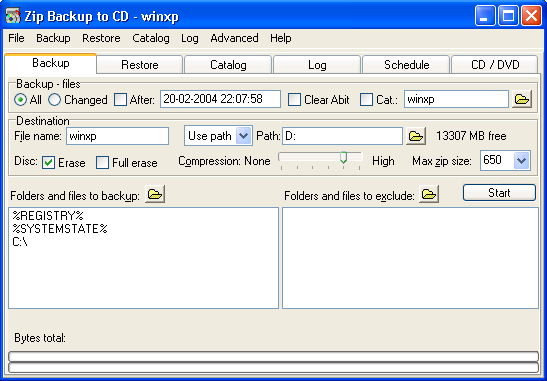
(Click to Enlarge)
Zip Backup to CD is designed to backup your data files using the standard Zip file format, allowing backup files to be viewed and restored with most zip file utilities. Zip Backup to CD distributes the files to be backedup in several stand alone Zip files of a size fitting a standard CD (CD-R) or a size chosen by the user and writes it to CD/DVD. Therefore it can backup your files to hard drives, network drives, ZIP drives, JAZ, Syquest, CD, DVD, and most other removable media's. Zip Backup to CD supports conventional or Universal Naming Convention (UNC) file names, allowing access to all local and LAN Directories using Industry standard 32-bit long directory and file names. The integrated zip-extractor allows the restoring of your backup files. Zip Backup to CD has its own scheduler supporting unattended auto-backup and scheduling of any specific Time or Date, Day of the week or Month. It also has command-line support for further automatisation. Zip Backup to CD supports data backup of in-use and open files as long as the application that is using the file does not have it locked for read access. Therefore you can backup the complete system if you are running Windows 95, 98, ME. If you are running Windows NT, 2000 or XP you have the option to include the registry and system state, which enables you to make a complete system backup.
Specifications:
Version: 3.18 |
Download
|

Similar Products:
Audio & Multimedia :: Rippers & Converters
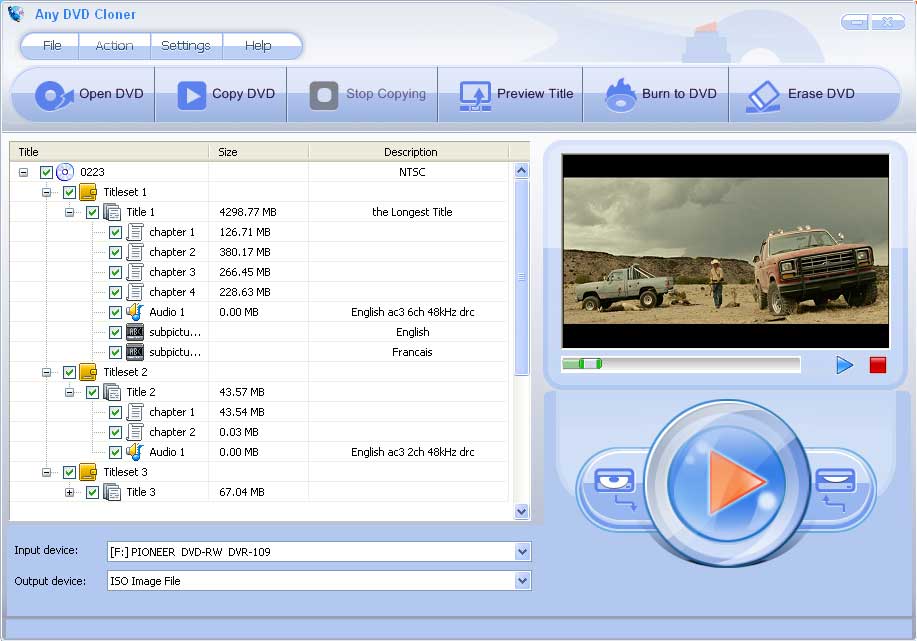 Any DVD Cloner is the best DVD movie copier, DVD backup software to decrypt and copy DVD movie to DVD or local drive with 1:1 ratio at super high DVD copy speed, compress DVD9 to DVD5 with great quality, copy DVD to DVD backup folder or ISO file, preview DVD movie when copying DVD, burn DVD backup folder or ISO to DVD, erase a DVD for reusing. It is the best choice to make backup copies from any non-protected and copy-protected movie DVDs.
Windows | Shareware
Read More
EXCHANGE BACKUP RECOVERY TOOL 2.1
System Utilities :: Backup & Restore
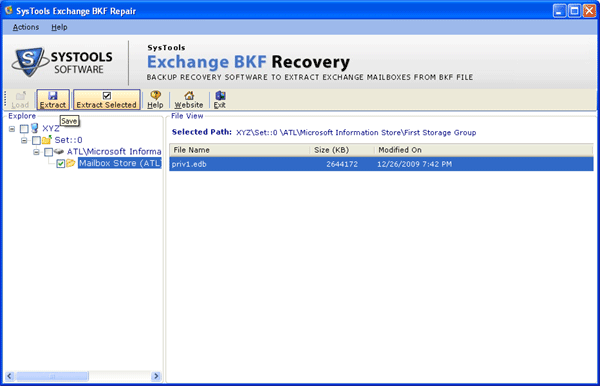 Exchange Backup Recovery Tool to retrieve Exchange Server backup in a secure way without enforcing any effort. Our Exchange Backup Recovery Tool successfully works with all windows and exchange versions together with 2013. It is fully able to recover More than 300 GB data at once .
Windows | Shareware
Read More
SHIFT DELETE RECOVERY SOFTWARE 2.4
System Utilities :: File & Disk Management
 No need to do any search about how to backup shift delete files when Shift Delete Data Recovery is there to help you out. It precisely recover and restore shift deleted files of Windows OS accurately without any data loss. Apart to restore shift deleted files of Windows OS Shift Delete Recovery Software also capable to recover files from NTFS and FAT partitions file system
Windows | Shareware
Read More
BACKUP EUDORA EMAIL FILES AS PDF 6.0
System Utilities :: File & Disk Management
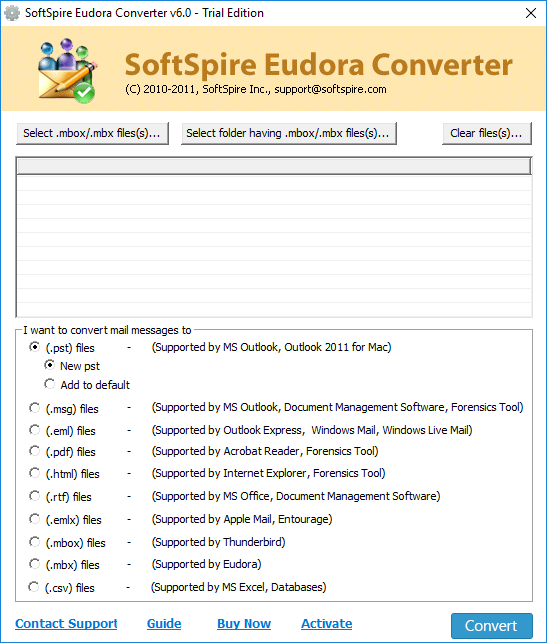 If you want to backup Eudora email files as PDF then use Eudora to PDF Converter. The tool has amazing function which makes the conversion process so effortless. It backup Eudora email files as PDF on all Windows machine such as 10, 8, 7, 8.1, Vista, XP etc.
Windows | Shareware
Read More