


N5 Net Software Repository
Your one-stop for all your software needs.
Search N5 Net Software Repository:
Search Files
Sponsor:
Browse:
- Audio & Multimedia (1565)
- Business (1732)
- Communications (466)
- Desktop (182)
- Development (569)
- Education (166)
- Games & Entertainment (707)
- Graphic Apps (683)
- Home & Hobby (105)
- Network & Internet (543)
- Security & Privacy (500)
- Servers (65)
- System Utilities (9315)
- Web Development (281)
Areas Of Interest
Authors Area
Are you a software author? Take a look at our Author Resource Center where you will find marketing tools, software specifically created for promoting your software and a ton of other helpful resources.
LuJoSoft Rename All 1.0.0
System Utilities :: File & Disk Management
(Click to Enlarge)
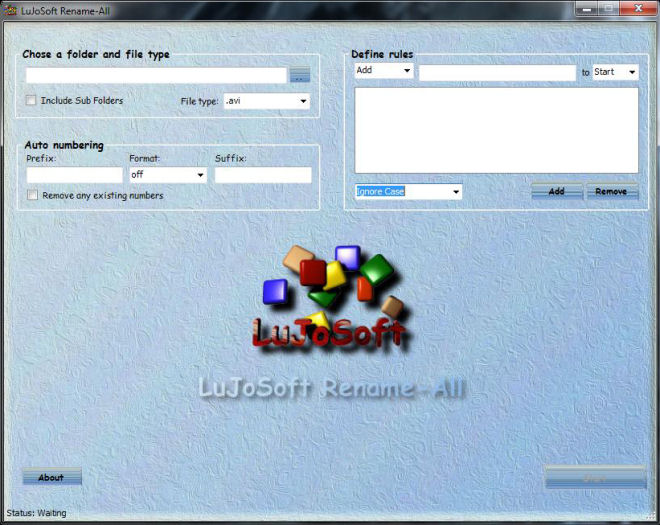
Introduction: LuJoSoft Rename-All is program that can help you with the tedious task of renaming large numbers of files. The program can be used by anyone who needs to keep large collections of files organized (such as mp3 files, image and graphics files, web-site-related files, system files). Features: Portable. You can add text to filenames. You can remove any text in the filenames. You can replace any text with any other text you want. You can use all lowercase, uppercase or capitalize each word. You can auto number in different format. You can use prefix or suffix. You can remove all existing numbers. You will preview the change before applying it. In case of mistake there is a undo button. At all time you can abort or cancel. it's absoutly Free!!! No catch, no nag screen or cripple function. How to use: Select a folder containing the files to renames. Select the file type you want to rename ex.: .jpg Define the rule of renaming, you can have up to 20 rules. Enter a format for auto numbering if needed. System requirement: Should work on any windows version tested only on 32bit OS. .Net framework 3.5 SP1 Installation: No installation require it's portable. Double click LuJoSoft Rename-All. Then enjoy! Another release without no catch, no nag screen or cripple function.
Specifications:
Version: 1.0.0 |
Download
|

Similar Products:
BATCH FILE MANAGER FREE 5.0.134
System Utilities :: File & Disk Management
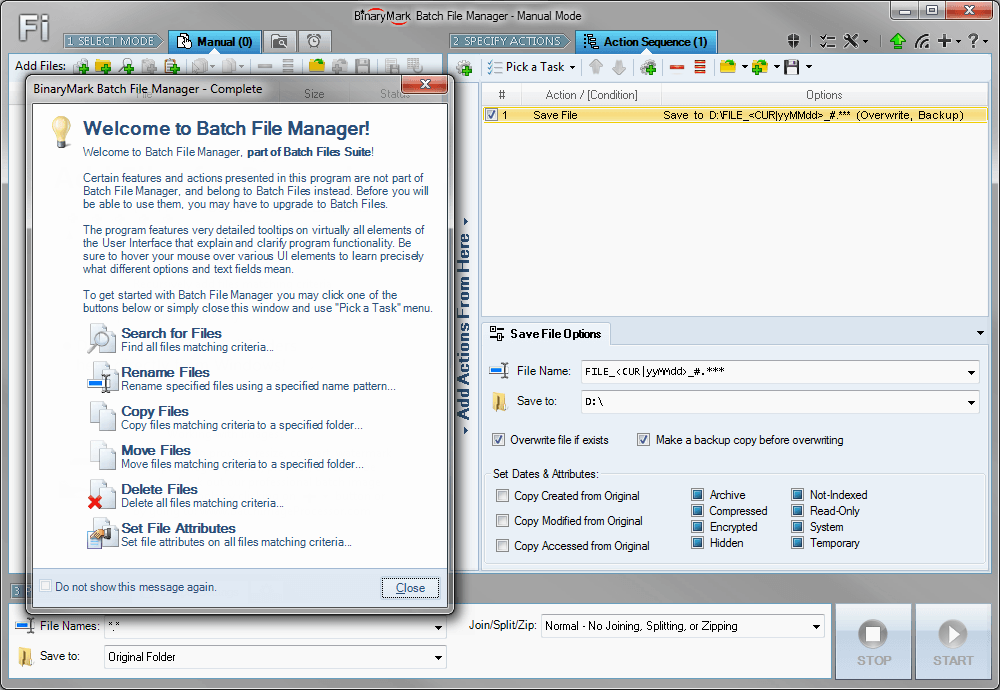 Rename, move, copy, delete, and otherwise manage multiple files. Rename multiple files according to the rules and pattern you specify using powerful editor with syntax highlighting. Copy and move files to folders specified using absolute/relative paths. Select files for processing based on their name, dates, size, text/binary contents using advanced file search supporting RegEx and advanced wildcards. Delete files easily.
Windows | Shareware
Read More
BATCH FILE RENAME FREE 5.0.134
System Utilities :: File & Disk Management
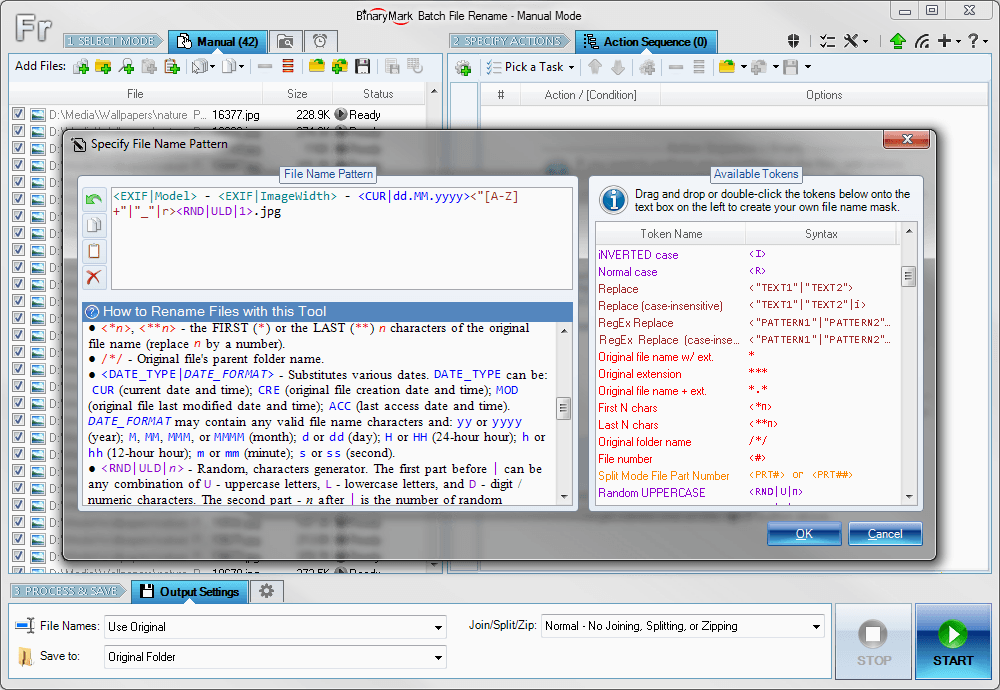 Rename multiple files according to the rules and pattern you specify using powerful editor with syntax highlighting. Modify original file name by removing or copying its parts, replacing text, changing letter case, or using Regular Expressions. Include dynamic elements in file names: file properties (dates, size); hashes (MD5, SHA1, SHA2, CRC); MP3 ID3 and JPG EXIF tags; random characters; current date and time; parent folder name; etc.
Windows | Shareware
Read More
BATCH IMAGE RESIZER LITE 5.6.135
Graphic Apps :: Editors
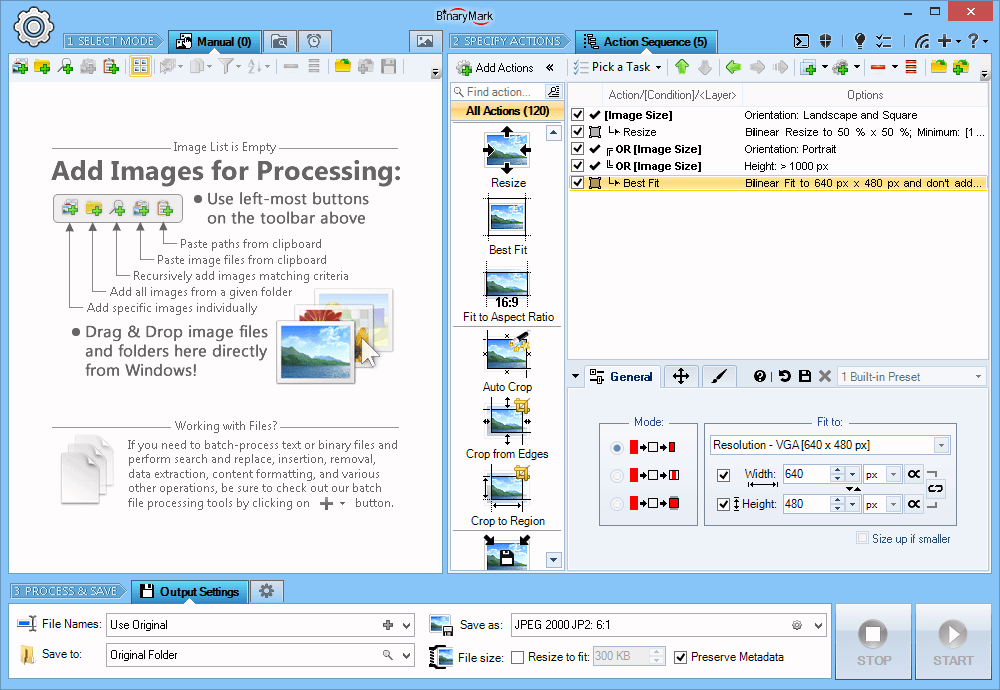 Resize, crop, shrink, flip, EXIF-autorotate, resample, convert, enhance, and process multiple pictures and photos with this professional software!
- 120+ Actions: resize, contrast, watermark
- Save results in any of 30+ formats: jpg, png, gif, tiff, bmp, j2k
- 20 scaling modes: Lanczos, Bilinear, Bicubic, Box, HqX
- Conditional Processing based on Image Orientation
- Automatic crop, crop to fixed size, crop from edges, crop to W:H ratio
Resize, crop, shrink, flip, EXIF-autorotate, resample, convert, enhance, and process multiple pictures and photos with this professional software!
- 120+ Actions: resize, contrast, watermark
- Save results in any of 30+ formats: jpg, png, gif, tiff, bmp, j2k
- 20 scaling modes: Lanczos, Bilinear, Bicubic, Box, HqX
- Conditional Processing based on Image Orientation
- Automatic crop, crop to fixed size, crop from edges, crop to W:H ratio
Windows | Shareware
Read More
Desktop :: Other
 Extremely powerful suite, full of functions that combine the functionality of some other tools with many new things in a top modern and improved form to enhance your Windows Desktop by a lot. It can boost your productivity by a huge factor and serves as an automation base. Window management, process management, calculations, conversions, file functions, safety features and repair functions make it your optimal Windows companion.
Windows | Freeware
Read More