


N5 Net Software Repository
Your one-stop for all your software needs.
Search N5 Net Software Repository:
Search Files
Sponsor:
Browse:
- Audio & Multimedia (1582)
- Business (1741)
- Communications (469)
- Desktop (134)
- Development (571)
- Education (165)
- Games & Entertainment (709)
- Graphic Apps (683)
- Home & Hobby (106)
- Network & Internet (544)
- Security & Privacy (505)
- Servers (67)
- System Utilities (9267)
- Web Development (284)
Areas Of Interest
Authors Area
Are you a software author? Take a look at our Author Resource Center where you will find marketing tools, software specifically created for promoting your software and a ton of other helpful resources.
Audio Music Editor 3.3.0
Audio & Multimedia :: Audio Encoders/Decoders
(Click to Enlarge)
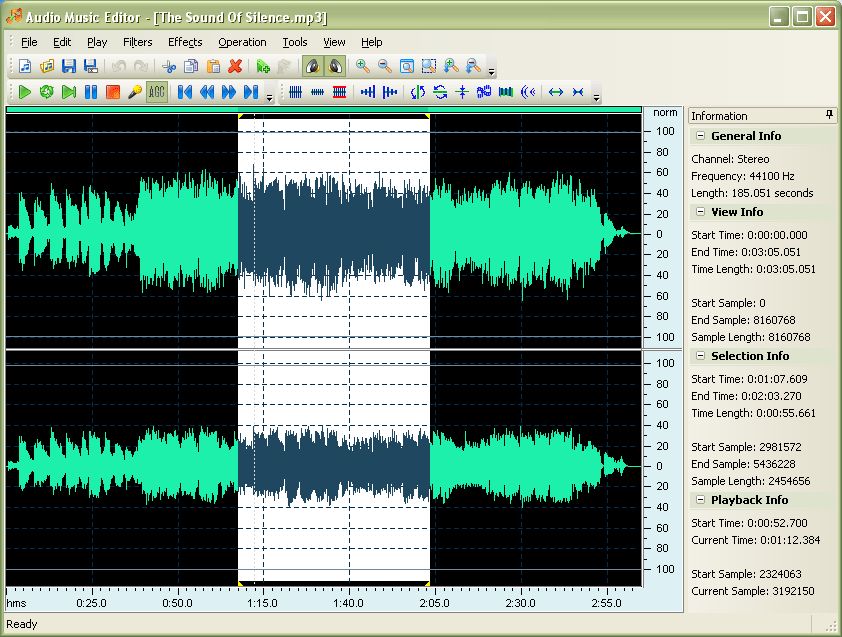
Audio Music Editor is an easy to use audio editor for professionals and music lovers. Many effects and filters are available. Audio Music Editor can works as an audio player, an audio splitter, an audio joiner, an audio recorder or an audio format converter. It can mixes several audio files with different format to one audio file. Flexible play mode allows you play or loop play a part of the edited audio file. Features: * Supports audio format: MP3, WMA, OGG, WAV, MP2, G721, G723, G726, VOX, GSM, U-LAW, A-LAW, DSP, ADPCM, CDA(input), APE(export only), FLAC(export only). * Available operations: play, play looped, seek, cut, copy, paste, delete, mix, record, trim, mark, amplify, normalize, invert, reverse, stretch, compressor, add noise. * Available effects: fade in, fade out, delay, flanger, vibrato, chorus, phaser... * Available filters: band pass, low pass, high pass, low shelf, high shelf, notch... * Join audio file with different audio formats. * Mix 2 or more audio files with different format to one audio file. * Supports recording to create new audio file. * Embeds a MP3 ID3 editor support MP3, WMA, MP2, MPEG, MP+, MPC, OGG and AVI audio formats. * Supports customizable output MP3 bitrate from 8 kbps to 320 kbps. * Supports customizable output MP3 sampling frequency from 8000 Hz to 44100 Hz. * Supports customizable audio format for WMA, MP2, OGG, VOX, GSM, G723, G726, G721, U-LAW, A-LAW, DSP, ADPCM including channel, sampling frequency and bitrate.
Specifications:
Version: 3.3.0 |
Download
|

Similar Products:
Audio & Multimedia :: Music Composers
 Cut, join, trim, mix, delete parts, split with AVS Audio Editor. Manage your tracks in MP3, FLAC, WAV, M4A, WMA, AAC, MP2, AMR, OGG, etc. Record audio data from various inputs like microphone, vinyl records, and other input lines. Create a unique ringtone for iPhone. AVS Audio Editor is a part of the AVS4YOU.com package. Register once at avs4you.com and work with all tools from the AVS4YOU.com package. Subscribe for $49/year or $79/lifetime.
Windows | Shareware
Read More
WAVEPAD MUSIC AND AUDIO EDITOR FREE 24.02
Audio & Multimedia :: Music Composers
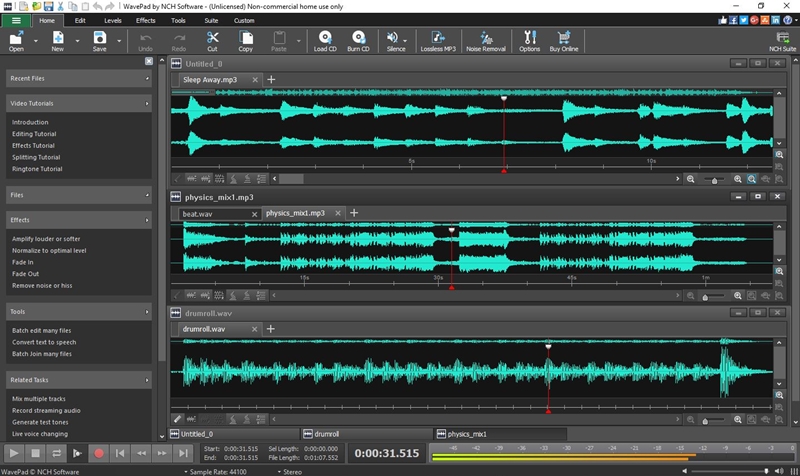 Free Music and Audio Editor that is perfect for professional audio editors or for someone just wanting to edit some personal audio files. This free sound editor includes several effects such as amplify, normalize, equalizer, envelope, reverb, and many more. Easily edit audio files with cut, copy, paste, delete, insert and several others. Audio restoration features includes noise reduction and click pop removal.
Windows | Freeware
Read More
FREE MP3 CUTTER AND EDITOR 2.8.0.3811
Audio & Multimedia :: Multimedia Creation Tools
 This free mp3 cutter and editor is an extremely simple and handy tool for routine mp3 editing tasks.
The program displays a waveform graph that lets you easily select a portion of the mp3 for editing.
You can cut out unwanted part of the audio, change volume by specifying a percentage value, create a fade in or fade out, and convert the audio between stereo and mono.
This free mp3 cutter and editor is an extremely simple and handy tool for routine mp3 editing tasks.
The program displays a waveform graph that lets you easily select a portion of the mp3 for editing.
You can cut out unwanted part of the audio, change volume by specifying a percentage value, create a fade in or fade out, and convert the audio between stereo and mono.
Windows | Freeware
Read More
REPLAY MEDIA SPLITTER 5.0.2402.6
Audio & Multimedia :: Video Tools
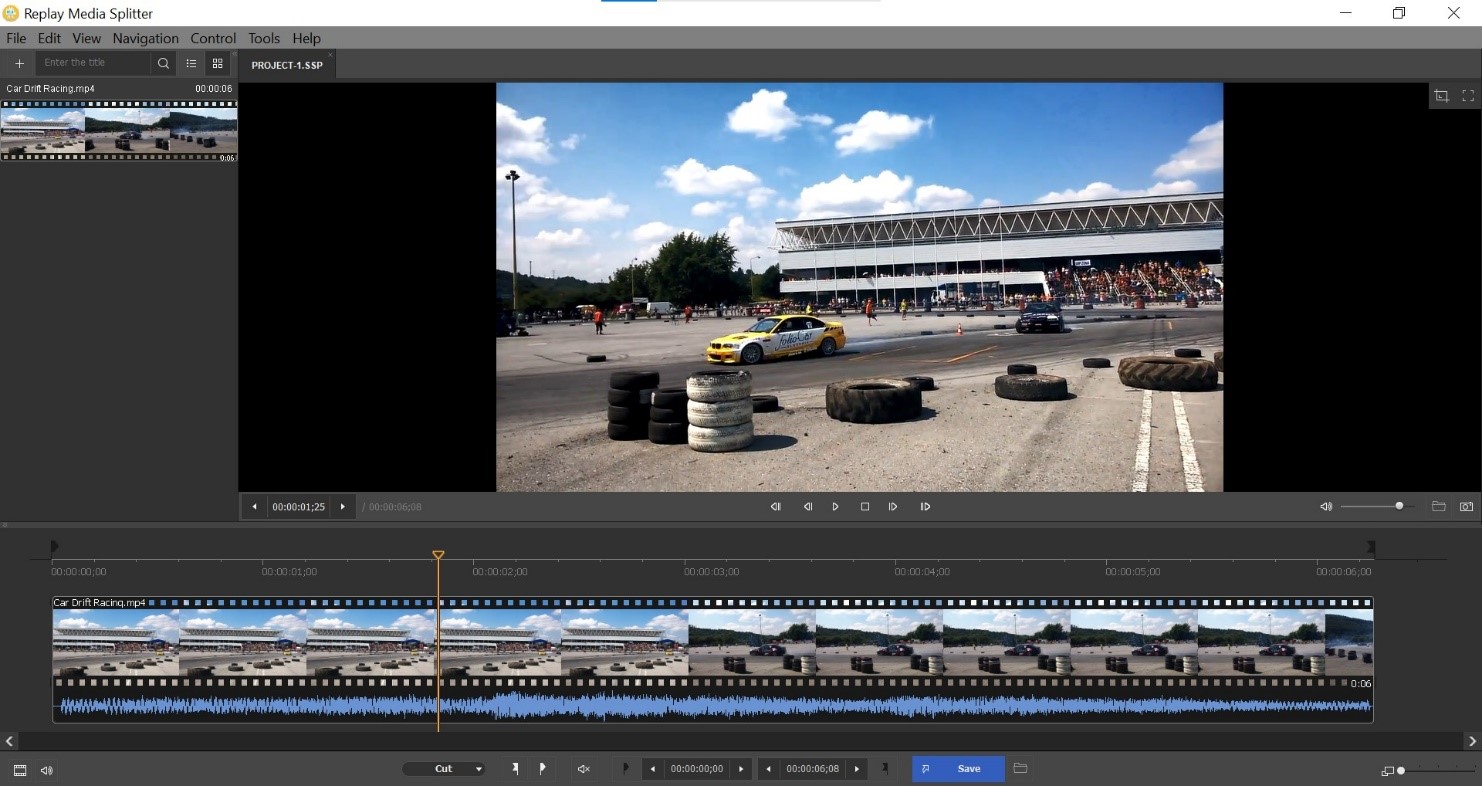 Replay Media Splitter is an easy audio and video file editor & file joiner. Learn to edit & join like a pro in no time. To edit: just load the file you want, mark the sections to keep or exclude and click "trim". The program offers a range of editing tools from simple to precise. Works with the major formats: AVI, WMV, ASF, WMA, MOV, MP4, MKV, MP3. Use the join manager to join files of the same type. Great for the beginner video or audiophile.
Windows | Shareware
Read More