


N5 Net Software Repository
Your one-stop for all your software needs.
Search N5 Net Software Repository:
Search Files
Sponsor:
Browse:
- Audio & Multimedia (1565)
- Business (1732)
- Communications (466)
- Desktop (182)
- Development (569)
- Education (166)
- Games & Entertainment (707)
- Graphic Apps (683)
- Home & Hobby (105)
- Network & Internet (543)
- Security & Privacy (500)
- Servers (65)
- System Utilities (9315)
- Web Development (281)
Areas Of Interest
Authors Area
Are you a software author? Take a look at our Author Resource Center where you will find marketing tools, software specifically created for promoting your software and a ton of other helpful resources.
Mac OS Bulk SMS Application 9.2.3.3
Communications :: Chat & Instant Messaging
(Click to Enlarge)
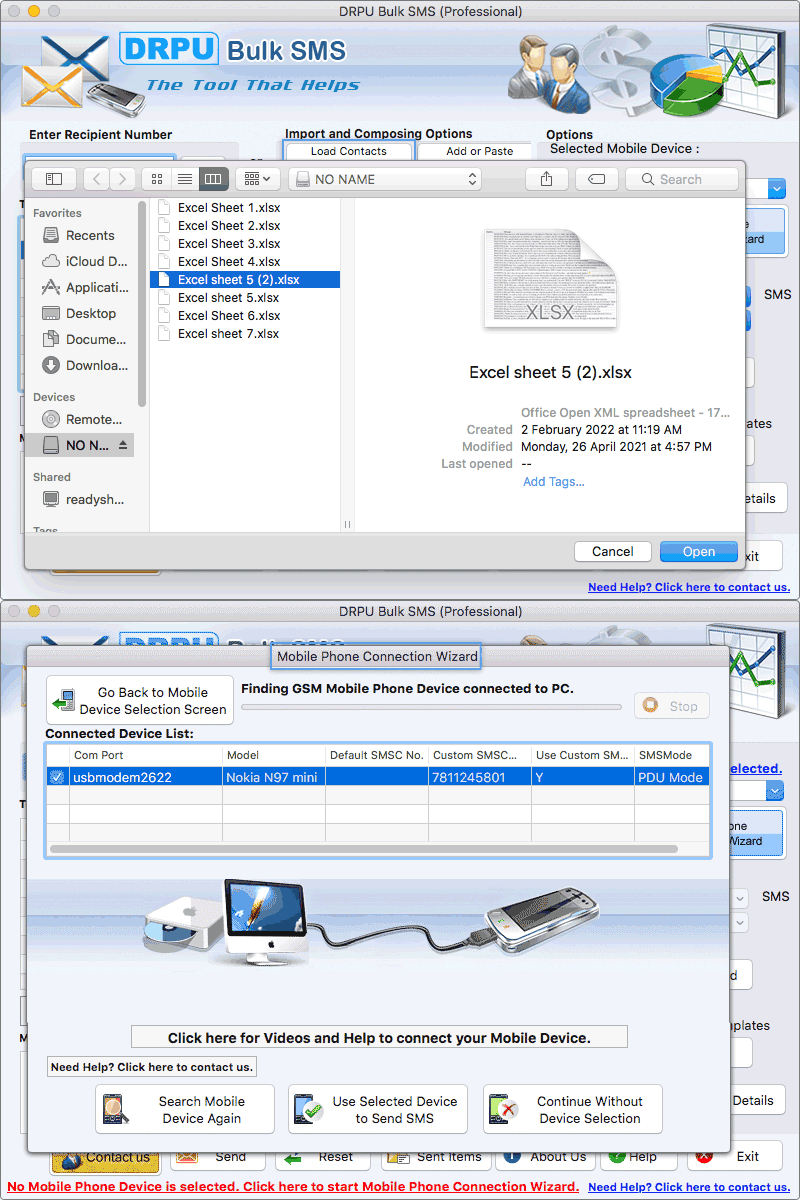
Mac OS X Group Text Messaging Tool helps the user to increase the traffic to the business by sending bulk SMS. Software allows the user to export the sent text SMS in excel format. Following steps help the user to deliver text messages- Step 1: Import the contacts in the software through the following ways- 1) Load the contacts from txt file or excel file. 2) Add or paste the contact numbers manually. 3) Use excel file to send unique or personalized SMS to every contact. Step 2: Update a new message with existing one by following ways- 1) Select single or multiple contacts, click on Update Selected Messages option, write a new message in update message box and then click on apply to selected numbers option. 2) Write a new message in message composer box, click on apply this message to list items option and then update the same message to all list items, selected list items or blank list items. Step 3: Send text messages in any format by clicking on Enable Unicode characters support option. Step 4: Skip all the duplicate number entries by clicking on Skip Duplicate Numbers option. Step 5: Blacklist the contact numbers from the recipient list by clicking on Exclusion List Wizard option. Step 6: Pause the text messages for a specific time limit to manage the load of bulk SMS transmission by clicking on Delayed Delivery option. Step 7: Save the text messages as templates so that it can be send to any other contacts directly without doing any modification. Step 8: Start the message sending process by clicking on Send button. Highlighted Features: * Send text messages to single or multiple contact numbers simultaneously. * Exclusion List Wizard option helps the user to maintain the list of contacts during SMS broadcasting process. * Software provides the Skip Duplicate Numbers option that allows the user to skip the duplicate number entries from the recipient list. * Software provides the facility to the user to save sent text SMS as templates.
Specifications:
Version: 9.2.3.3 |
Download
|

Similar Products:
BEYOND POVERTY, FREE SELF HELP SOFTWARE 5.10.21
Communications :: Chat & Instant Messaging
 Free self help chat software for inner peace. Use Inner Peace for inner peace. Let go of issues that interfere with inner peace. Create states that support inner peace. Easy to learn, do, teach. Try it. Especially helpful with the underlying issues for which people turn to substances, violence, and other unhealthy behaviors as solutions. Imagine life with more inner peace. Enjoy Inner Peace. Share Inner Peace. Pass Inner Peace on to others.
Windows MAC Linux | Freeware
Read More
DWYCO VIDEOCHAT COMMUNITY FOR MAC 4.312
Communications :: Chat & Instant Messaging
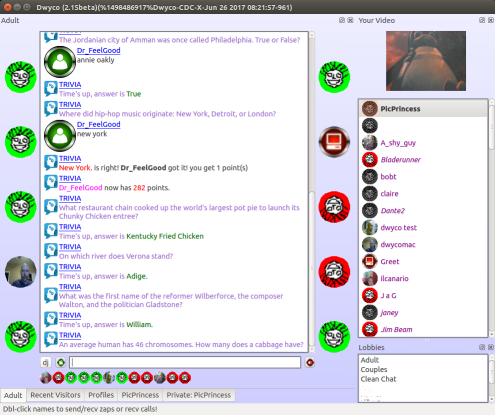 Completely free (NO advertising) and private (encrypted) video instant messaging. See and hear people in real-time video chats while messaging with video and pictures. File transfer and messaging even when people are offline. Create your own private chat room. Create a profile with audio and video. Multi-device syncing for messages. Works on Windows, Mac, Linux, and Android. No malware, toolbars, or other mysteryware.
MAC | Freeware
Read More
Communications :: Chat & Instant Messaging
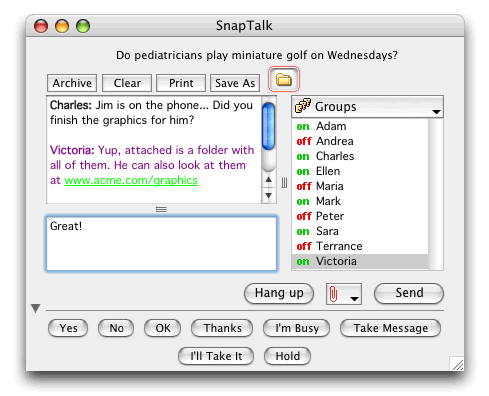 SnapTalk is the cross-platform private chat and file transfer utility for your office. Instantly send messages and files on your local network. SnapTalk uses peer-to-peer technology and unlike public chat systems, does not rely on Internet servers. SnapTalk increases security and productivity by keeping all messaging in-house. You can be sure that everything in SnapTalk is company business. Seamlessly connects Mac and Windows computers!
MAC | Shareware
Read More
Communications :: Chat & Instant Messaging

MAC | Freeware
Read More