


N5 Net Software Repository
Your one-stop for all your software needs.
Search N5 Net Software Repository:
Search Files
Sponsor:
Browse:
- Audio & Multimedia (1565)
- Business (1732)
- Communications (466)
- Desktop (182)
- Development (569)
- Education (166)
- Games & Entertainment (707)
- Graphic Apps (683)
- Home & Hobby (105)
- Network & Internet (543)
- Security & Privacy (500)
- Servers (65)
- System Utilities (9315)
- Web Development (281)
Areas Of Interest
Authors Area
Are you a software author? Take a look at our Author Resource Center where you will find marketing tools, software specifically created for promoting your software and a ton of other helpful resources.
USB Secure 2.2.2
Security & Privacy :: Encryption Tools
(Click to Enlarge)
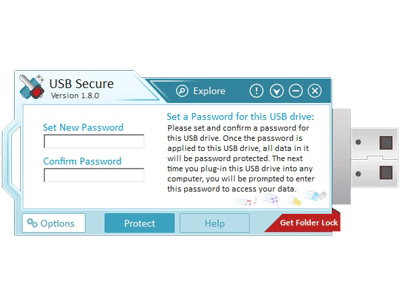
USB Secure helps you password protect USB drives, Thumb drives, Memory cards, External drives and Flash drives. It supports plug and play and runs automatically once a USB drive is plugged in, asking you the password for it. USB Secure is hassle free and it doesn't need a rocket scientist to master. USB flash drives are the most popular way to move data from one PC to another. They are small in size but can carry gigabytes of data. They are easy to use, convenient, affordable, but at the same time they pose a security risk and can be easily lost, stolen or misplaced. A secure USB drive with password protection is a must these days as the data that it contains may cost you millions of dollars if stolen or lost. With USB Secure your USB flash drives and all other external storage devices can be very easily password protected. An easy to use setup program will guide you to put the program on your USB drive. It can automatically detect all such drives currently plugged into your PC. After installing simply run the software, and set and confirm a password to protect USB drive and all the data in it. To access your data again, it is important that you plug-in your USB drive into the computer and choose the Open this USB drive with password option from the Windows Autoplay that pops up every time you plug-in your USB drive. You can also double click the USB drive in your PC to launch the program. To unprotect your secure USB drives, click Unprotect and enter correct password to access your data again. Another great feature of USB Secure is that it doesn't require any Administrator rights to run and therefore there is no need to install it at the other end to retrieve the protected data. The program also supports plug & play and ask for a password immediately when the drive is plugged-in. USB Secure works on all flavors of 32 bit and 64 bit of Windows 11, Windows 10, Windows 8, Windows 7, Vista, XP, 2008 Server & 2003 Server.
Specifications:
Version: 2.2.2 |
Download
|

Similar Products:
ARMORTOOLS PROFESSIONAL 26.2.1
Security & Privacy :: Encryption Tools
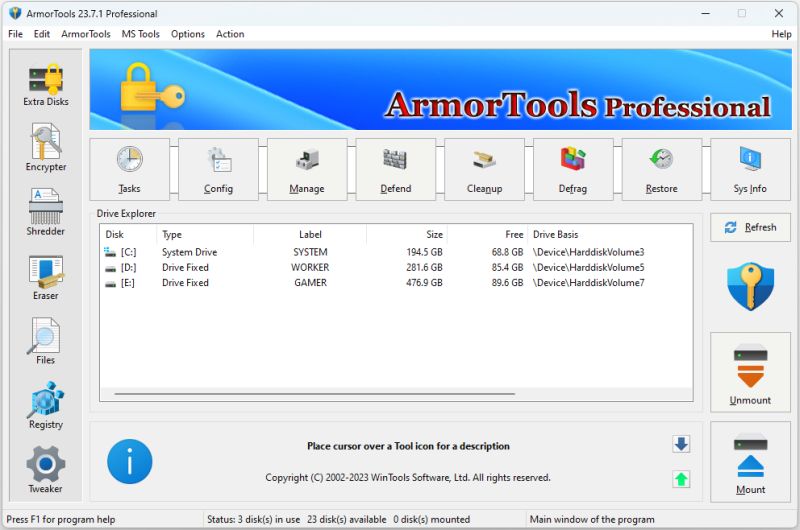 ArmorTools Professional is a set of tools that expands the capabilities of the MS Windows operating system in the field of security and protection of user confidential information. ArmorTools allows you to create secure virtual disks encrypted using AES128/AES256 algorithms, encrypt files and folder contents using any file as a password. ArmorTools removes traces of the user's work on the computer, clears the history of visiting sites...
Windows | Shareware
Read More
Security & Privacy :: Encryption Tools
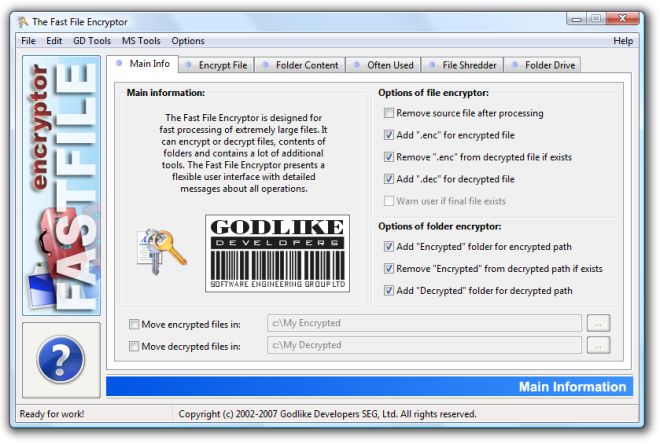 Fast File Encryptor is MS Windows compatible software designed for fast processing of extremely large files. It can encrypt and decrypt files, contents of folders using any file as a password. Fast File Encryptor contains a lot of additional tools and presents a flexible user interface with detailed messages about all operations. Fast File Encryptor compatible with ArmorTools software.
Windows | Shareware
Read More
Security & Privacy :: Encryption Tools
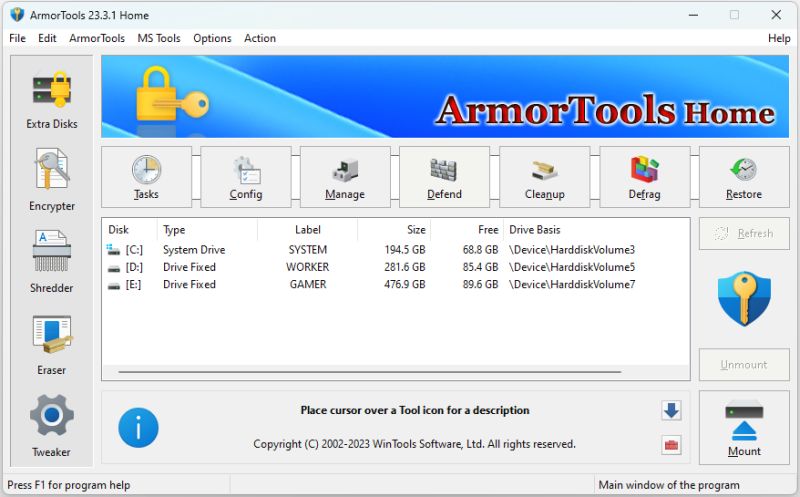 ArmorTools is a set of tools that expands the capabilities of the MS Windows operating system in the field of security and protection of user confidential information. ArmorTools allows you to create secure virtual disks encrypted using AES128/AES256 algorithms, encrypt files and folder contents using any file as a password. ArmorTools removes traces of the user's work on the computer, clears the history of visiting sites...
Windows | Shareware
Read More
Security & Privacy :: Encryption Tools
 ArmorTools is a set of tools that expands the capabilities of the MS Windows operating system in the field of security and protection of user confidential information. ArmorTools allows you to create secure virtual disks encrypted using AES128/AES256 algorithms, encrypt files and folder contents using any file as a password. ArmorTools removes traces of the user's work on the computer, clears the history of visiting sites...
Windows | Shareware
Read More