


N5 Net Software Repository
Your one-stop for all your software needs.
Search N5 Net Software Repository:
Search Files
Sponsor:
Browse:
- Audio & Multimedia (1582)
- Business (1741)
- Communications (469)
- Desktop (134)
- Development (571)
- Education (165)
- Games & Entertainment (709)
- Graphic Apps (683)
- Home & Hobby (106)
- Network & Internet (544)
- Security & Privacy (505)
- Servers (67)
- System Utilities (9267)
- Web Development (284)
Areas Of Interest
Authors Area
Are you a software author? Take a look at our Author Resource Center where you will find marketing tools, software specifically created for promoting your software and a ton of other helpful resources.
Vidmore DVD Creator 1.0.78
Audio & Multimedia :: Video Tools
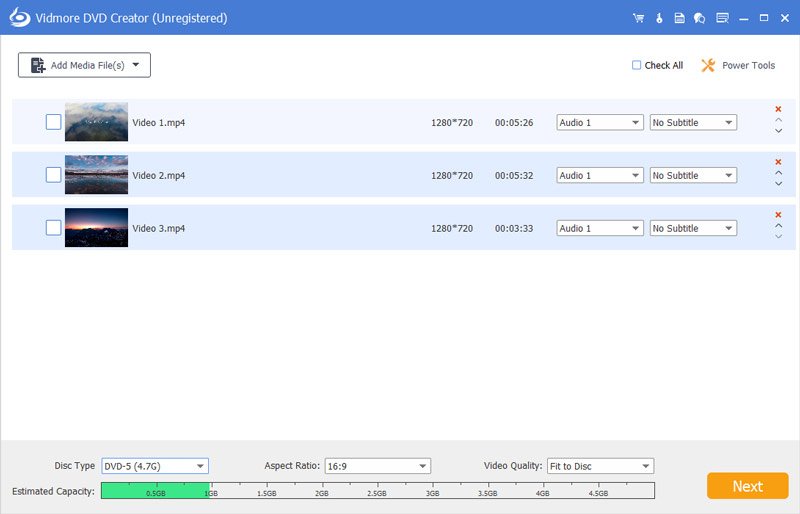
(Click to Enlarge)
Vidmore DVD Creator enables you to make all kinds of popular videos to DVD or Blu-ray disc/folder/ISO file, such as MP4, AVI, MOV, WMV, MKV, FLV, TS, MTS, M2TS and so on. You can adjust the brightness and saturation of your videos and add watermark/audio track/subtitle to your videos before burning. Key functions: 1.Make DVD or Blu-ray with any video If you want to create your own DVD or Blu-ray, Vidmore DVD Creator is your top choice. It can burn any videos to DVD or Blu-ray disc/folder/ISO file. It supports all popular video formats like MP4, AVI, MOV, WMV and more. It also supports many disc types such as DVD-R/RW, DVD+R/RW, DVD+R DL, etc. 2.Edit your videos before burning If you want to edit your videos before burning, Vidmore DVD Creator can also do you a favor. With it, you can trim/crop/rotate your videos. Enhancing your videos by adjusting the brightness, saturation, contrast is also possible. In addition, you can add audio tracks, watermarks and subtitles to your videos. It is also able to insert chapters to long video automatically or manually. 3.Customize DVD menu Vidmore DVD Creator provides various DVD menu templates, you can choose one according to your needs. Moreover, you can customize the DVD menu by changing the content/font/color/size, etc. And you can also add background music or picture from your local files. 4.Preview your movies and fast burning speed Vidmore DVD Creator enables you to preview videos before burning. And with the advanced technology of Intel, CUDA and AMD acceleration, it can provide fast burning speed for you, so you do not need to wait for long before enjoying your movies.
Specifications:
Version: 1.0.78 |
Download
|

Similar Products:
Audio & Multimedia :: Video Tools
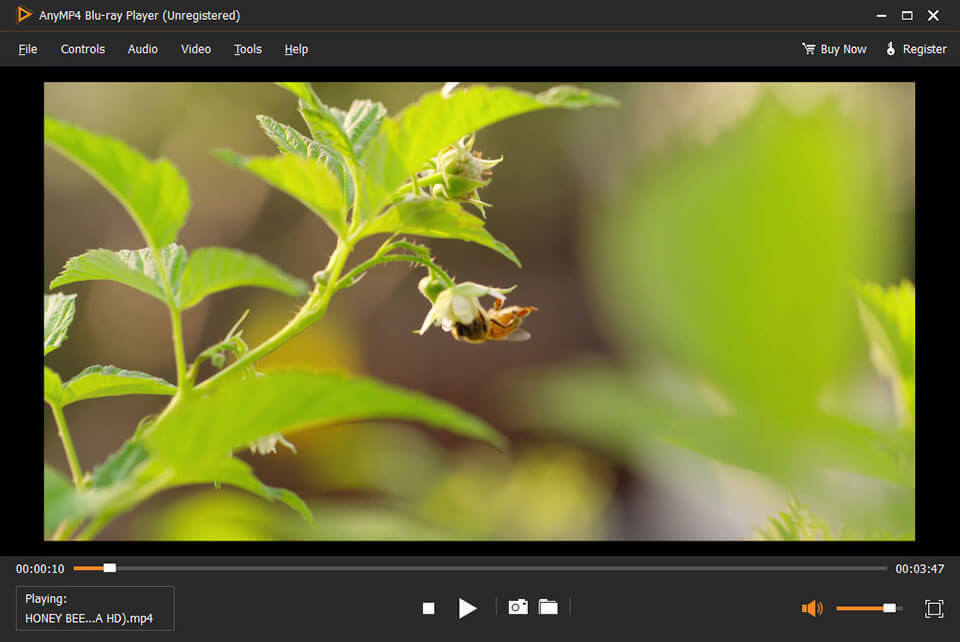 AnyMP4 Blu-ray Player can help you play Blu-ray/DVD disc released in different regions and display Blu-ray discs' menus. Meanwhile, it can also play any Blu-ray/DVD folders and Blu-ray/DVD ISO files smoothly. Besides, this player enables you to play 4K videos and 1080p HD videos. Moreover, it can help you play MP4, MKV, AVI, WMV, MOV, M4V and other common video files with ease.
Windows | Shareware
Read More
VIDEOPAD FREE VIDEO EDITOR 18.14
Audio & Multimedia :: Video Tools
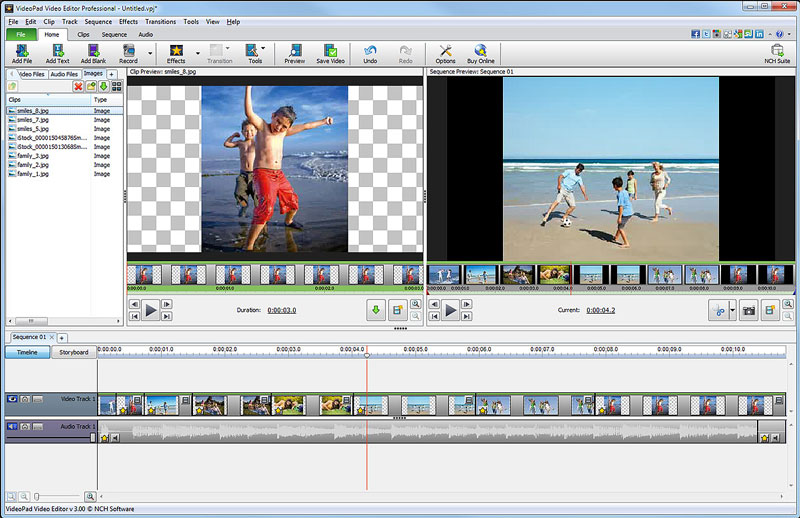 Free movie maker and video editing software for Windows. This video editing application allows you to import various file formats including .avi, .wmv, .3gp, .wmv, .divx and many others. Create great looking videos easily with the intuitive user interface. This is a free, video editing application which allows you create movie projects from various video clips or a single video file.
Windows | Freeware
Read More
VIDEOPAD MASTERS EDITION 18.14
Audio & Multimedia :: Video Tools
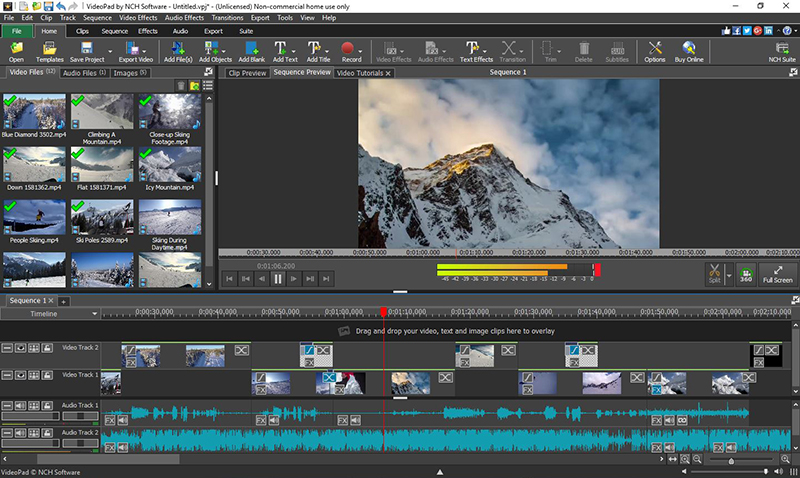 VideoPad Masters Edition by NCH Software is professional video editing software for Windows to create movies and edit videos of many different formats including avi, wmv, .3gp, wmv, divx and more. Create great looking videos or movies easily with the intuitive user interface. Drag and drop video clips. Choose from over 50 visual effects and transitions including chroma key or green screen technology. Burn your video to DVD or share to Youtube.
Windows | Shareware
Read More
VIDEOPAD FREE MOVIE AND VIDEO EDITOR 18.14
Audio & Multimedia :: Video Tools
With this free Movie Maker and Video Editing Software you can drag and drop files for easy video editing. You can also apply effects, transitions, speed adjustments, and more. This is one of the fastest video stream processors available. You can capture video from several sources, including DV camera, VHS, webcam, or raw files. You can also use this free program to burn movies to DVD, share online, or post to video sites.
Windows | Freeware
Read More