


N5 Net Software Repository
Your one-stop for all your software needs.
Search N5 Net Software Repository:
Search Files
Sponsor:
Browse:
- Audio & Multimedia (1582)
- Business (1741)
- Communications (469)
- Desktop (134)
- Development (571)
- Education (165)
- Games & Entertainment (709)
- Graphic Apps (683)
- Home & Hobby (106)
- Network & Internet (544)
- Security & Privacy (505)
- Servers (67)
- System Utilities (9267)
- Web Development (284)
Areas Of Interest
Authors Area
Are you a software author? Take a look at our Author Resource Center where you will find marketing tools, software specifically created for promoting your software and a ton of other helpful resources.
MurGeeMon 5.1
System Utilities :: System Maintenance
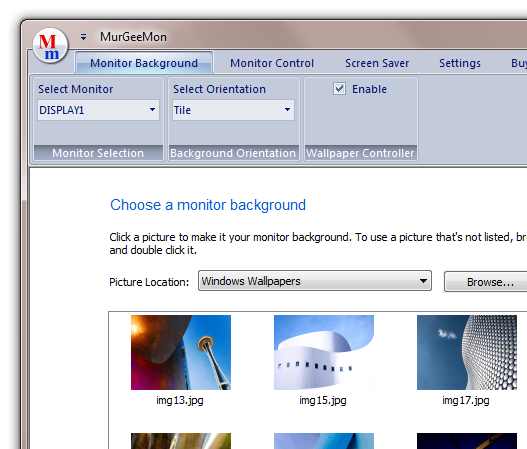
(Click to Enlarge)
Dual Display / Multiple Monitor Software Utility to Change Monitor or Desktop Background. Control Power State of Secondary Monitor or all Monitors / Displays connected to a Computer. Change Display Properties easily and quickly. Download and try the MurgeeMon Software Utility for free. Registered Users do not have to pay again for the application updates. Utilize the power of having dual monitors connected to your computer today. The Company Website provides all the relavent information about setting up multiple monitors / displays to your computer. Background selection for a selected Monitor is as easy as in Windows Vista or Windows 7. The Software Utility can be utilised to change desktop background of upto 2 monitors / displays connected to a given computer only. Change Primary Monitor to external monitor easily from the system tray menu. Enable Secondary Monitor from right click menu of the system tray icon. Skinnable system tray menu to access features of MurGeeMon dual monitor software. Future versions will support more features and multiple monitors. Download the MurgeeMon Software Utility today and apply monitor background of your choice to your indivual monitors. Change Monitor Orientation easily and quickly by pressing configurable key on keyboard. Change Monitor Orientation to Portrait / Landscape in steps of 90 degree. Create Desktop Shortcut to control your Dual Monitors. Launch Dual Monitor Shortcuts with Mouse Cursor or configure a Shortcut Key to Launch the Dual Monitor Shortcut. Now you can move applications to other monitors connected to your computer using shortcut keys and no need to drag applications to other windows using mouse cursor. New features for Windows 7 allows you to switch to Clone Mode or Extended Mode using a configurable shortcut key.
Specifications:
Version: 5.1 |
Download
|

Similar Products:
System Utilities :: System Maintenance
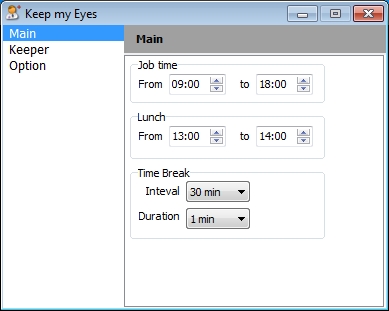 Sitting at your computer all day, glued to your favorite site? This application is exactly what you need to rest those tired eyes. It will remind you at the appropriate time when you need a little break. The application allows you to set the reminder interval, and other customization options to make you more comfortable.
Windows | Freeware
Read More
EUSING FREE REGISTRY DEFRAG 3.0
System Utilities :: System Maintenance
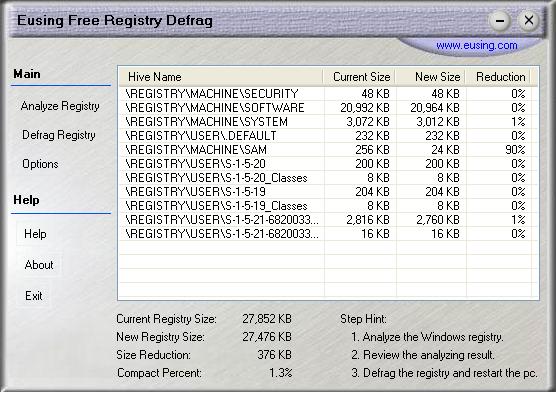 Over time the registry becomes larger and larger as new programs are installed, used and removed. Registry fragmentation causes overall system performance to decrease. Eusing Free Registry Defrag is a free registry defragmentation software. It will scan through the registry to remove gaps and wasted space, reducing the registry size and ultimately the amount of RAM the registry takes up, and improving your computer performance.
Windows | Freeware
Read More
System Utilities :: System Maintenance
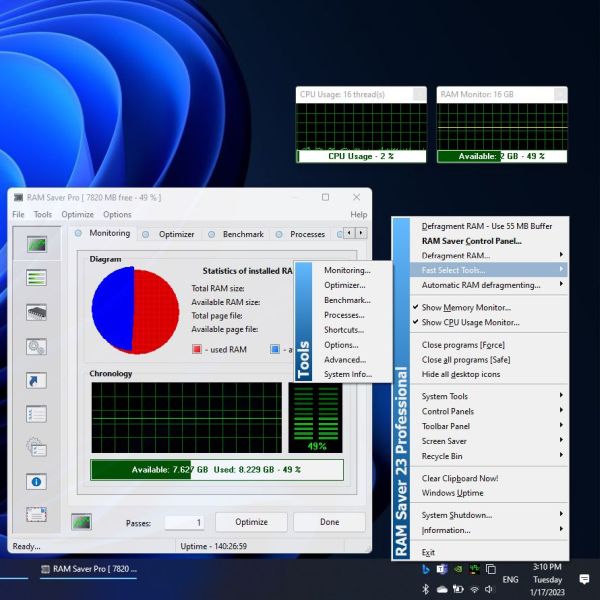 Easy-to-use RAM optimizer tool that will keep your computer running faster. It increases the operation system performance by making more memory available for your applications. Defragments system memory, increasing the efficiency of your CPU and motherboard caches. It also recovers memory leaks from corrupted applications, and it temporarily flushes unused libraries to disk.
Windows | Shareware
Read More
WINTOOLS.ONE PROFESSIONAL 26.2.1
System Utilities :: System Maintenance
 WinTools.one is a versatile tool designed to optimize the MS Windows operating system for both ordinary and advanced users, as well as computer engineers. It enhances system performance, corrects errors, manages installed programs, and frees up hard drive space. Additionally, it provides features for storing and protecting confidential information and supports working with virtual disks.
Windows | Shareware
Read More