


N5 Net Software Repository
Your one-stop for all your software needs.
Search N5 Net Software Repository:
Search Files
Sponsor:
Browse:
- Audio & Multimedia (1566)
- Business (1738)
- Communications (472)
- Desktop (180)
- Development (573)
- Education (166)
- Games & Entertainment (709)
- Graphic Apps (679)
- Home & Hobby (105)
- Network & Internet (543)
- Security & Privacy (503)
- Servers (64)
- System Utilities (9409)
- Web Development (284)
Areas Of Interest
Authors Area
Are you a software author? Take a look at our Author Resource Center where you will find marketing tools, software specifically created for promoting your software and a ton of other helpful resources.
Arpoon Checksum 1.6
System Utilities :: File & Disk Management
(Click to Enlarge)
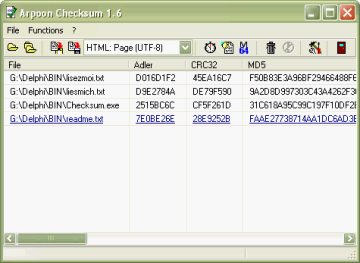
Arpoon Checksum computes checksums of files. A checksum (message digest, hash value) is a kind of fingerprint that enables to uniquely identify a file or document. This can be used for authentication purposes or to track document modifications. By way of example, this tool can be utilized to: * uniquely identify a given file, thus using the checksum as a fingerprint. * survey a file i.e. to check if a file as been modified by comparing its actual checksum with a previously archived value. * look for possible duplicate of files by scanning hardware storage devices (hard disk, DVD, CD, memory sticks...) * verify the authenticity i.e. genuineness of a fingerprinted document that has been sent to you (e.g. as an EMail attachment or by way of a download) by comparing its on-the-fly computed checksum with its stored fingerprint. Builtin functionality: * Drag&Drop of files or directories * Recursive calculation for directories strucutres (optional) * Result list can be sorted (ascending/descending) by every single checksum type * Link to files can be resolved (optional) * Hash values can be displayed as hexadecimal or as a MIME-compatible base64 code * Display of detailled file properties like attributes, size, date of creation... * Result list may be exported to the clipboard or saved as CSV or HTML files * During long run calculation, the computing progression is displayed * Statistics on computation (average speed rate, file size ...) are automatically collected * A warning message may be displayed before a time consuming computation is started * Multiple files computation may be aborted during the calculation * Checksum calculation for a very big files may be aborted too * All options are maintened in an Ini-file, which is automatically saved in the current user's application data directory, allowing a per user configuration
Specifications:
Version: 1.6 |
Download
|

Similar Products:
FILE HASH GENERATOR FREE 5.0.135
System Utilities :: File & Disk Management
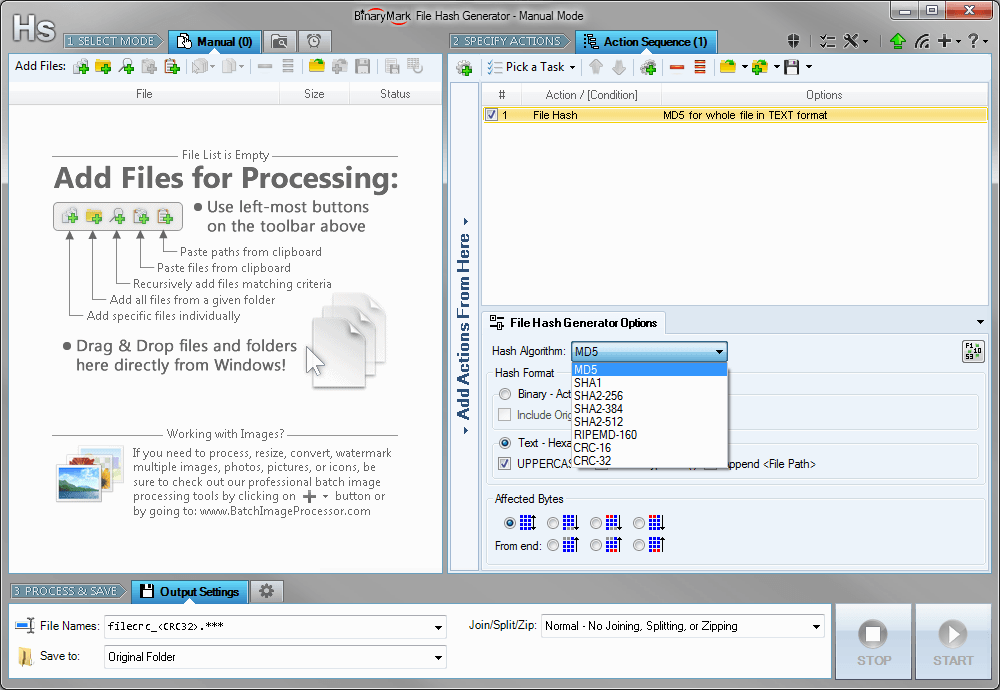 Compute and save MD5, SHA1, SHA2, RIPEMD hashes and CRC16/32 checksums for multiple files! Calculate hashes and checksums for the whole file or just specified bytes. Insert hashes into files in text or binary form. Generate file list with hashes in specified format and save it to a file. Rename files and include hashes in file name.
Windows | Shareware
Read More
System Utilities :: File & Disk Management
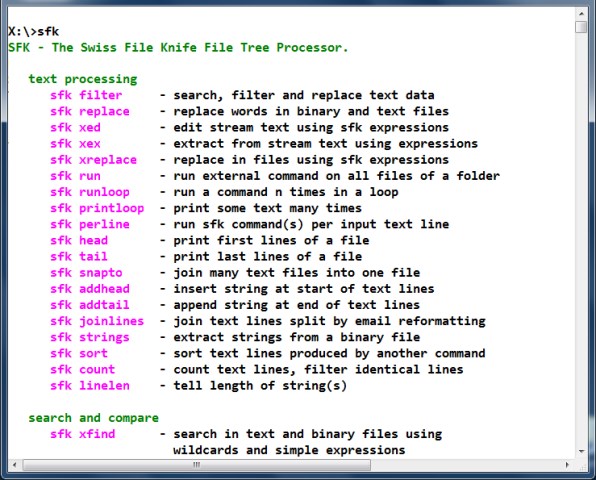 Command line multi function tool. Find and extract text in files, dir tree size, filter and replace text, instant ftp server, http server for easy file transfer, find duplicate files, split and join files, md5 lists, run a command on all files, detab, hexdump, tcpdump, color text, convert CR/LF, list all .zip .jar .tar.gz .bz2 contents. No Installation, Portable Executable. Instant Use on Windows. Also available for Mac OS X, Linux, Raspberry Pi.
Windows MAC Linux | Freeware
Read More
System Utilities :: Other
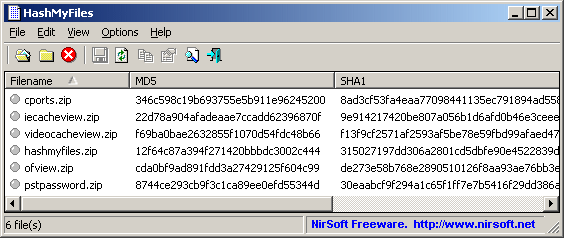 HashMyFiles is small utility that allows you to calculate the MD5 and SHA1 hashes of one or more files in your system. You can easily copy the MD5/SHA1 hashes list into the clipboard, or save them into text/html/xml file.
HashMyFiles can also be launched from the context menu of Windows Explorer, and display the MD5/SHA1 hashes of the selected file or folder.
HashMyFiles is small utility that allows you to calculate the MD5 and SHA1 hashes of one or more files in your system. You can easily copy the MD5/SHA1 hashes list into the clipboard, or save them into text/html/xml file.
HashMyFiles can also be launched from the context menu of Windows Explorer, and display the MD5/SHA1 hashes of the selected file or folder.
Windows | Freeware
Read More
System Utilities :: File & Disk Management
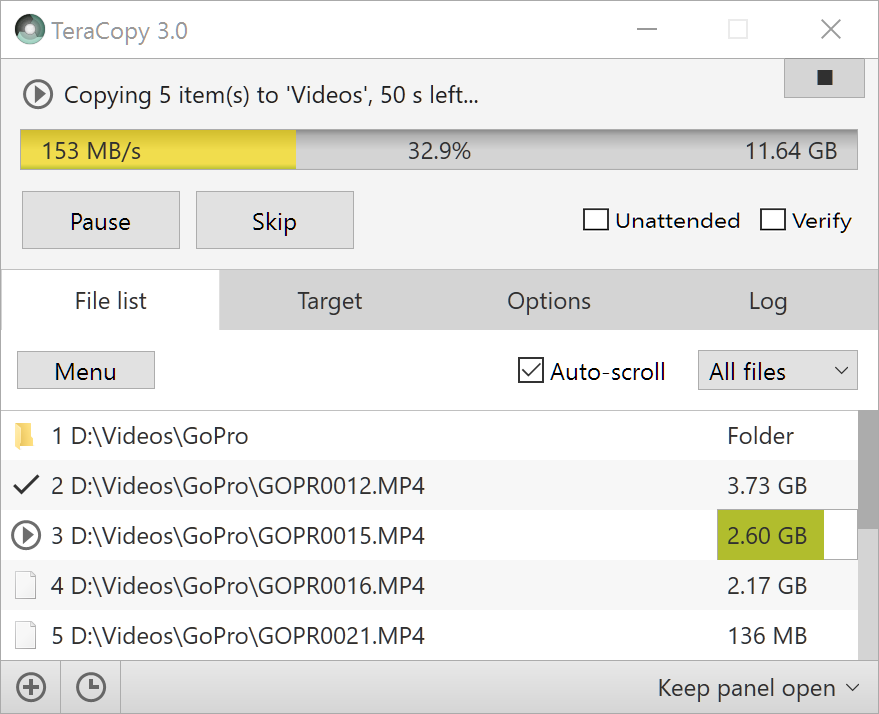 TeraCopy is a free utility designed to copy files faster and more secure. It can verify copied files to ensure they are identical. TeraCopy also skips bad files during copy, not terminating the entire transfer. Seamless integration with Windows Explorer allows you to keep working with files as usual. Create and verify checksum files in MD5, SHA, RIPEMD and other formats.
Windows | Freeware
Read More