


N5 Net Software Repository
Your one-stop for all your software needs.
Search N5 Net Software Repository:
Search Files
Sponsor:
Browse:
- Audio & Multimedia (1582)
- Business (1733)
- Communications (469)
- Desktop (135)
- Development (557)
- Education (165)
- Games & Entertainment (706)
- Graphic Apps (681)
- Home & Hobby (105)
- Network & Internet (538)
- Security & Privacy (504)
- Servers (67)
- System Utilities (9263)
- Web Development (281)
Areas Of Interest
Authors Area
Are you a software author? Take a look at our Author Resource Center where you will find marketing tools, software specifically created for promoting your software and a ton of other helpful resources.
Remove Attachments from Outlook Email 2.0
System Utilities :: File & Disk Management

(Click to Enlarge)
Although there are numerous Outlook attachment extractor tools in the online market, choosing the perfect one is the matter of challenge. Here we have come up with this amazing tool, which will allow to bulk save attachments from multiple Outlook emails using Add File (s) and Add Folder option. Using ?Add Folder? option, one can easily extract attachments from multiple PST files. Effortlessly remove and save attachments from Outlook for both ANSI and Unicode PST files. Along with that, the tool is designed in a manner in which users can easily extract attachments from bulk PST files in a single go. There is no need of worrying about data loss issue as the tool renders remarkable features that easily remove attachments from Outlook email. Multiple options to maintain folder hierarchy is incorporated by the tool. It includes option to folder hierarchy, folder hierarchy (Subject wise), no folder hierarchy. Based on the requirement, one can make the best use of the desired options to remove and save attachments from Outlook. For users who want to save attachments with respect to the email?s subject name can go for option folder hierarchy (Subject wise). With ?folder hierarchy? option, the tool ensures to keep the folder structure intact same as that of the source file format for the output extracted attachments. It is also possible to remove attachments from Outlook email for BAK files. The software is available in demo and full version. Users can try the demo version which is absolutely free of cost! To avail unlimited features to bulk save attachments from multiple Outlook emails, download the full version immediately.
Specifications:
Version: 2.0 |
Download
|

Similar Products:
TOOLSBAER OST TO PST MIGRATION TOOL 2.0
System Utilities :: File & Disk Management
 MS Outlook is most popular email-client which creates OST and PST file but some time OST file get unreadable and inaccessible in this situation user need to convert OST into PST data file without disturbing data hierarchy. You can see the preview before the conversion process then save the data into PST file format along with email, inbox, outbox, sent-items, deleted-items, drafts, contacts, calendars, notes (to, cc, bcc, subject, date and time)
Windows | Shareware
Read More
REPAIR OST FILE TO PST FREE 8.0
System Utilities :: File & Disk Management
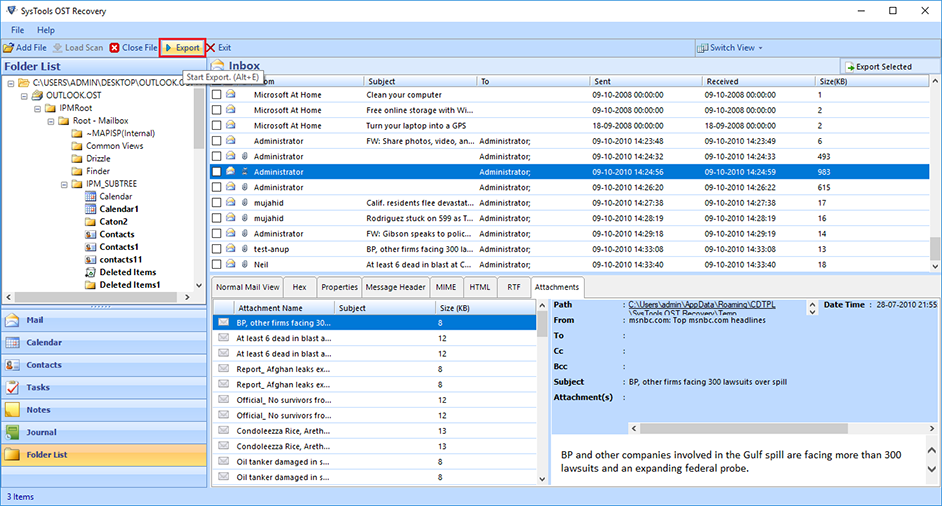 Outlook OST Repair eliminates all corruption of OST files from the scanning process. The tool has two modes: fast or advanced scan. By default, repair Outlook software to OST in a quick scan, but if your data is severely damaged. Ost database, advanced scan is the best. If OST files get damaged due to unexpected errors, repair OST file to PST free. Software Exchange 2010 Repair OST Process useful.
Windows | Shareware
Read More
BATCH FILE MANAGER FREE 5.0.135
System Utilities :: File & Disk Management
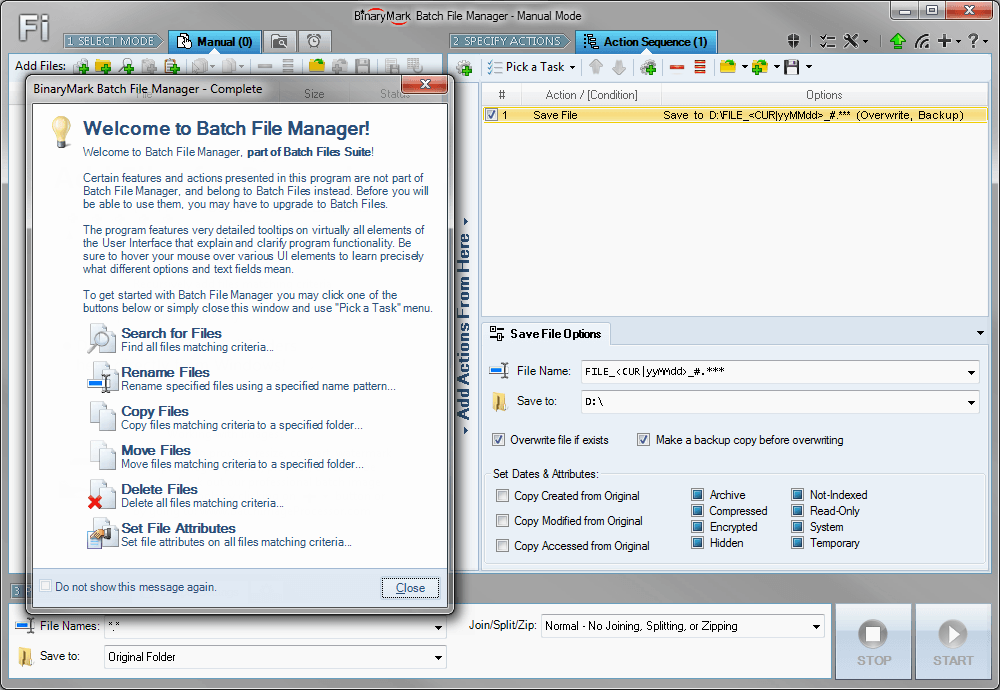 Rename, move, copy, delete, and otherwise manage multiple files. Rename multiple files according to the rules and pattern you specify using powerful editor with syntax highlighting. Copy and move files to folders specified using absolute/relative paths. Select files for processing based on their name, dates, size, text/binary contents using advanced file search supporting RegEx and advanced wildcards. Delete files easily.
Windows | Shareware
Read More
FILE HASH GENERATOR FREE 5.0.135
System Utilities :: File & Disk Management
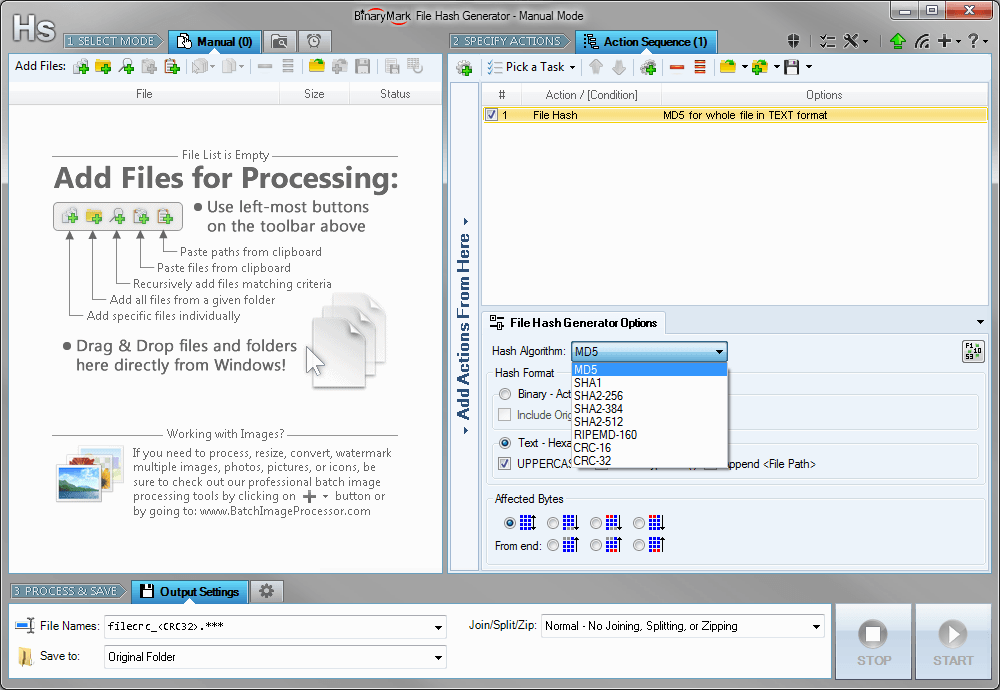 Compute and save MD5, SHA1, SHA2, RIPEMD hashes and CRC16/32 checksums for multiple files! Calculate hashes and checksums for the whole file or just specified bytes. Insert hashes into files in text or binary form. Generate file list with hashes in specified format and save it to a file. Rename files and include hashes in file name.
Windows | Shareware
Read More