


N5 Net Software Repository
Your one-stop for all your software needs.
Search N5 Net Software Repository:
Search Files
Sponsor:
Browse:
- Audio & Multimedia (1582)
- Business (1733)
- Communications (469)
- Desktop (135)
- Development (557)
- Education (165)
- Games & Entertainment (706)
- Graphic Apps (681)
- Home & Hobby (105)
- Network & Internet (538)
- Security & Privacy (504)
- Servers (67)
- System Utilities (9263)
- Web Development (281)
Areas Of Interest
Authors Area
Are you a software author? Take a look at our Author Resource Center where you will find marketing tools, software specifically created for promoting your software and a ton of other helpful resources.
ThunderSoft Video Editor Free Edition 13.0
Audio & Multimedia :: Video Tools
(Click to Enlarge)
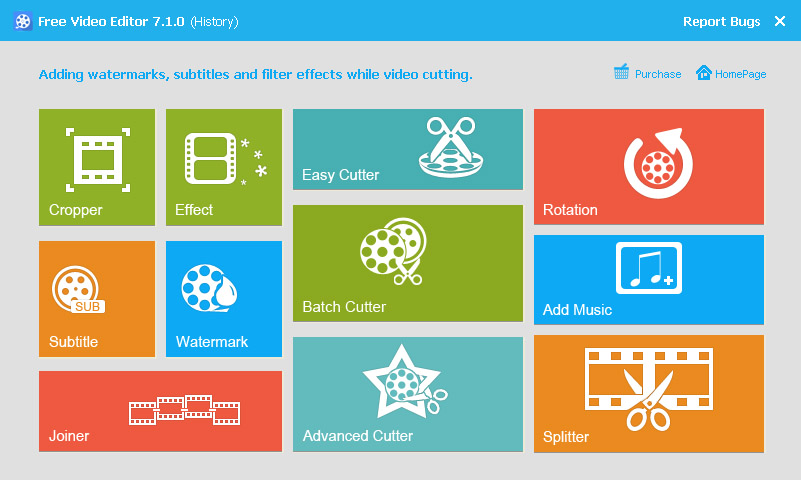
Free Video Editor is an easy to use video editing software for windows. Help you splitting, merging, cutting and many more without spending hundreds of hours on mastering a professional video editing tool. It provide many useful function, apply stylish video effects and filters, add music, titles, alter the style, pace or mood of the video, and much more! Supports all key Standard and HD videos, you can make awesome quality of output movies. Feature List Rotate, Trim, Crop, Split, Cut and Mix your videos. Add a lot of effects (Old Film, Pencil, Oil Painting, Mosaic, Fog and many more) to video. Supports all key Standard and HD videos, including MP4, AVI, H261, H264, FLV, MKV, M4V, 3GP, MOV, MPG, MPEG, VOB, RMVB, TS, M2TS, WMV, ASF and many more. Easily add an audio track in MP3, WMA, OGG, or FLAC format to your video file. Easily cut a long video file into many smaller parts, and also supports deleting unwanted video clips from video file. Users can choose whether to add the fade in/out effect to videos by their own wills. Allows placing a digital watermark or logo or text over an existing video.
Specifications:
Version: 13.0 |
Download
|

Similar Products:
VIDEOPAD FREE VIDEO EDITOR 18.16
Audio & Multimedia :: Video Tools
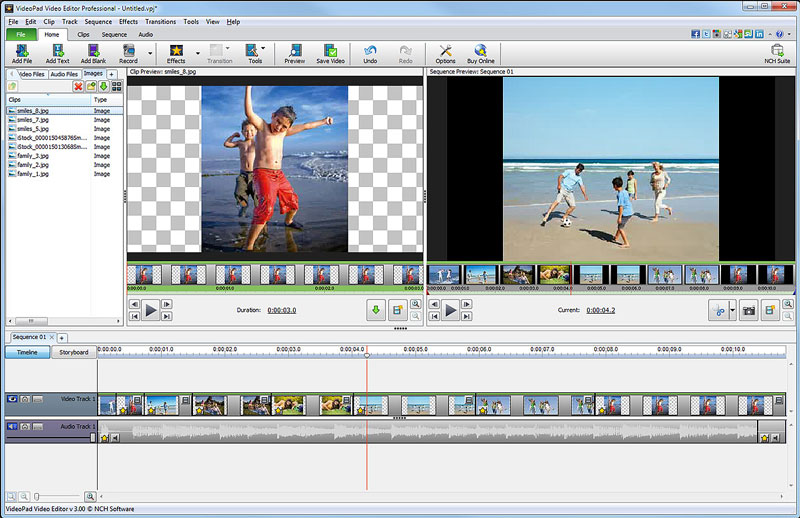 Free movie maker and video editing software for Windows. This video editing application allows you to import various file formats including .avi, .wmv, .3gp, .wmv, .divx and many others. Create great looking videos easily with the intuitive user interface. This is a free, video editing application which allows you create movie projects from various video clips or a single video file.
Windows | Freeware
Read More
VIDEOPAD FREE MOVIE AND VIDEO EDITOR 18.16
Audio & Multimedia :: Video Tools
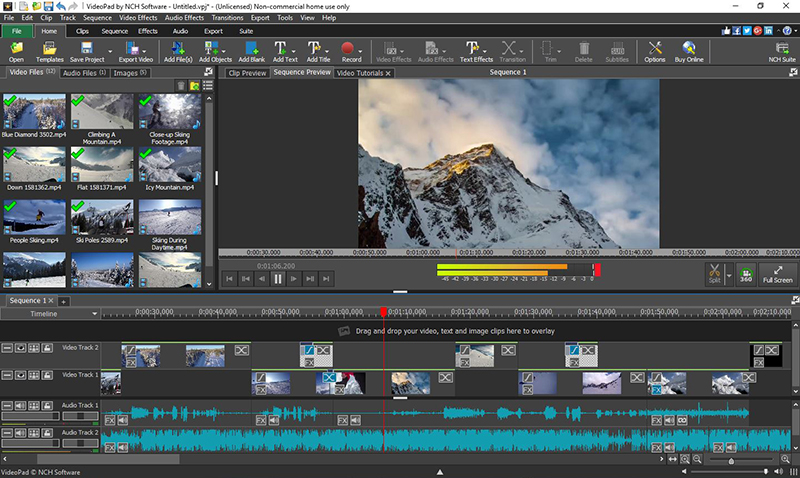 With this free Movie Maker and Video Editing Software you can drag and drop files for easy video editing. You can also apply effects, transitions, speed adjustments, and more. This is one of the fastest video stream processors available. You can capture video from several sources, including DV camera, VHS, webcam, or raw files. You can also use this free program to burn movies to DVD, share online, or post to video sites.
Windows | Freeware
Read More
BANDICUT VIDEO CUTTER 4.2.5.2562
Audio & Multimedia :: Video Tools
 Bandicut is a video editor that can cut out certain parts of video or merge multiple videos. Because it cuts videos without re-encoding, you can clip/trim parts of video quickly while preserving the original video quality. Users can also extract audio from video to MP3, join multiple video files, or split the video into multiple files. If you want to create a video clip from a video file and upload it to YouTube or Vimeo, please try Bandicut.
Windows | Shareware
Read More
Audio & Multimedia :: Video Tools
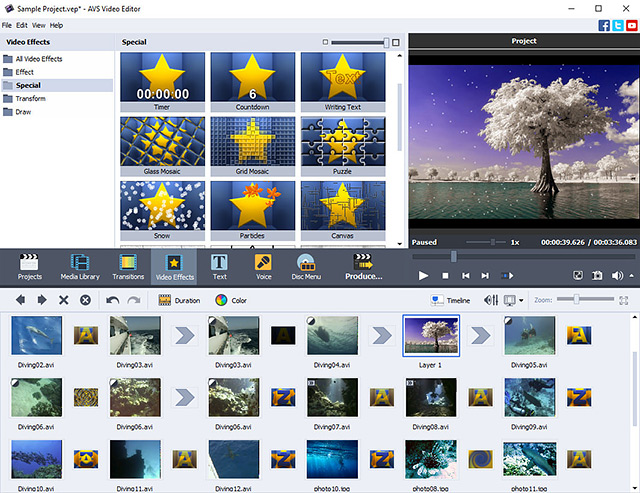 Manage your videos with AVS Video Editor. Open MP4, DVD, MPEG, AVI, MOV, MKV, FLV, TS, etc. Process video with different frame sizes: HD, Full HD, 2K Quad HD & 4K Ultra HD. Record, capture screen, transfer video from cameras. Cut, trim, join, rotate, apply over 300 effects. Use hardware acceleration for video decoding by means of video cards (GPU). Save video onto your computer, burn DVD/Blu-ray discs or upload to popular web hostings.
Windows | Shareware
Read More