


N5 Net Software Repository
Your one-stop for all your software needs.
Search N5 Net Software Repository:
Search Files
Sponsor:
Browse:
- Audio & Multimedia (1582)
- Business (1733)
- Communications (469)
- Desktop (135)
- Development (557)
- Education (165)
- Games & Entertainment (706)
- Graphic Apps (681)
- Home & Hobby (105)
- Network & Internet (538)
- Security & Privacy (504)
- Servers (67)
- System Utilities (9263)
- Web Development (281)
Areas Of Interest
Authors Area
Are you a software author? Take a look at our Author Resource Center where you will find marketing tools, software specifically created for promoting your software and a ton of other helpful resources.
Save Attachments for Outlook 5.0
Communications :: Other E-Mail Tools
(Click to Enlarge)
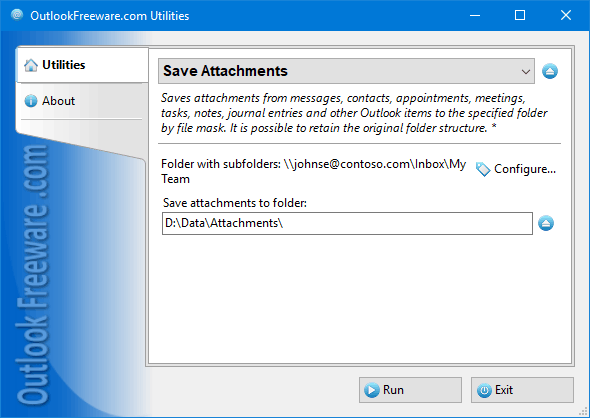
The free tool to save attachments from messages, contacts, appointments, meetings, tasks, notes, journal entries and other Outlook items to the specified folder by file mask. It is possible to retain the original folder structure. Key program benefits: - Saves attachments of any Outlook items from all selected folders with subfolders. - Saves the original Outlook folder structure on your disk or network share. - Supports filtering by types of Outlook items, names and extensions of attachments, message dates. - Can automatically rename files with the same name. - Able to work directly in Outlook, allowing you to save attachments from selected messages or run the tool directly from the Outlook ribbon. - Integrates with Outlook rules, automatically saving attachments from incoming messages according to the specified criteria. - Works with Outlook search folders, saving message attachments using advanced Outlook filters. - Provides a standalone application for saving attachments without starting Outlook and a command-line application for use in many scenarios. The utility will save attachments from messages, appointments, meetings, contacts, tasks, notes and other Outlook items to a disk or network share quickly and safely. Using macros for the destination folder path gives you an excellent opportunity to catalog attachments by date, subject, sender, recipient, name or path to the original Outlook folder. The utility can be started directly from the Outlook rules. When new messages are received, attachments will be automatically saved to the specified directory. If the saved attachments are no longer needed, you can delete them. This is one of the simplest and most efficient ways to reduce the size of a mailbox or PST data file. Using the command line in batch files and scripts allows you to save attachments from PST files, Exchange Server mailboxes of other users, and also work according to a specific schedule.
Specifications:
Version: 5.0 |
Download
|

Similar Products:
REPAIR OST FILE TO PST FREE 8.0
System Utilities :: File & Disk Management
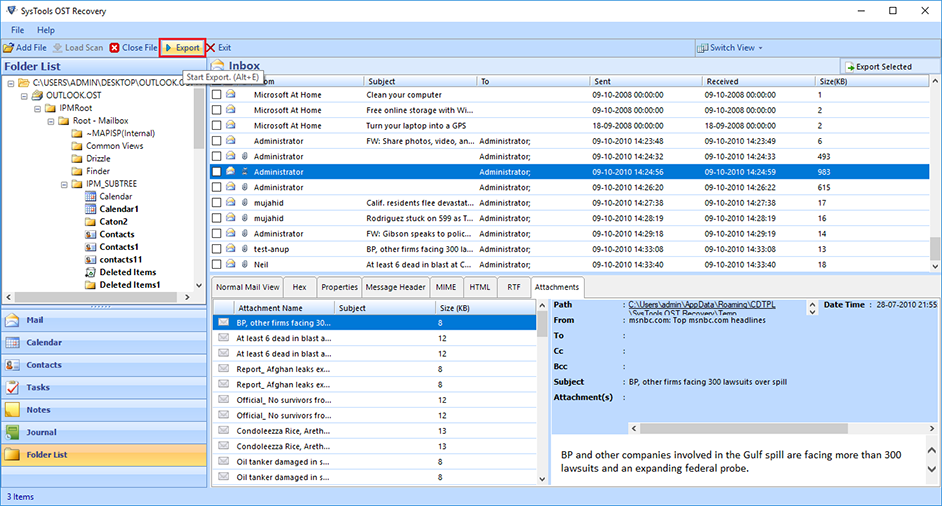 Outlook OST Repair eliminates all corruption of OST files from the scanning process. The tool has two modes: fast or advanced scan. By default, repair Outlook software to OST in a quick scan, but if your data is severely damaged. Ost database, advanced scan is the best. If OST files get damaged due to unexpected errors, repair OST file to PST free. Software Exchange 2010 Repair OST Process useful.
Windows | Shareware
Read More
Games & Entertainment :: Arcade
 Enjoy an endless arcade on glass with different bonuses. During the game, the speed of your missiles increases. There are two bonus games as well: Red meteorite gives you one extra life. Yellow meteorite slows the gameplay and adds 1,000 points.
Windows | Freeware
Read More
Games & Entertainment :: Action
 HouseDefense - A zombie apoclipsis has occurred in the world. And you have to survive in it. Your house is attacked by zombies from three flanks, since you have enough ammo. But will you have enough reaction? Shoot the zombies attacking your home, and don't let them destroy your shelter !!
Windows | Freeware
Read More
Games & Entertainment :: Arcade
 Turbonika offers dynamic and fun arcade racing. The main feature of the game is speed. Speed, and the ability to shred opponents left and right, using a gun or a mill, which literally breaks the enemy vehicles apart. 15 runs, each of which will serve you up new kinds of obstacles, enemies and traps. Take part in races driving at breakneck speed, jump on the springboard and introduce the enemy vehicles to unbridled firepower.
Windows | Freeware
Read More