


N5 Net Software Repository
Your one-stop for all your software needs.
Search N5 Net Software Repository:
Search Files
Sponsor:
Browse:
- Audio & Multimedia (1565)
- Business (1732)
- Communications (466)
- Desktop (182)
- Development (569)
- Education (166)
- Games & Entertainment (707)
- Graphic Apps (683)
- Home & Hobby (105)
- Network & Internet (543)
- Security & Privacy (500)
- Servers (65)
- System Utilities (9315)
- Web Development (281)
Areas Of Interest
Authors Area
Are you a software author? Take a look at our Author Resource Center where you will find marketing tools, software specifically created for promoting your software and a ton of other helpful resources.
M3 Mac BitLocker Loader 5.0
System Utilities :: File & Disk Management
(Click to Enlarge)
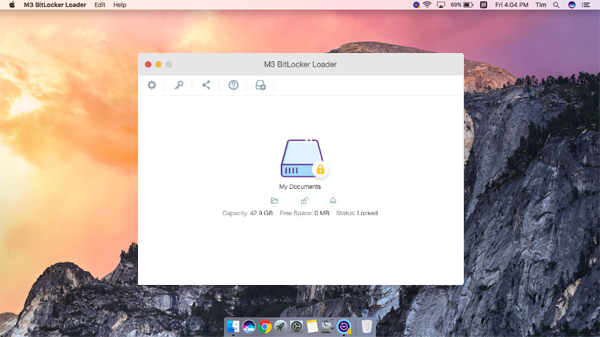
M3 BitLocker Loader for Mac is a simple tool for Mac users to unlock, open, access, read, write, mount BitLocker encrypted drive on Mac Mini, Mac Pro, MacBook, MacBook Pro, MacBook Air, iMac. 1. Transfer data from BitLocker encrypted drive to Mac computer Read BitLocker encrypted exFAT, FAT32 & NTFS drive on Mac computer, enter the password to unlock BitLocker encrypted volume and then transfer data from BitLocker encrypted drive to Mac computer. 2. Secure data with BitLocker on Mac computer Create BitLocker encrypted volume on Windows, then open BitLocker encrypted FAT32/exFAT/NTFS drive with the password on Mac computer and then write BitLocker encrypted drive, including edit, modify, delete, etc. 3. Mount BitLocker encrypted drive in read-write or read-only mode Mount BitLocker encrypted drive as a regular drive with read-write or read-only mode, you can operate this mounted drive as same as Mac computer native drive: Write, edit, copy, move, delete files, etc. 4. Multiple Operating Systems supported M3 BitLocker Loader for Mac supports macOS Mojave/High Sierra/Sierra and Mac OS X 10.11 (El Capitan), OSX 10.10 (Yosemite), 10.9 (Mavericks), 10.8 (Mountain Lion), 10.7 (Lion). 5. Encrypt external drive with itlocker on macOS M3 BitLocker Loader for Mac can encrypt external drive (NTFS/FAT32/exFAT file system) with BitLocker on macOS. What's New in Version 5.0: -Encrypt external drive with BitLocker -Compatible with macOS Mojave -Improve read/write speed -Display drive name
Specifications:
Version: 5.0 |
Download
|

Similar Products:
System Utilities :: File & Disk Management
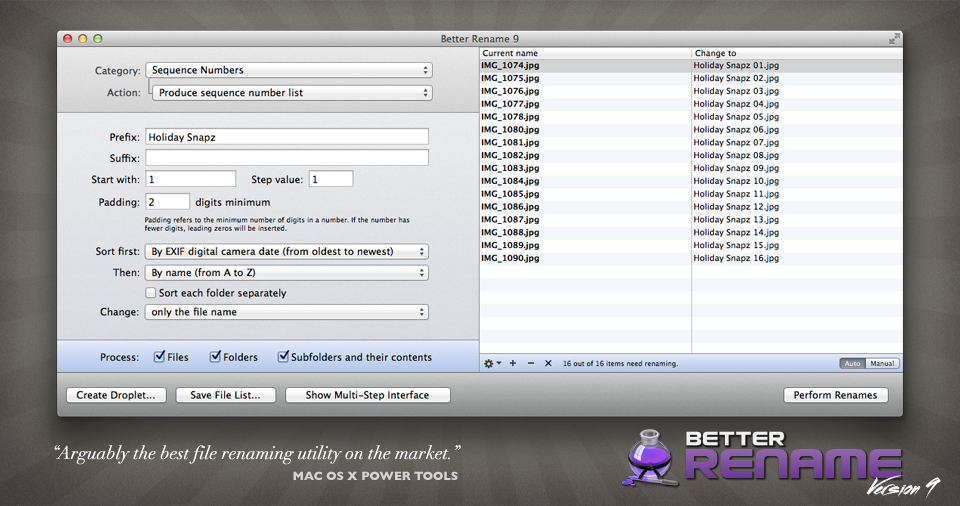 A Better Finder Rename allows users to quickly rename multiple files. This powerful, yet easy-to-use utility transforms the often tedious and time-consuming task of renaming multiple files into a simple matter of seconds. "A Better Finder Rename" is ideally suited for Macintosh webmasters, users who need to transfer files from Windows or UNIX as well as for all other Macintosh users who deal with large numbers of files.
MAC | Shareware
Read More
MAILDIVERT MAC PST CONVERTER 1.1
System Utilities :: File & Disk Management
 With MailDivert Mac PST Converter users can simply convert their Outlook PST files to PDF, MBOX, EML, CSV, DOC, HTML, MBOX, Office 365, vCard, ICS, Yahoo, OLM, IMAP Server, Gmail, Thunderbird, etc. the tool supports conversion of complete PST data without missing any data.
MAC | Shareware
Read More
MAILDIVERT MAC OLM CONVERTER 1.1
System Utilities :: File & Disk Management
 Download MailDivert Mac OLM Converter that provides simple and accurate method to convert Mac Outlook OLM mailboxes without any data loss. The tool allows converting Mac Outlook OLM to PST, PDF, EML, CSV, MBOX, Office 365, vCard, ICS, Gmail etc.
MAC | Shareware
Read More
MACFLICK MAC PST CONVERTER 1.1
System Utilities :: File & Disk Management
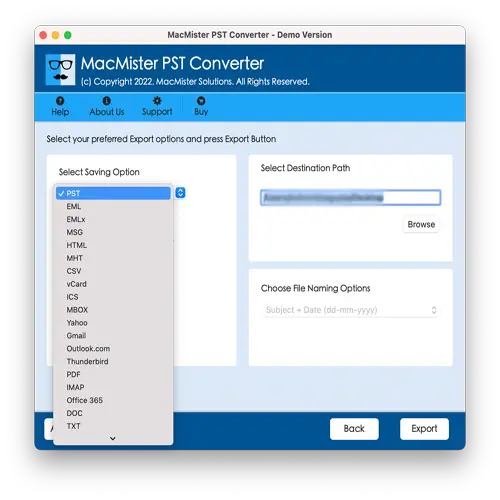 Macflick Mac PST Converter Tool securely performs the conversion of PST files into PDF, MSG, EML, CSV, OLM, MBOX, DOC, IMAP, Gmail, and more. Macflick Mac PST Converter has simplified GUI for seamless processing. Download its freeware version to know the in-depth software working for free.
MAC | Shareware
Read More