


N5 Net Software Repository
Your one-stop for all your software needs.
Search N5 Net Software Repository:
Search Files
Sponsor:
Browse:
- Audio & Multimedia (1596)
- Business (4238)
- Communications (1258)
- Desktop (183)
- Development (602)
- Education (171)
- Games & Entertainment (702)
- Graphic Apps (686)
- Home & Hobby (107)
- Network & Internet (571)
- Security & Privacy (532)
- Servers (65)
- System Utilities (11196)
- Web Development (284)
Areas Of Interest
Authors Area
Are you a software author? Take a look at our Author Resource Center where you will find marketing tools, software specifically created for promoting your software and a ton of other helpful resources.
4Media iPad Video Converter for Mac 7.7.0.20130407
Audio & Multimedia :: Video Tools
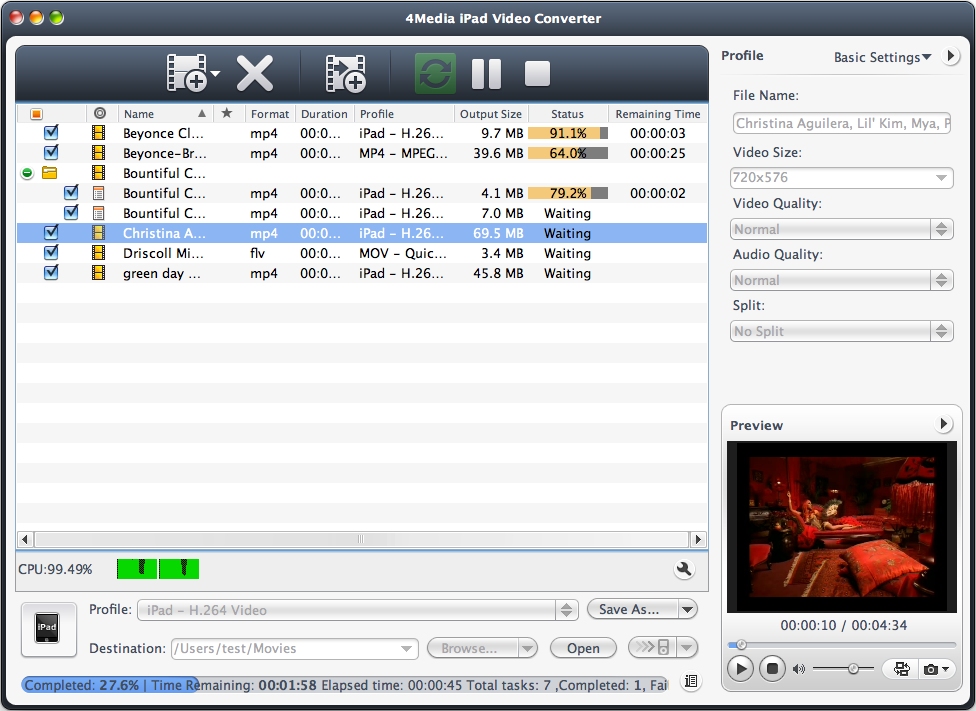
(Click to Enlarge)
4Media iPad Video Converter for Mac supports decoding all sorts of video and audio formats including high-definition (HD) videos. It can convert HD video files (AVCHD (*.mts, *.m2ts), H.264/MPEG-4 AVC, etc.) into iPad H.264 HD videos. Meanwhile, it helps you convert general video and audio formats (AVI, MPEG, WMV, DivX, MP4, MOV, RM, RMVB, ASF, 3GP, WMA, RA, and etc) to iPad videos (H.264, MPEG4) or music (MP3, WAV, AAC or AIFF) respectively. Features 1.Convert HD video formats including AVCHD (*.mts, *.m2ts), H.264/MPEG-4 AVC, MPEG-2 HD, MPEG-4 TS HD, MPEG-2 TS HD, Quick Time HD, WMV HD and AVI HD to iPad 720p H.264 HD videos. 2.Convert kinds of video formats like MPEG, WMV, DivX, MP4, MOV, RM, RMVB, ASF, 3GP, and AVI to iPad videos in H.264, MPEG4 or MOV format. 3.Extract iPad music from any supported video files as iPad MP3, WAV, AAC or AIFF format; convert audio formats (incl. MP2, WMA, RA, AC3, OGG, APE) to iPad audio; rip CDs to iPad music files. 4.Output multiple format files from the same file simultaneously for satisfying different requirements. 5.Convert multiple files to iPad videos and music at the same time. 6.All conversion profiles are optimized for your iPad. And also allows you to freely adjust the parameters such as bit rate, frame rate, sample rate, channel, codec, aspect ratio and many others. 7.Split a file into several parts automatically during conversion by specifying a split duration or size beforehand. 8.Set the start time and duration to extract the segment you favor and then convert it to iPad video/music. 9.Computer video bit rate using the Bitrate Calculator tool to get the required output file size. 10.Available with a resizable media player to preview the video files and take snapshots anytime. 11.Available in English, French, German, Spanish, Japanese and Chinese language interfaces.
Specifications:
Version: 7.7.0.20130407 |
Download
|

Similar Products:
VIDEOPAD MASTERS EDITION FOR MAC 18.05
Audio & Multimedia :: Video Tools
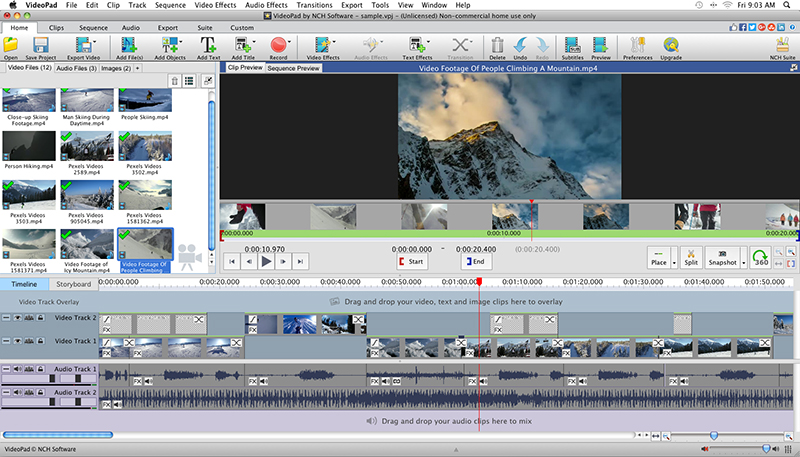 With VideoPad Masters Edition for Mac you can drag and drop files for easy video editing. You can also apply effects, transitions, speed adjustments, and more. VideoPad is one of the fastest video stream processors available. You can capture video from several sources, including DV camera, VHS, webcam, or raw files. You can also use VideoPad Masters to burn movies to DVD, share online, or post to video sites.
MAC | Shareware
Read More
VIDEOPAD FREE VIDEO EDITOR FOR MAC 18.05
Audio & Multimedia :: Video Tools
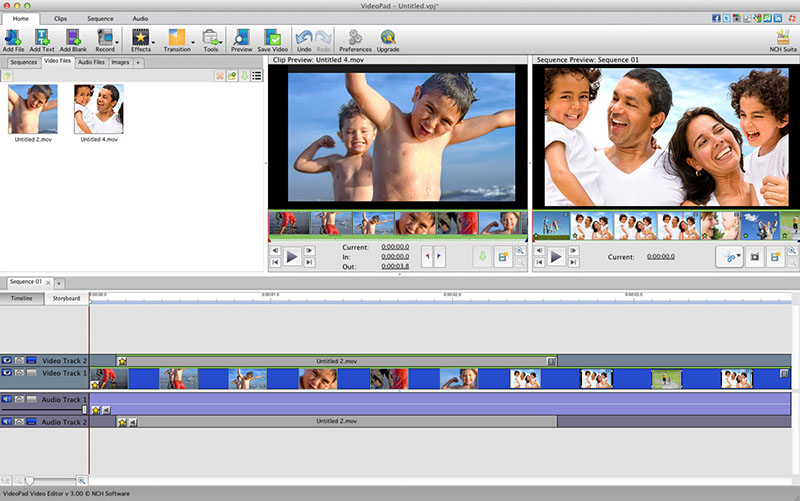 VideoPad is free video editing software for Mac. Create and edit professional quality videos whether you are combining several short video clips or working with just one video. Make movies you will be proud of and then burn them to DVD or share them online. Easily import and edit videos from a wide variety of sources supporting .mov, .avi, .wmv, .wmv, virtually any DV camcorder and more.
MAC | Freeware
Read More
VIDEOPAD VIDEO EDITOR FREE FOR MAC 18.05
Audio & Multimedia :: Video Tools
With VideoPad Free Video Editing Software for Mac, you can drag and drop files for easy video editing. You can also apply effects, transitions, speed adjustments, and more. VideoPad Free Editor is one of the fastest video stream processors available. You can capture video from several sources, including DV camera, VHS, webcam, or raw files. You can also use VideoPad Free to burn movies to DVD, share online, or post to video sites.
MAC | Freeware
Read More
DRMARE M4V CONVERTER FOR MAC 4.1.0
Audio & Multimedia :: Video Tools
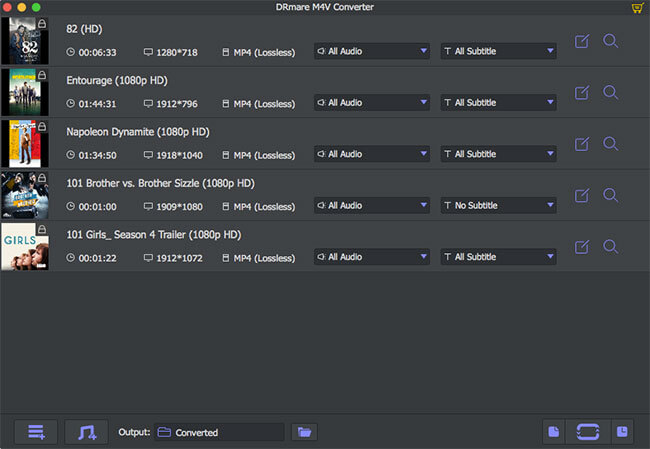 DRmare iTunes M4V Converter for Mac is specialized in removing DRM from iTunes movie rentals, purchases, TV shows and music videos as well as converting the DRM-protected iTunes M4V videos to lossless M4V, MP4, HD MOV, AVI, etc. supported by most popular media players and devices, including Android smartphone, tablets, Windows phones, smart TVs, game consoles, etc. It works at up to 30X faster while retaining original AC3 5.1 sound, CC, etc.
MAC | Shareware
Read More