


N5 Net Software Repository
Your one-stop for all your software needs.
Search N5 Net Software Repository:
Search Files
Sponsor:
Browse:
- Audio & Multimedia (1582)
- Business (1741)
- Communications (469)
- Desktop (134)
- Development (571)
- Education (165)
- Games & Entertainment (709)
- Graphic Apps (683)
- Home & Hobby (106)
- Network & Internet (544)
- Security & Privacy (505)
- Servers (67)
- System Utilities (9267)
- Web Development (284)
Areas Of Interest
Authors Area
Are you a software author? Take a look at our Author Resource Center where you will find marketing tools, software specifically created for promoting your software and a ton of other helpful resources.
Home Image Effects 1.3.2

(Click to Enlarge)
Home Image Effects has a simple and intuitive interface, so editing of pictures is very easy. First choose the image through File menu, or use drag and drop option to place image into application editor view. You also can apply effects, which are available without any additional windows. HomeImage Effects provides a nice set of effects for juicing up your photos or creating custom images. We provide you ability to use any from 100 Core Image Effects and Filters from Apple Macintosh OSX or our custom filters for image manipulation. Using our software you can image transform, crop, noise, tiled, RGB, gray scale, bright, contrast, tint, twirl, bump, pinch and much more. Provided custom effects give you ability to modify image or create new one using random image generators. Main Features: - Core Image effects, - OpenGL effects, - Custom image effects, - save files to mostly used formats ( JPG, TIF, PNG, BMP, SGI and more) with different resolution amounts, - rotate image by 90 angle, - flip image, - resize image, - and more...
Specifications:
Version: 1.3.2 |
Download
|

Similar Products:
PHOTOX BATCH WATERMARK CREATOR FOR MAC 6.7.0
Graphic Apps :: Editors
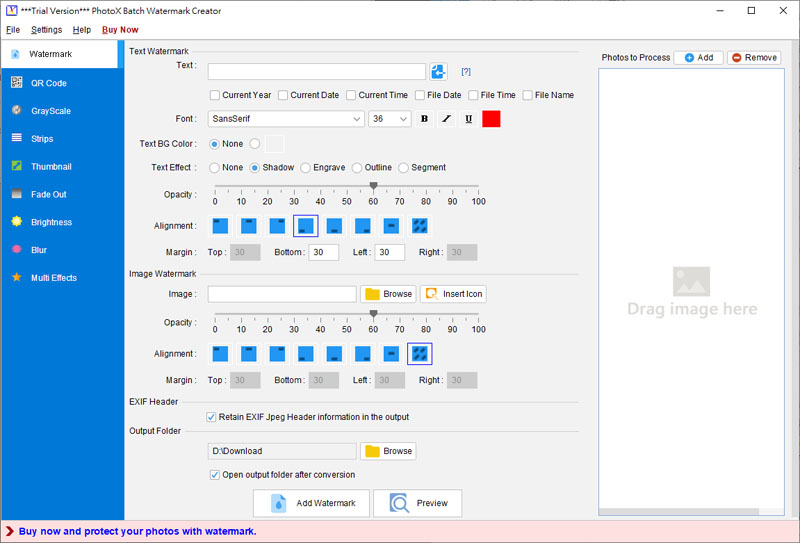 PhotoX software provides a quickest and easiest way to watermark your photo. Avoid unauthorized use of your product photos, stamp your product photos with watermark. You can add text or image watermark in different position of photo. You can also adjust the opacity of watermark to ensure the readability of photo. Besides watermarking, you can use other tools to protect your photos, like Grayscale, Add Strip, Thumbnail and Fade Out effect.
MAC | Shareware
Read More
PHOTOPAD FREE MAC IMAGE AND PHOTO EDITOR 14.53
Graphic Apps :: Editors
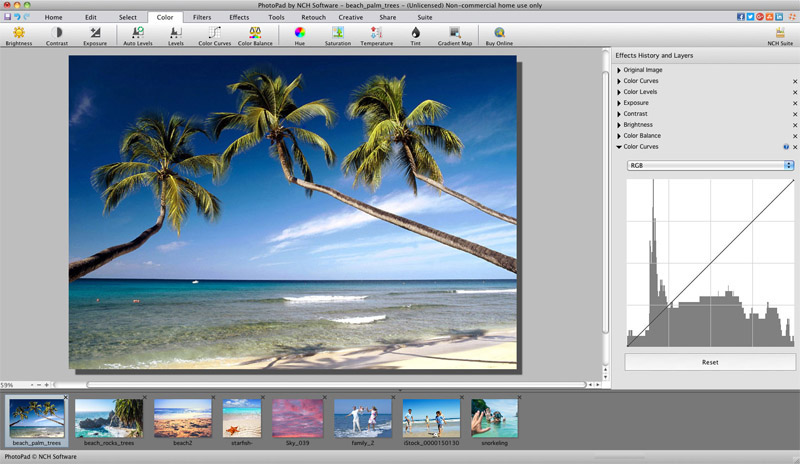 PhotoPad Free Photo and Image Editor for Mac. Retouch photos quickly and easily and edit and apply effects to photos and other images. Crop, rotate, resize and add effects like sepia tones, greyscale and red eye reduction as well as adjusting the hue, saturation, brightness, contrast and more. Whether you are a professional photographer or just need to edit personal photos, PhotoPad Free provides powerful tools to edit your digital photos.
MAC | Freeware
Read More
PHOTOPAD PRO EDITION FOR MAC 14.53
Graphic Apps :: Editors
PhotoPad Pro Edition Photo Editing Software for Mac. Retouch photos quickly and easily and edit and apply effects to photos and other images. Crop, rotate, resize and add effects like sepia tones, greyscale and red eye reduction as well as adjusting the hue, saturation, brightness, and more. Whether you are a professional photographer or just need to edit personal photos, PhotoPad Pro Edition provides powerful tools to edit your digital photos.
MAC | Shareware
Read More