


N5 Net Software Repository
Your one-stop for all your software needs.
Search N5 Net Software Repository:
Search Files
Sponsor:
Browse:
- Audio & Multimedia (1582)
- Business (1733)
- Communications (469)
- Desktop (135)
- Development (557)
- Education (165)
- Games & Entertainment (706)
- Graphic Apps (681)
- Home & Hobby (105)
- Network & Internet (538)
- Security & Privacy (504)
- Servers (67)
- System Utilities (9263)
- Web Development (281)
Areas Of Interest
Authors Area
Are you a software author? Take a look at our Author Resource Center where you will find marketing tools, software specifically created for promoting your software and a ton of other helpful resources.
EasyLogin 2.0
Network & Internet :: Browser Tools

(Click to Enlarge)
The EasyLogin toolbar button for Internet Explorer allows you to log into websites using a single mouse click. Version 1 is now available, with the following features: - One touch Login to any HTML site - Save time on typing usernames and passwords - Saves login information as a favorite, which you can place anywhere on your computer and even email to someone else, or add to a website - Once created the EasyLogin bookmark will work in any modern browser - Tested on many websites including gmail, yahoo and aol - Totally free, with no popup adverts or spyware To Use EasyLogin go to the webpage where you would like to log in and type your username and password. Do not click the login button, instead click the EasyLogin toolbar button and you will be asked where you will be asked to save your Login Link to your browser's favorites. To log in simply click the link that EasyLogin created for you.
Specifications:
Version: 2.0 |
Download
|

Similar Products:
IE OPEN LAST CLOSED TAB 4.1.0.0
Network & Internet :: Browser Tools
 Accidentally closing webpages in Internet Explorer you really didn't want to close can be a pain. With Open Last Closed Tab, you can re-open those closed tabs by hitting Alt-X or by selecting the page in the toolbar list of previously closed tabs. The newly added Quick Tab Style View, displayed when you hit Alt-Q, shows you thumbnails of the previous tabs you've closed with filtering support to visually identify pages you want to re-open.
Windows | Freeware
Read More
Network & Internet :: Browser Tools
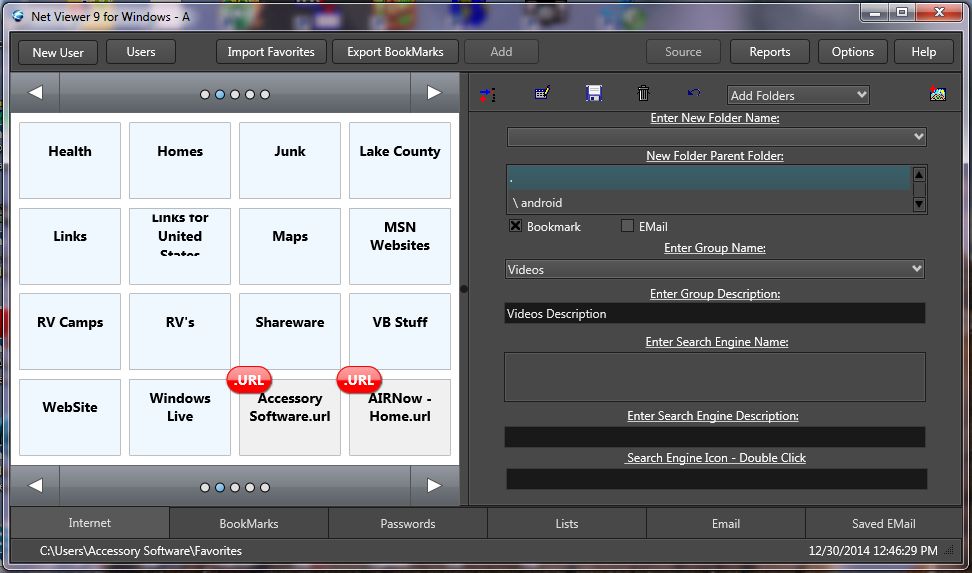 Organize thousands of Web Sites by Categories, priorities, search words, and Users in a secure database. Collect Web Sites automatically while browsing the internet using a number of Web Browsers at once. Save EMail, URL's, Passwords by Web Site in the database. You can view all your collected web sites by category, priority, web site name, and three search key words. Extract Links from Web Pages and Save Web Pages OffLine.
Windows | Shareware
Read More
Network & Internet :: Browser Tools
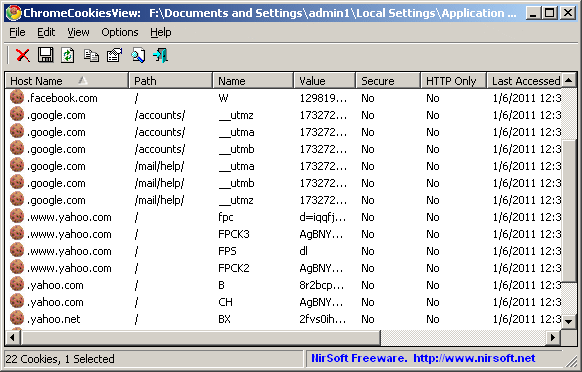 ChromeCookiesView is an alternative to the standard internal cookies viewer of Google Chrome Web browser. it displays the list of all cookies stored by Google Chrome Web browser, and allows you to easily delete unwanted cookies. It also allows you export the cookies into text/csv/html/xml file.
For every cookie, the following information is displayed: Host Name, Path, Name, Value, Secure (Yes/No), HTTP Only Cookie (Yes/No), and more...
ChromeCookiesView is an alternative to the standard internal cookies viewer of Google Chrome Web browser. it displays the list of all cookies stored by Google Chrome Web browser, and allows you to easily delete unwanted cookies. It also allows you export the cookies into text/csv/html/xml file.
For every cookie, the following information is displayed: Host Name, Path, Name, Value, Secure (Yes/No), HTTP Only Cookie (Yes/No), and more...
Windows | Freeware
Read More
Network & Internet :: Browser Tools
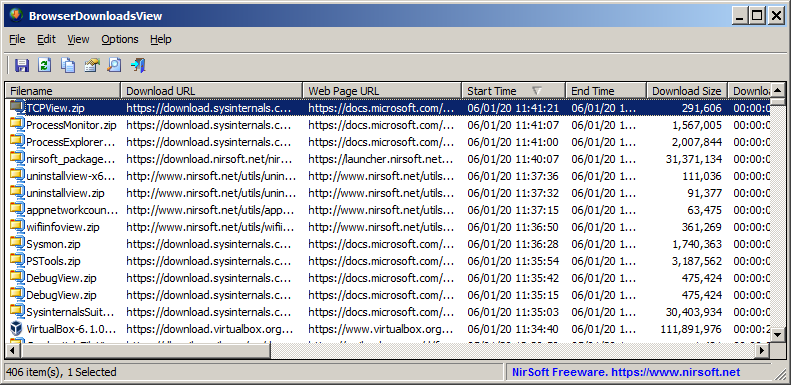 BrowserDownloadsView is a tool for Windows that displays the details of downloaded files of Chrome and Firefox Web browsers. For every download, the following information is displayed: Filename, Download URL, Web Page URL, Start Time, End Time, Download Duration, Download Size, Web Browser, and more...
Windows | Freeware
Read More