


N5 Net Software Repository
Your one-stop for all your software needs.
Search N5 Net Software Repository:
Search Files
Sponsor:
Browse:
- Audio & Multimedia (1582)
- Business (1733)
- Communications (469)
- Desktop (135)
- Development (557)
- Education (165)
- Games & Entertainment (706)
- Graphic Apps (681)
- Home & Hobby (105)
- Network & Internet (538)
- Security & Privacy (504)
- Servers (67)
- System Utilities (9263)
- Web Development (281)
Areas Of Interest
Authors Area
Are you a software author? Take a look at our Author Resource Center where you will find marketing tools, software specifically created for promoting your software and a ton of other helpful resources.
ReaSoft PDF Printer 3.2
Business :: Office Suites & Tools

(Click to Enlarge)
This is a PDF printer driver that can be used for a one-click PDF creation without Acrobat. Using ReaSoft PDF Printer you can create high-quality PDF documents without high costs. ReaSoft PDF Printer installs as a virtual printer on your PC, so all you need to do is Print from any Windows application to create a PDF document. ReaSoft PDF Printer is also available as Server Edition designed for use in a corporate network with any number of users. Server Edition designed for use in in a multi-user server environment. Install it on a Windows server, and any user can install by connecting to a shared PDF printer. Reasoft PDF Printer is the number one application of its kind with many innovative features: Easy creation of high quality PDF documents from any application that prints; Use optional PDF saving dialog for detailed document design; Combine documents, drawings and rich media content into a single PDF document; Convert your documents into PDF with a one-click from Windows Explorer; Add various PDF processing: Set the document title, subject, author, and keywords; Add hierarchical bookmarks for document pages; Apply watermarks to your PDF documents; Add headers and footers with data, time, page numbers, etc; Print PDF on your own letterheads; Create documents with font embedding; Automatically convert web links to PDF hyperlinks; Set initial document display properties; Arrange pages order and insert blank pages into a PDF; Optimize and compress PDF files; Control PDF security: Protect your PDF documents with 40 or 128 bit RC4 encryption; Add file permissions to restrict printing, copying, and future modifications; Advanced feature for Reasoft PDF Printer also include easy-to-use profile settings which help you to save and load your own configuration on creation of PDF documents.
Specifications:
Version: 3.2 |
Download
|

Similar Products:
::
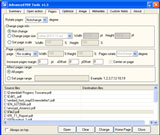 Advanced PDF Tools is a fast and easy to use utility to maintain your PDF files, it allows you to edit or add data into the document information fields of single or multiple PDF files, it also allows you to set open action, page layout, page size, page margin, page orientation, metadata, optimization, JPEG,JPEG2000 compression and others into your existing PDF files.
Windows | Shareware
Read More
DOCPRINT SDK SERVER LICENSE 4.01
::
 docPrint Document Converter Professional is a software product that dynamically converts MS Office,WordPerfect,HTML,AutoCAD DWG,PostScript,EPS,PDF,MS Visio and many other document types to PDF,PostScript,EPS, JPEG, TIFF, PNG, PCX and BMP etc formats. It works in both GUI version and Command Line version. With docPrint Document Converter Professional you can convert your documents from and to PDF, EPS, PS,JPEG,TIFF,BMP,PCX,PNG files easily.
Windows | Shareware
Read More
::
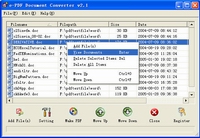 e-PDF Document Converter is a software product that dynamically converts MS Office 97/2000/XP/2003, WordPerfect, HTML, AutoCAD DWG, PostScript and many other document types to PDF, PostScript, PDF, JPEG, TIFF, PNG, PCX and BMP etc formats. It works in both GUI version and Command Line version. With e-PDF Document Converter you can convert your documents from and to PDF files easily. It converts Word, Excel, PowerPoint, AutoCAD to PDF files.
Windows | Shareware
Read More
PDF EDITOR TOOLKIT PRO SERVER LICENSE 2.0
::
 PDF Editor Toolkit is a library that can generate and edit PDF document, it supports most of the standard features of PDF file. With PDF Editor Toolkit, you can create PDF document from your program, PDF Editor Toolkit also allows you to easily append, split, merge, stamp, encrypt and decrypt PDF files. PDF Editor Toolkit is useful for VC, C++, VB, Delphi developers. PDF Editor Toolkit does not require Adobe Acrobat, or even Acrobat Reader.
Windows | Shareware
Read More