


N5 Net Software Repository
Your one-stop for all your software needs.
Search N5 Net Software Repository:
Search Files
Sponsor:
Browse:
- Audio & Multimedia (1582)
- Business (1741)
- Communications (469)
- Desktop (134)
- Development (571)
- Education (165)
- Games & Entertainment (709)
- Graphic Apps (683)
- Home & Hobby (106)
- Network & Internet (544)
- Security & Privacy (505)
- Servers (67)
- System Utilities (9267)
- Web Development (284)
Areas Of Interest
Authors Area
Are you a software author? Take a look at our Author Resource Center where you will find marketing tools, software specifically created for promoting your software and a ton of other helpful resources.
WebCamSplitter 1.5
Communications :: Web/Video Cams
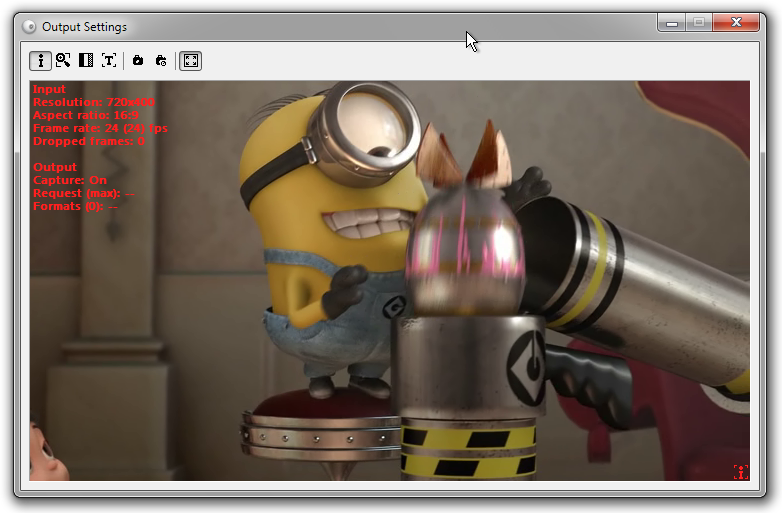
(Click to Enlarge)
It's known that two or more applications cannot use the same stream from the same webcam at the same time. If one application captures a video source, another application cannot reach it because the source is locked. Typical example: you need to give a videoconference with two friends or partners at once. If your videoconference software does not support multiple conferences, you will have to start two instances of the same software. Unfortunately, in this case you may get into trouble because one application will translate video, and the other one will not. What is the solution? It's simple - just use WebCamSplitter. Features: 1) Customization of input/output resolutions. You can use a video stream of any resolution mode from the list of webcam supported resolution modes, independently for input and output. This allows to customize your video as you wish. 2) Preview for every application that is used with WebCamSplitter. 3) Preview for the output video stream dependent application that is used by WebCamSplitter. 4) Digital Zoom and Pan for every application that is used by WebCamSplitter. 5) Desirable frame rate in a video stream. 6) Video stream desirable processing quality. 7) Ability to use Local Media File (AVI, WMV, MPG, BMP, JPG ...) as video source. 8) Virtual audio device. Now using local media file is possible to transfer audio stream to modern IM like MSN. 9) Intelligent Connect feature allows to use IYUV, MPEG4 and other input formats, instead of just RGB24-compatible devices in previous version. 10) Support of DV cameras. 11) One of fastest products on the market 12) User-friendly interface and detailed help. 13) User- friendly interface for color correction control. 14) Text overlay option.15) Brightness and contrast leveling. 16) Added grab still image function and screen capture as video source. Besides, WebCamSplitter is always available via system tray just like your ICQ, AIM or Yahoo IM.
Specifications:
Version: 1.5 |
Download
|

Similar Products:
BANDICAM SCREEN RECORDER 8.3.0.2533
Graphic Apps :: Screen Capture
 Record everything (Game + PC screen) and save it as AVI, MP4 files. Bandicam is the best Game, Video, and Screen recording software. It is high quality, and the recorded file size is much smaller than files created with other software. Furthermore, Bandicam minimizes CPU usage. As a result, you can reduce computer lag and save hard disk space. The maximum file size is unlimited up to local hard disk space (Over 24hours).
Windows | Shareware
Read More
DEBUT FREE SCREEN CAPTURE SOFTWARE 12.05
Audio & Multimedia :: Video Tools
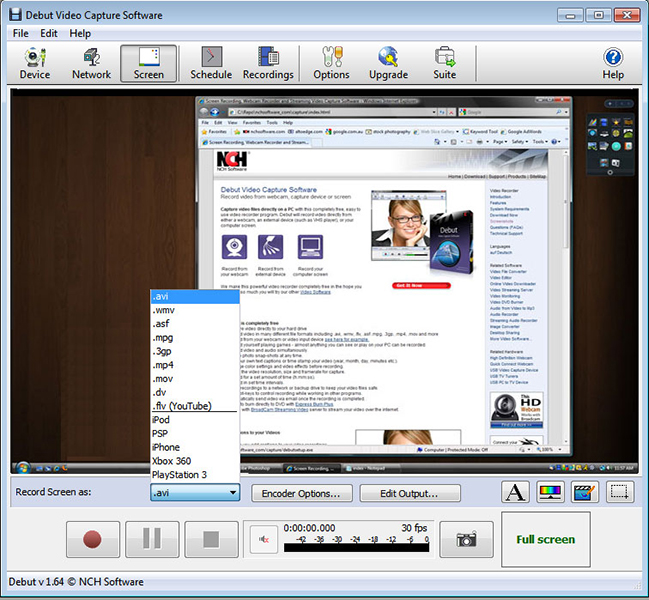 Debut is a free screen capture software. With Debut you can capture video from your entire screen, a single window or a selected portion. Save the recorded video as avi, flv, wmv and other video file formats. Email video recordings automatically when recording has stopped or send via FTP. Set Debut to record video at specific times, record computer games, create how to demonstrations, capture video messages, add text or captions and much more.
Windows | Freeware
Read More
VISCOM VIDEO CAPTURE PRO SDK ACTIVEX 18.0
Development :: Active X
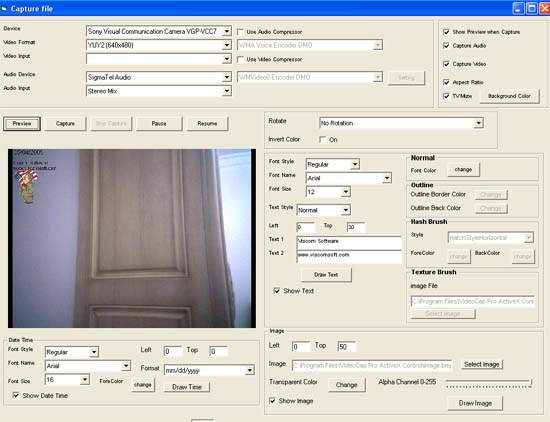 support IP Camera, web cam free hand drawing, Motion Detection, Picture in Picture, Video Mixing, RTSP IP Camera, Capture Video from capture card, tv tuner, dv cam, dvd player to AVI or WMV 9, WMV8 file format. Preview Video stream and snapshot From IP Camera.Rotate, invert video for C#, VB.NET, VB6, MS Access, Delphi, VFP
Windows | Shareware
Read More
Development :: Delphi
 RVMedia is a set of Delphi VCL/FMX and Lazarus components having the following functions: receiving video from local web cameras and IP-cameras; configuring IP-cameras and controlling their rotation; reading sound from a microphone/video; sending and receiving video and audio data via the Internet; organizing video chats and video conferences (either as directly connected applications or using a client-server model), recording video/audio files.
Windows | Shareware
Read More