


N5 Net Software Repository
Your one-stop for all your software needs.
Search N5 Net Software Repository:
Search Files
Sponsor:
Browse:
- Audio & Multimedia (1582)
- Business (1741)
- Communications (469)
- Desktop (134)
- Development (571)
- Education (165)
- Games & Entertainment (709)
- Graphic Apps (683)
- Home & Hobby (106)
- Network & Internet (544)
- Security & Privacy (505)
- Servers (67)
- System Utilities (9267)
- Web Development (284)
Areas Of Interest
Authors Area
Are you a software author? Take a look at our Author Resource Center where you will find marketing tools, software specifically created for promoting your software and a ton of other helpful resources.
BCGPEdit (BCGSoft Professional Editor) 6.5
(Click to Enlarge)
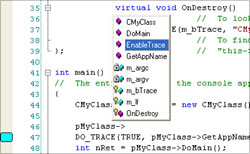
MFC extension library that allows you to incorporate an advanced edit control into any MFC-based application.The Editor library implements the number of features not found in standard edit controls. This set of features includes: - Syntax highlighting - for creation of a syntax file (in XML format) to support any programming language. Also, a set of virtual functions offered. You can override these functions and incorporate into edit control any logic you want. - Support for collapsible nodes (outlining) The out of the box outline parser recognizes C++ files and can be customized either programmatically or using an external XML file. - Color Blocks You can define various color blocks and implement single-line and multi-line comments. - IntelliSense advanced support. Based on this support you can create editors like editors found in Microsoft VC++ or Visual Basic IDE. - Markers. Built-in support for bookmarks and breakpoints, creation various types of custom markers, single line and multi-line static and dynamic color blocks. Symbol support. You can easily create chat clients with built-in images like smiles. Drag/Drop support Undo/redo support Easy integration with MFC document-view architecture. In addition, BCGPEdit provides a built-in support for all standard features such as keyboard/mouse selection, Copy/Paste and Print. The Editor Library is suitable for large number of applications - from simple chat clients to complicated development tools.
Specifications:
Version: 6.5 |
Download
|

Similar Products:
::
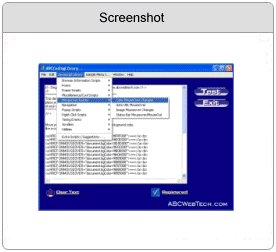 The ABCCodingLibrary is an amazing code library that allows you to create, customize and organize your programming code easily. Plus, it comes with a built in Javascript Library, featuring over 50 javascripts Choose scripts from an organized, amazingly easy to navigate menu system, and customize them to your own needs No more long download times, or wasting time surfing the internet to find the one script that you want With the full
Windows | Shareware
Read More
::
 This utility is a Adobe Acrobat PDF file search, index, compare and convert tool.
Advanced PDF Manager includes:
Compare PDF - this utility allows to company Adobe Acrobat PDFs and compare folders with PDF files;
PDF Search - this utility allows to search for PDF files on local hard disks and across the network;
PDF Index - this tool allows to create an index of PDF files and search in it;
PDF2TXT - converts PDF to text.
This utility is a Adobe Acrobat PDF file search, index, compare and convert tool.
Advanced PDF Manager includes:
Compare PDF - this utility allows to company Adobe Acrobat PDFs and compare folders with PDF files;
PDF Search - this utility allows to search for PDF files on local hard disks and across the network;
PDF Index - this tool allows to create an index of PDF files and search in it;
PDF2TXT - converts PDF to text.
Windows | Shareware
Read More
::
 This tool allow to save the records from Clarion file (.dat) to text file.
This application don't use any external libraries (no ODBC, no ADO etc) and you may run this tool on computer without any additional setup/install.
All features are available via command-line arguments so you could automate any task
This tool allow to save the records from Clarion file (.dat) to text file.
This application don't use any external libraries (no ODBC, no ADO etc) and you may run this tool on computer without any additional setup/install.
All features are available via command-line arguments so you could automate any task
Windows | Shareware
Read More
::
 This tool allow to read/extract all images saved in Thumb.db file (created by MS Windows to cache your pictures).
This application does not use any external libraries and you may run this tool on any computer without any additional setup/install (from USB flash or CD, for example).
You may see the full system information and stored images in thumbnail.
You may save (extract) as bitmap file the any stored picture or edit in editor.
This tool allow to read/extract all images saved in Thumb.db file (created by MS Windows to cache your pictures).
This application does not use any external libraries and you may run this tool on any computer without any additional setup/install (from USB flash or CD, for example).
You may see the full system information and stored images in thumbnail.
You may save (extract) as bitmap file the any stored picture or edit in editor.
Windows | Shareware
Read More