


N5 Net Software Repository
Your one-stop for all your software needs.
Search N5 Net Software Repository:
Search Files
Sponsor:
Browse:
- Audio & Multimedia (1582)
- Business (1741)
- Communications (469)
- Desktop (134)
- Development (571)
- Education (165)
- Games & Entertainment (709)
- Graphic Apps (683)
- Home & Hobby (106)
- Network & Internet (544)
- Security & Privacy (505)
- Servers (67)
- System Utilities (9267)
- Web Development (284)
Areas Of Interest
Authors Area
Are you a software author? Take a look at our Author Resource Center where you will find marketing tools, software specifically created for promoting your software and a ton of other helpful resources.
QSyncFTP 1.8
Web Development :: Site Administration

(Click to Enlarge)
QSyncFTP - publish or update your web site by mouse-click automatically or by timers fully automatic to any FTP server. QSynFTP checks the local file system for changes (new files, changed files, new directories) and uploads all changed files automatically to one or more FTP servers. The integrated FTP client allows easy manual upload, it displays both, the ftp directory and the local directory in one window, if the directory is changed in one pane and it switches automatically to the corresponding directory at the other site. The main features: (a)Automatically uploads files and folders to web sites - QSyncFTP finds all files which have been modified by comparing the modification time with the time it was last time uploaded. (b) Fast search for modified files - QSyncFTP finds out which files are modified in a few seconds. (c) Automatically uploads with a timer - You can instruct QSyncFTP to check files for upload using a timer. This way you do not even need to push a button. (d) Leaves out certain directories or files - Some applications create files inside your web page, which do not need to be uploaded, for example _vti_cnf files in FrontPage. You can instruct QSyncFTP easily not to upload those files. (e) Executes a script before starting the upload and after finishing the upload - if you need to include files from other directory structures, you can create a script which is uploading files, creating directories etc. HTML reports show you what has changed and give you access to old files. (f) Interactive FTP browser - QSyncFTP includes its own two-pane FTP browser which allows manually up- and downloading files.
Specifications:
Version: 1.8 |
Download
|

Similar Products:
Web Development :: Site Administration
 Search engine submission software for professionals with website optimization and website analyse, metatagchecker, link check.
Windows | Shareware
Read More
Web Development :: Site Administration
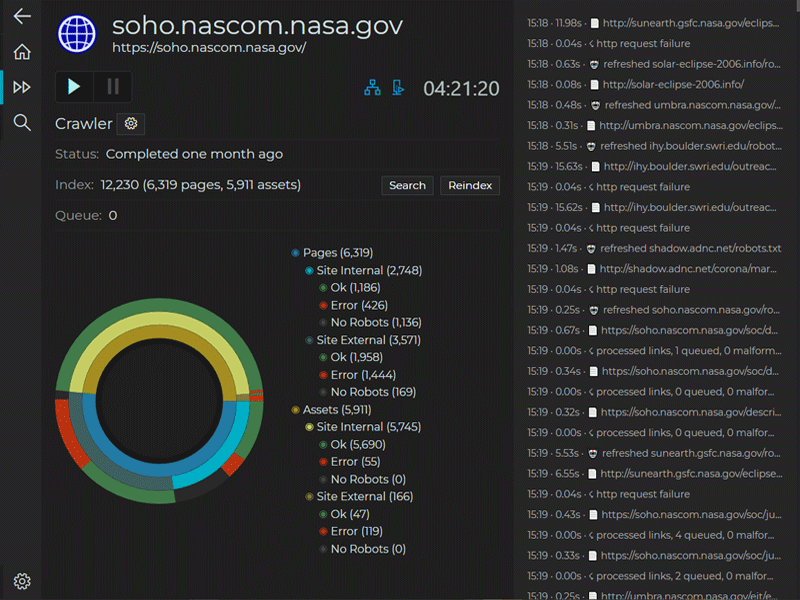 InterroBot combines a web crawler with advanced filtering to help you get answers to just what the heck is going on with your website. Whether you're looking for a snippet of text in the body of your target webpages, the HTTP headers, or a specific HTTP status code-InterroBot will help you track it down. InterroBot is used to clean up link rot, in administering CMS, SEO, and as dev-tool for troubleshooting and maintenance.
Windows | Shareware
Read More
Web Development :: Site Administration
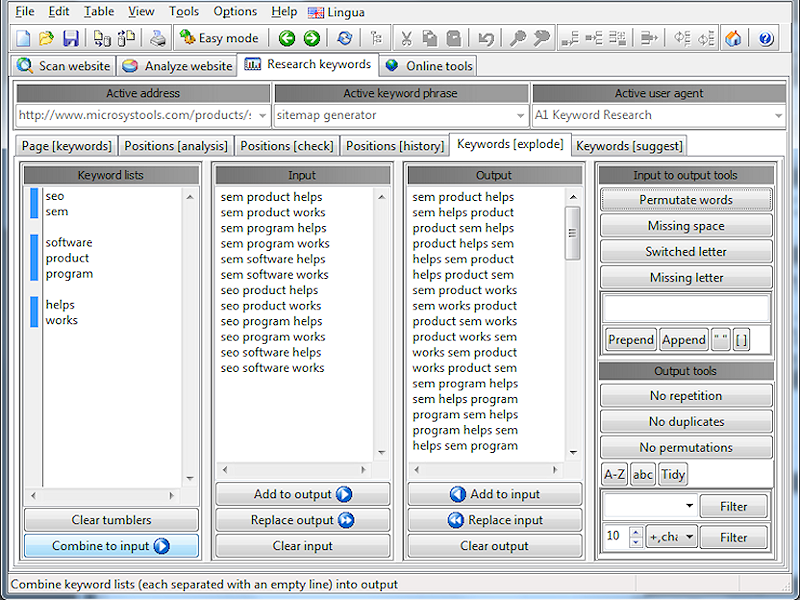 Optimize website content and keywords. Find related keywords and phrases. Build keyword lists that cover all variations, e.g. word permutations and spelling errors. Position check and track ranking history. Check keyword density. Have titles, headers etc. "weight" more. Analyze website competition, e.g. backlinks and Google PageRank. Integrate with online SEO, PPC and website analysis tools. All information and data can be exported as XML or CSV.
Windows | Shareware
Read More
Web Development :: Site Administration
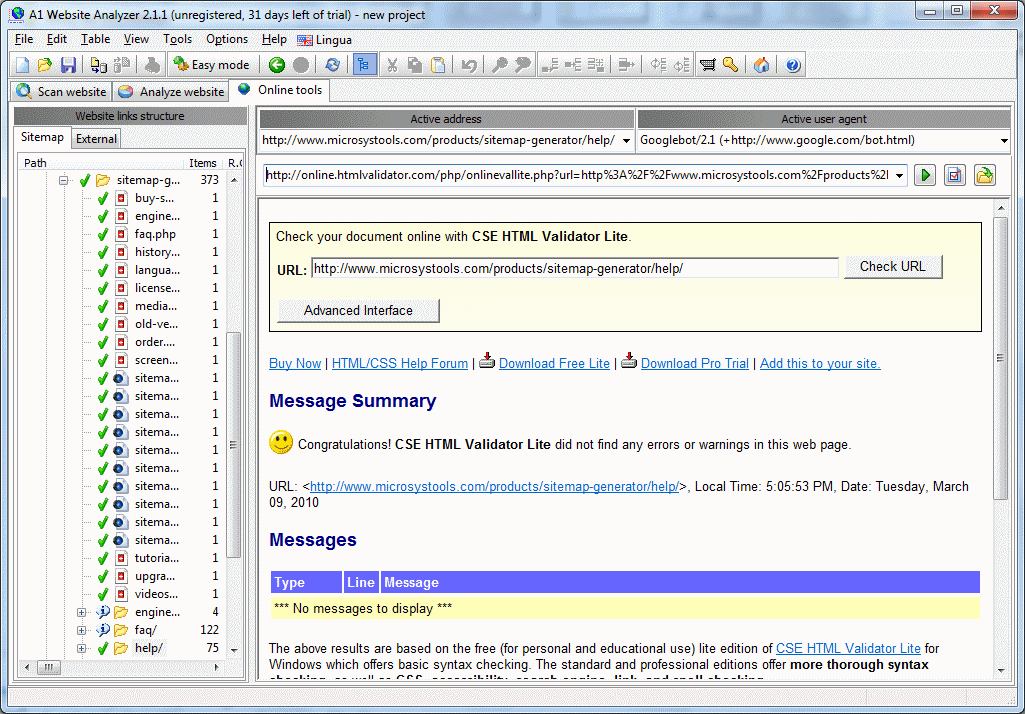 Website content and structure analysis tools. Find broken links and redirects. See website linking structure and calculated "importance" value for all pages. Get detailed stats for all pages such as HTML errors, page size, response headers, response time, download time. Can integrate with online website analysis tools. All information including data from website scans can be exported as XML or CSV. Website analysis can uncover potential problems.
Windows | Shareware
Read More